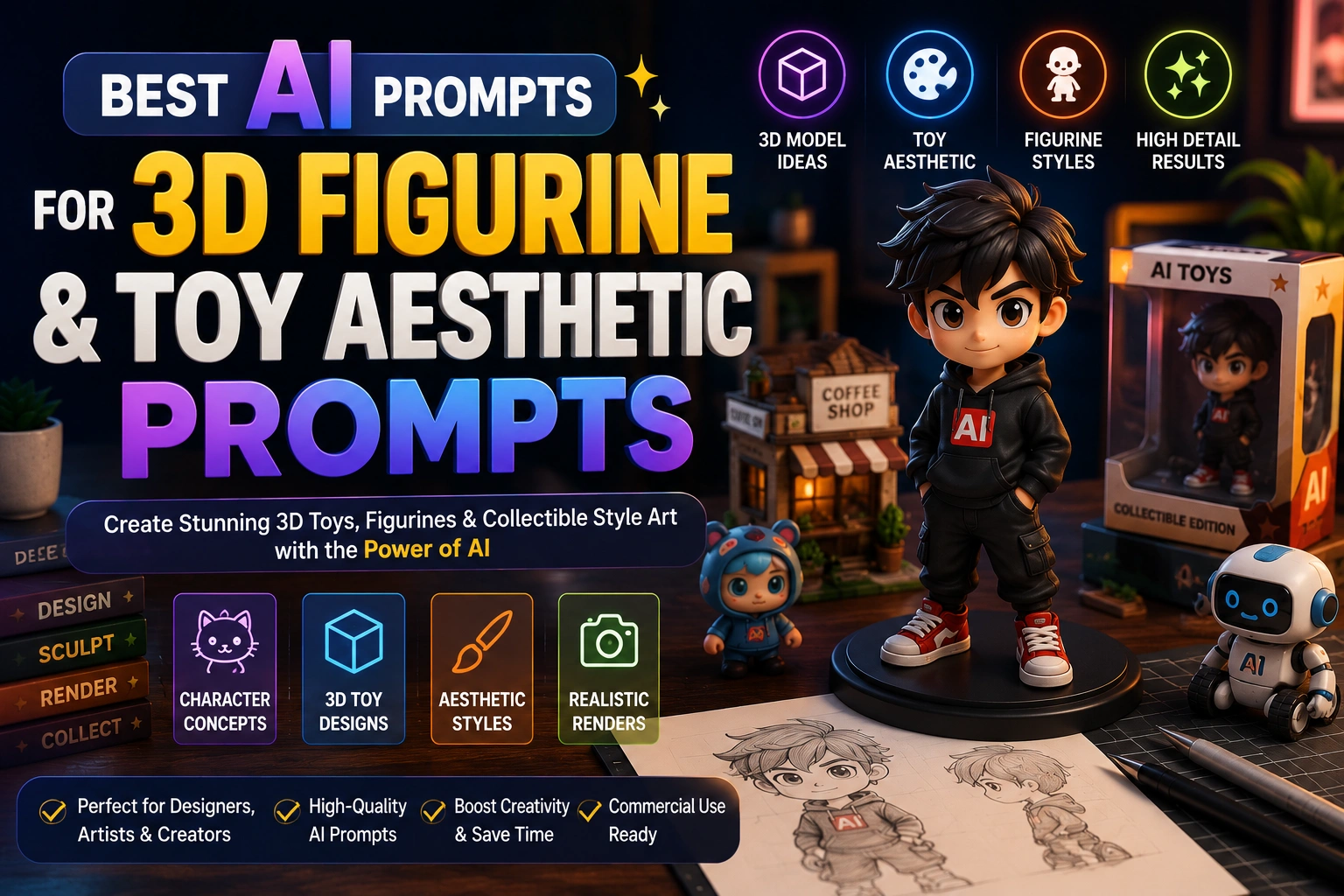
Stunning AI Image Prompts for Photorealism, Art, Architecture & Design
Written by Adnan Khan Published July 25, 2026 Updated Oct 18, 2026 10 min read
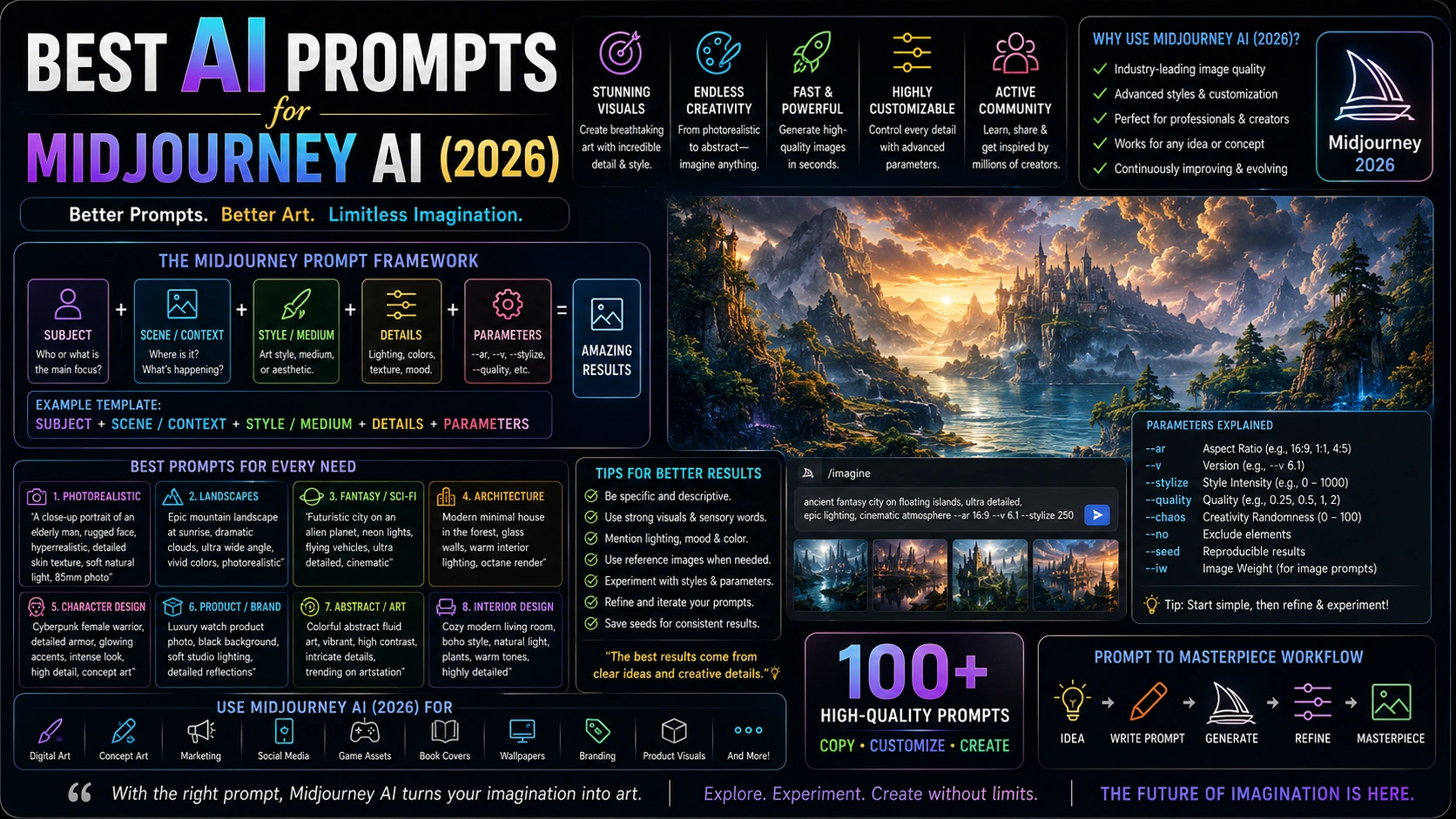
Explore 50 practical Midjourney prompts for 2026, covering cinematic portraits, photorealistic product scenes, illustration, architecture, character design and abstract art. Each template includes an example prompt and guidance for adapting aspect ratio, stylization and other parameters to your target result. Check the version parameter in each prompt against the model currently available in your Midjourney account before generating.
Updated for 2026 AI Tools Tested Prompt Templates Beginner Friendly Free to Copy & Use
Select a category or browse all Midjourney prompts below
1. Disposable Camera Memory Photo
PHOTOREALISTIC
Imperfect, nostalgic film-style photo with grain, light leaks, and an accidental feel.
candid disposable camera photograph of [subject] at [casual location], late-90s film look, dusty grain, soft focus, warm light leak in one corner, slightly off-center framing, faded colors, natural skin texture, harsh on-camera flash, authentic accidental moment --ar 3:2 --raw --stylize 100 --no studio lighting, glossy retouching, perfect symmetry --v 8.2
Recommended Tech Stack: Midjourney Web or Discord; the model version supported by your account (the source prompt uses v8.2 syntax); Photoshop or another editor for final cleanup.
Quick Implementation Guide:
Copy the prompt and replace bracketed placeholders with a specific subject, setting, mood and visual details. Confirm that its --v value and other flags are supported by your selected Midjourney model; the supplied prompts use v8.2 syntax, not the V6-only template.
Generate variations, compare framing and lighting, then adjust one variable at a time. Use image, character or style references only when supported by your selected version, and check the current parameter names before relying on them.
Upscale the strongest result and inspect hands, fine details, materials and unintended artifacts. Use an editor for cleanup; manually verify logos, typography and factual product details.
Real-World Use Case Example: Create a visual direction for a marketing campaign, mood board or creative brief, then review composition, subject accuracy and any text before using the asset publicly.
candid disposable camera photograph of [subject] at [casual location], late-90s film look, dusty grain, soft focus, warm light leak in one corner, slightly off-center framing, faded colors, natural skin texture, harsh on-camera flash, authentic accidental moment --ar 3:2 --raw --stylize 100 --no studio lighting, glossy retouching, perfect symmetry --v 8.2
2. 1980s Retro Studio Portrait
PHOTOREALISTIC
Vintage 80s studio portrait with period styling, warm color, and film grain.
1980s studio portrait photograph of [person description], period-accurate hairstyle and outfit, soft glamour lighting, warm faded colors, 35mm film grain, slightly soft focus, patterned studio backdrop, authentic vintage print texture, natural skin texture --ar 4:5 --raw --stylize 150 --no modern clothing, smartphones, digital sharpness --v 8.2
Recommended Tech Stack: Midjourney Web or Discord; the model version supported by your account (the source prompt uses v8.2 syntax); Photoshop or another editor for final cleanup.
Quick Implementation Guide:
Copy the prompt and replace bracketed placeholders with a specific subject, setting, mood and visual details. Confirm that its --v value and other flags are supported by your selected Midjourney model; the supplied prompts use v8.2 syntax, not the V6-only template.
Generate variations, compare framing and lighting, then adjust one variable at a time. Use image, character or style references only when supported by your selected version, and check the current parameter names before relying on them.
Upscale the strongest result and inspect hands, fine details, materials and unintended artifacts. Use an editor for cleanup; manually verify logos, typography and factual product details.
Real-World Use Case Example: Develop a portrait or character visual for a campaign, mood board or story concept; keep identity cues and lighting notes consistent across iterations.
1980s studio portrait photograph of [person description], period-accurate hairstyle and outfit, soft glamour lighting, warm faded colors, 35mm film grain, slightly soft focus, patterned studio backdrop, authentic vintage print texture, natural skin texture --ar 4:5 --raw --stylize 150 --no modern clothing, smartphones, digital sharpness --v 8.2
3. Direct-Flash Y2K Night-Out Photo
PHOTOREALISTIC
Raw, overexposed early-2000s compact-camera party photo.
early-2000s compact digital camera party photograph of [friends / subject] at [venue], harsh direct flash, overexposed skin, dark blown-out background, slight motion blur, low-resolution compression feel, red-eye hint, timestamp in the corner, candid night-out energy --ar 4:3 --raw --stylize 50 --v 8.2
Recommended Tech Stack: Midjourney Web or Discord; the model version supported by your account (the source prompt uses v8.2 syntax); Photoshop or another editor for final cleanup.
Quick Implementation Guide:
Copy the prompt and replace bracketed placeholders with a specific subject, setting, mood and visual details. Confirm that its --v value and other flags are supported by your selected Midjourney model; the supplied prompts use v8.2 syntax, not the V6-only template.
Generate variations, compare framing and lighting, then adjust one variable at a time. Use image, character or style references only when supported by your selected version, and check the current parameter names before relying on them.
Upscale the strongest result and inspect hands, fine details, materials and unintended artifacts. Use an editor for cleanup; manually verify logos, typography and factual product details.
Real-World Use Case Example: Create a visual direction for a marketing campaign, mood board or creative brief, then review composition, subject accuracy and any text before using the asset publicly.
early-2000s compact digital camera party photograph of [friends / subject] at [venue], harsh direct flash, overexposed skin, dark blown-out background, slight motion blur, low-resolution compression feel, red-eye hint, timestamp in the corner, candid night-out energy --ar 4:3 --raw --stylize 50 --v 8.2
4. Rainy Neon Cinematic Portrait
PHOTOREALISTIC
Atmospheric portrait with wet streets, neon reflections, and cinematic lighting.
cinematic portrait of [person] on a rain-wet city street at dusk, neon reflections across puddles, natural skin texture, subtle rim light, realistic wet hair and clothing, shallow depth of field, 85mm lens, teal and amber color grade, sophisticated editorial photography --ar 4:5 --stylize 200 --v 8.2
Recommended Tech Stack: Midjourney Web or Discord; the model version supported by your account (the source prompt uses v8.2 syntax); Photoshop or another editor for final cleanup.
Quick Implementation Guide:
Copy the prompt and replace bracketed placeholders with a specific subject, setting, mood and visual details. Confirm that its --v value and other flags are supported by your selected Midjourney model; the supplied prompts use v8.2 syntax, not the V6-only template.
Generate variations, compare framing and lighting, then adjust one variable at a time. Use image, character or style references only when supported by your selected version, and check the current parameter names before relying on them.
Upscale the strongest result and inspect hands, fine details, materials and unintended artifacts. Use an editor for cleanup; manually verify logos, typography and factual product details.
Real-World Use Case Example: Develop a portrait or character visual for a campaign, mood board or story concept; keep identity cues and lighting notes consistent across iterations.
cinematic portrait of [person] on a rain-wet city street at dusk, neon reflections across puddles, natural skin texture, subtle rim light, realistic wet hair and clothing, shallow depth of field, 85mm lens, teal and amber color grade, sophisticated editorial photography --ar 4:5 --stylize 200 --v 8.2
5. Miniature Tilt-Shift Diorama
PHOTOREALISTIC
A tiny handmade world on a desk, photographed like a macro scene.
miniature handmade diorama of [scene, e.g. a tiny cafe street / a small workshop] on a wooden desk, scale-accurate tiny props, warm interior lights glowing, tilt-shift macro photography, shallow depth of field, soft natural window light, realistic materials and tiny imperfections, premium craft photography --ar 3:2 --raw --stylize 150 --v 8.2
Recommended Tech Stack: Midjourney Web or Discord; the model version supported by your account (the source prompt uses v8.2 syntax); Photoshop or another editor for final cleanup.
Quick Implementation Guide:
Copy the prompt and replace bracketed placeholders with a specific subject, setting, mood and visual details. Confirm that its --v value and other flags are supported by your selected Midjourney model; the supplied prompts use v8.2 syntax, not the V6-only template.
Generate variations, compare framing and lighting, then adjust one variable at a time. Use image, character or style references only when supported by your selected version, and check the current parameter names before relying on them.
Upscale the strongest result and inspect hands, fine details, materials and unintended artifacts. Use an editor for cleanup; manually verify logos, typography and factual product details.
Real-World Use Case Example: Create a visual direction for a marketing campaign, mood board or creative brief, then review composition, subject accuracy and any text before using the asset publicly.
miniature handmade diorama of [scene, e.g. a tiny cafe street / a small workshop] on a wooden desk, scale-accurate tiny props, warm interior lights glowing, tilt-shift macro photography, shallow depth of field, soft natural window light, realistic materials and tiny imperfections, premium craft photography --ar 3:2 --raw --stylize 150 --v 8.2
6. Designer Blind-Box Toy Product Shot
PHOTOREALISTIC
Collectible vinyl designer toy with packaging, shot like a product launch.
product photograph of a collectible vinyl designer toy of [character description], glossy finish, rounded oversized head, small acrylic base, matching blind box packaging beside it, clean pastel studio background, soft diffused lighting, subtle contact shadow, premium collectible toy advertising --ar 4:5 --raw --v 8.2
Recommended Tech Stack: Midjourney Web or Discord; the model version supported by your account (the source prompt uses v8.2 syntax); Photoshop or another editor for final cleanup.
Quick Implementation Guide:
Copy the prompt and replace bracketed placeholders with a specific subject, setting, mood and visual details. Confirm that its --v value and other flags are supported by your selected Midjourney model; the supplied prompts use v8.2 syntax, not the V6-only template.
Generate variations, compare framing and lighting, then adjust one variable at a time. Use image, character or style references only when supported by your selected version, and check the current parameter names before relying on them.
Upscale the strongest result and inspect hands, fine details, materials and unintended artifacts. Use an editor for cleanup; manually verify logos, typography and factual product details.
Real-World Use Case Example: Create an e-commerce hero image or campaign concept, then check product proportions, materials, reflections and label accuracy before publication.
product photograph of a collectible vinyl designer toy of [character description], glossy finish, rounded oversized head, small acrylic base, matching blind box packaging beside it, clean pastel studio background, soft diffused lighting, subtle contact shadow, premium collectible toy advertising --ar 4:5 --raw --v 8.2
7. Skincare Hero Product Shot
PHOTOREALISTIC
Clean beauty-product advertising with realistic packaging and soft studio light.
Recommended Tech Stack: Midjourney Web or Discord; the model version supported by your account (the source prompt uses v8.2 syntax); Photoshop or another editor for final cleanup.
Quick Implementation Guide:
Copy the prompt and replace bracketed placeholders with a specific subject, setting, mood and visual details. Confirm that its --v value and other flags are supported by your selected Midjourney model; the supplied prompts use v8.2 syntax, not the V6-only template.
Generate variations, compare framing and lighting, then adjust one variable at a time. Use image, character or style references only when supported by your selected version, and check the current parameter names before relying on them.
Upscale the strongest result and inspect hands, fine details, materials and unintended artifacts. Use an editor for cleanup; manually verify logos, typography and factual product details.
Real-World Use Case Example: Create an e-commerce hero image or campaign concept, then check product proportions, materials, reflections and label accuracy before publication.
Modern technology product photography styled as an authentic workspace.
photorealistic tech product lifestyle photograph of [device] on a modern work desk, realistic aluminum and glass surfaces, soft morning window light, subtle reflections, notebook and minimal accessories, natural shadows, shallow depth of field, premium technology editorial photography --ar 16:9 --raw --v 8.2
Recommended Tech Stack: Midjourney Web or Discord; the model version supported by your account (the source prompt uses v8.2 syntax); Photoshop or another editor for final cleanup.
Quick Implementation Guide:
Copy the prompt and replace bracketed placeholders with a specific subject, setting, mood and visual details. Confirm that its --v value and other flags are supported by your selected Midjourney model; the supplied prompts use v8.2 syntax, not the V6-only template.
Generate variations, compare framing and lighting, then adjust one variable at a time. Use image, character or style references only when supported by your selected version, and check the current parameter names before relying on them.
Upscale the strongest result and inspect hands, fine details, materials and unintended artifacts. Use an editor for cleanup; manually verify logos, typography and factual product details.
Real-World Use Case Example: Create an e-commerce hero image or campaign concept, then check product proportions, materials, reflections and label accuracy before publication.
photorealistic tech product lifestyle photograph of [device] on a modern work desk, realistic aluminum and glass surfaces, soft morning window light, subtle reflections, notebook and minimal accessories, natural shadows, shallow depth of field, premium technology editorial photography --ar 16:9 --raw --v 8.2
9. Clay Stop-Motion Character Scene
ILLUSTRATION & ART
Handmade clay characters on a miniature set, like a still from a stop-motion film.
clay stop-motion film still of [character description] in [miniature set], visible fingerprints and tool marks, matte clay texture, slightly asymmetric sculpted features, tiny felt and fabric details, handmade miniature props, soft diffused studio lighting, shallow depth of field --ar 16:9 --stylize 200 --v 8.2
Recommended Tech Stack: Midjourney Web or Discord; a supported Midjourney model version; Photoshop, Procreate or another illustration editor for finishing.
Quick Implementation Guide:
Copy the prompt and replace bracketed placeholders with a specific subject, setting, mood and visual details. Confirm that its --v value and other flags are supported by your selected Midjourney model; the supplied prompts use v8.2 syntax, not the V6-only template.
Generate variations, compare framing and lighting, then adjust one variable at a time. Use image, character or style references only when supported by your selected version, and check the current parameter names before relying on them.
Upscale the strongest result and inspect hands, fine details, materials and unintended artifacts. Use an editor for cleanup; manually verify logos, typography and factual product details.
Real-World Use Case Example: Develop a portrait or character visual for a campaign, mood board or story concept; keep identity cues and lighting notes consistent across iterations.
clay stop-motion film still of [character description] in [miniature set], visible fingerprints and tool marks, matte clay texture, slightly asymmetric sculpted features, tiny felt and fabric details, handmade miniature props, soft diffused studio lighting, shallow depth of field --ar 16:9 --stylize 200 --v 8.2
10. Hand-Painted Anime Countryside Village
ILLUSTRATION & ART
Peaceful hand-painted anime-style village with lush nature and warm light.
hand-painted anime-style illustration of a peaceful countryside village, rolling green hills, cobblestone paths, warm afternoon sunlight, lush gardens, soft watercolor textures, dreamy atmosphere, gentle clouds --ar 16:9 --niji 7
Recommended Tech Stack: Midjourney Web or Discord; a supported Midjourney model version; Photoshop, Procreate or another illustration editor for finishing.
Quick Implementation Guide:
Copy the prompt and replace bracketed placeholders with a specific subject, setting, mood and visual details. Confirm that its --v value and other flags are supported by your selected Midjourney model; the supplied prompts use v8.2 syntax, not the V6-only template.
Generate variations, compare framing and lighting, then adjust one variable at a time. Use image, character or style references only when supported by your selected version, and check the current parameter names before relying on them.
Upscale the strongest result and inspect hands, fine details, materials and unintended artifacts. Use an editor for cleanup; manually verify logos, typography and factual product details.
Real-World Use Case Example: Develop a portrait or character visual for a campaign, mood board or story concept; keep identity cues and lighting notes consistent across iterations.
hand-painted anime-style illustration of a peaceful countryside village, rolling green hills, cobblestone paths, warm afternoon sunlight, lush gardens, soft watercolor textures, dreamy atmosphere, gentle clouds --ar 16:9 --niji 7
11. Fantasy Book Cover Illustration
ILLUSTRATION & ART
Epic fantasy scene with a hero facing a dragon.
illustration for a fantasy novel cover, a lone warrior standing on a cliff edge facing a massive dragon, stormy sky, dramatic lighting, detailed armor and scales, painterly style, strong central composition with empty space at the top for a title --ar 2:3 --stylize 300 --v 8.2
Recommended Tech Stack: Midjourney Web or Discord; a supported Midjourney model version; Photoshop, Procreate or another illustration editor for finishing.
Quick Implementation Guide:
Copy the prompt and replace bracketed placeholders with a specific subject, setting, mood and visual details. Confirm that its --v value and other flags are supported by your selected Midjourney model; the supplied prompts use v8.2 syntax, not the V6-only template.
Generate variations, compare framing and lighting, then adjust one variable at a time. Use image, character or style references only when supported by your selected version, and check the current parameter names before relying on them.
Upscale the strongest result and inspect hands, fine details, materials and unintended artifacts. Use an editor for cleanup; manually verify logos, typography and factual product details.
Real-World Use Case Example: Produce a first-pass illustration or editorial art direction concept, then refine typography, fine details and licensing requirements in the appropriate design tools.
illustration for a fantasy novel cover, a lone warrior standing on a cliff edge facing a massive dragon, stormy sky, dramatic lighting, detailed armor and scales, painterly style, strong central composition with empty space at the top for a title --ar 2:3 --stylize 300 --v 8.2
12. Edit Model Instruction Prompt
PHOTOREALISTIC
Forward-looking: change an existing image with plain instructions and up to four reference images.
Edit this image: keep the person's face, pose, and proportions exactly the same. Change the outfit to [outfit description], the background to [new background], and the lighting to [lighting style]. Match the color grade and skin texture of the original, and do not change anything else.
Recommended Tech Stack: Midjourney Web or Discord; the model version supported by your account (the source prompt uses v8.2 syntax); Photoshop or another editor for final cleanup.
Quick Implementation Guide:
Copy the prompt and replace bracketed placeholders with a specific subject, setting, mood and visual details. Confirm that its --v value and other flags are supported by your selected Midjourney model; the supplied prompts use v8.2 syntax, not the V6-only template.
Generate variations, compare framing and lighting, then adjust one variable at a time. Use image, character or style references only when supported by your selected version, and check the current parameter names before relying on them.
Upscale the strongest result and inspect hands, fine details, materials and unintended artifacts. Use an editor for cleanup; manually verify logos, typography and factual product details.
Real-World Use Case Example: Develop a portrait or character visual for a campaign, mood board or story concept; keep identity cues and lighting notes consistent across iterations.
Edit this image: keep the person's face, pose, and proportions exactly the same. Change the outfit to [outfit description], the background to [new background], and the lighting to [lighting style]. Match the color grade and skin texture of the original, and do not change anything else.
13. Watercolor Botanical Study
ILLUSTRATION & ART
Elegant scientific illustration of a plant with delicate washes.
botanical illustration of [flower name], watercolor on textured paper, soft washes, detailed line work, vintage naturalist style, white background, minimal, elegant, --ar 4:5 --v 7
Recommended Tech Stack: Midjourney Web or Discord; a supported Midjourney model version; Photoshop, Procreate or another illustration editor for finishing.
Quick Implementation Guide:
Copy the prompt and replace bracketed placeholders with a specific subject, setting, mood and visual details. Confirm that its --v value and other flags are supported by your selected Midjourney model; the supplied prompts use v8.2 syntax, not the V6-only template.
Generate variations, compare framing and lighting, then adjust one variable at a time. Use image, character or style references only when supported by your selected version, and check the current parameter names before relying on them.
Upscale the strongest result and inspect hands, fine details, materials and unintended artifacts. Use an editor for cleanup; manually verify logos, typography and factual product details.
Real-World Use Case Example: Produce a first-pass illustration or editorial art direction concept, then refine typography, fine details and licensing requirements in the appropriate design tools.
botanical illustration of [flower name], watercolor on textured paper, soft washes, detailed line work, vintage naturalist style, white background, minimal, elegant, --ar 4:5 --v 7
14. Anime Cyberpunk Character Sheet
ILLUSTRATION & ART
Clean, modern anime style with cybernetic enhancements.
anime character design sheet of a cyberpunk [gender] with neon hair and mechanical arm, multiple views, front, side, back, cel-shaded, vibrant colors, Niji style, --ar 16:9 --niji 6
Recommended Tech Stack: Midjourney Web or Discord; a supported Midjourney model version; Photoshop, Procreate or another illustration editor for finishing.
Quick Implementation Guide:
Copy the prompt and replace bracketed placeholders with a specific subject, setting, mood and visual details. Confirm that its --v value and other flags are supported by your selected Midjourney model; the supplied prompts use v8.2 syntax, not the V6-only template.
Generate variations, compare framing and lighting, then adjust one variable at a time. Use image, character or style references only when supported by your selected version, and check the current parameter names before relying on them.
Upscale the strongest result and inspect hands, fine details, materials and unintended artifacts. Use an editor for cleanup; manually verify logos, typography and factual product details.
Real-World Use Case Example: Develop a portrait or character visual for a campaign, mood board or story concept; keep identity cues and lighting notes consistent across iterations.
anime character design sheet of a cyberpunk [gender] with neon hair and mechanical arm, multiple views, front, side, back, cel-shaded, vibrant colors, Niji style, --ar 16:9 --niji 6
15. Children's Book Doodle Style
ILLUSTRATION & ART
Playful, hand-drawn illustration for a kid's story.
children's book illustration of a friendly monster and a child playing in a treehouse, colorful, crayon texture, simple shapes, joyful expression, white background, --ar 4:3 --v 7
Recommended Tech Stack: Midjourney Web or Discord; a supported Midjourney model version; Photoshop, Procreate or another illustration editor for finishing.
Quick Implementation Guide:
Copy the prompt and replace bracketed placeholders with a specific subject, setting, mood and visual details. Confirm that its --v value and other flags are supported by your selected Midjourney model; the supplied prompts use v8.2 syntax, not the V6-only template.
Generate variations, compare framing and lighting, then adjust one variable at a time. Use image, character or style references only when supported by your selected version, and check the current parameter names before relying on them.
Upscale the strongest result and inspect hands, fine details, materials and unintended artifacts. Use an editor for cleanup; manually verify logos, typography and factual product details.
Real-World Use Case Example: Produce a first-pass illustration or editorial art direction concept, then refine typography, fine details and licensing requirements in the appropriate design tools.
children's book illustration of a friendly monster and a child playing in a treehouse, colorful, crayon texture, simple shapes, joyful expression, white background, --ar 4:3 --v 7
16. Oil Painting Landscape
ILLUSTRATION & ART
Impasto brush strokes and rich colors for a classic feel.
oil painting of a [season] landscape, thick impasto brush strokes, vibrant colors, palette knife texture, soft clouds, traditional fine art, gallery quality, --ar 3:2 --v 7
Recommended Tech Stack: Midjourney Web or Discord; a supported Midjourney model version; Photoshop, Procreate or another illustration editor for finishing.
Quick Implementation Guide:
Copy the prompt and replace bracketed placeholders with a specific subject, setting, mood and visual details. Confirm that its --v value and other flags are supported by your selected Midjourney model; the supplied prompts use v8.2 syntax, not the V6-only template.
Generate variations, compare framing and lighting, then adjust one variable at a time. Use image, character or style references only when supported by your selected version, and check the current parameter names before relying on them.
Upscale the strongest result and inspect hands, fine details, materials and unintended artifacts. Use an editor for cleanup; manually verify logos, typography and factual product details.
Real-World Use Case Example: Produce a first-pass illustration or editorial art direction concept, then refine typography, fine details and licensing requirements in the appropriate design tools.
oil painting of a [season] landscape, thick impasto brush strokes, vibrant colors, palette knife texture, soft clouds, traditional fine art, gallery quality, --ar 3:2 --v 7
17. Retro 80s Synthwave Poster
ILLUSTRATION & ART
Neon-soaked, outrun aesthetic for album art.
synthwave poster, neon grid landscape, palm trees silhouetted against a purple sunset, vintage car, 80s aesthetic, glowing neon lines, retrowave, --ar 2:3 --v 7
Recommended Tech Stack: Midjourney Web or Discord; a supported Midjourney model version; Photoshop, Procreate or another illustration editor for finishing.
Quick Implementation Guide:
Copy the prompt and replace bracketed placeholders with a specific subject, setting, mood and visual details. Confirm that its --v value and other flags are supported by your selected Midjourney model; the supplied prompts use v8.2 syntax, not the V6-only template.
Generate variations, compare framing and lighting, then adjust one variable at a time. Use image, character or style references only when supported by your selected version, and check the current parameter names before relying on them.
Upscale the strongest result and inspect hands, fine details, materials and unintended artifacts. Use an editor for cleanup; manually verify logos, typography and factual product details.
Real-World Use Case Example: Produce a first-pass illustration or editorial art direction concept, then refine typography, fine details and licensing requirements in the appropriate design tools.
synthwave poster, neon grid landscape, palm trees silhouetted against a purple sunset, vintage car, 80s aesthetic, glowing neon lines, retrowave, --ar 2:3 --v 7
18. Comic Book Action Panel
ILLUSTRATION & ART
Dynamic superhero scene with halftone dots and bold lines.
comic book panel of a superhero punching through a wall, dynamic perspective, halftone dots, thick black outlines, vivid primary colors, Kirby-esque, action lines, --ar 2:3 --v 7
Recommended Tech Stack: Midjourney Web or Discord; a supported Midjourney model version; Photoshop, Procreate or another illustration editor for finishing.
Quick Implementation Guide:
Copy the prompt and replace bracketed placeholders with a specific subject, setting, mood and visual details. Confirm that its --v value and other flags are supported by your selected Midjourney model; the supplied prompts use v8.2 syntax, not the V6-only template.
Generate variations, compare framing and lighting, then adjust one variable at a time. Use image, character or style references only when supported by your selected version, and check the current parameter names before relying on them.
Upscale the strongest result and inspect hands, fine details, materials and unintended artifacts. Use an editor for cleanup; manually verify logos, typography and factual product details.
Real-World Use Case Example: Produce a first-pass illustration or editorial art direction concept, then refine typography, fine details and licensing requirements in the appropriate design tools.
comic book panel of a superhero punching through a wall, dynamic perspective, halftone dots, thick black outlines, vivid primary colors, Kirby-esque, action lines, --ar 2:3 --v 7
19. Ink Wash Sumi-e Art
ILLUSTRATION & ART
Minimalist Japanese brush painting with negative space.
sumi-e ink wash painting of [subject, e.g., bamboo], minimalist, black ink on white paper, fluid brush strokes, zen aesthetic, empty space, traditional Japanese art, --ar 1:1 --v 7
Recommended Tech Stack: Midjourney Web or Discord; a supported Midjourney model version; Photoshop, Procreate or another illustration editor for finishing.
Quick Implementation Guide:
Copy the prompt and replace bracketed placeholders with a specific subject, setting, mood and visual details. Confirm that its --v value and other flags are supported by your selected Midjourney model; the supplied prompts use v8.2 syntax, not the V6-only template.
Generate variations, compare framing and lighting, then adjust one variable at a time. Use image, character or style references only when supported by your selected version, and check the current parameter names before relying on them.
Upscale the strongest result and inspect hands, fine details, materials and unintended artifacts. Use an editor for cleanup; manually verify logos, typography and factual product details.
Real-World Use Case Example: Create a visual direction for a marketing campaign, mood board or creative brief, then review composition, subject accuracy and any text before using the asset publicly.
sumi-e ink wash painting of [subject, e.g., bamboo], minimalist, black ink on white paper, fluid brush strokes, zen aesthetic, empty space, traditional Japanese art, --ar 1:1 --v 7
20. Art Deco Travel Poster
ILLUSTRATION & ART
Vintage travel poster with bold geometry and elegant typography.
art deco travel poster of [destination], bold geometric shapes, gold and teal colors, elegant typography placeholder, vintage 1920s style, flat vector look, --ar 3:4 --v 7
Recommended Tech Stack: Midjourney Web or Discord; a supported Midjourney model version; Photoshop, Procreate or another illustration editor for finishing.
Quick Implementation Guide:
Copy the prompt and replace bracketed placeholders with a specific subject, setting, mood and visual details. Confirm that its --v value and other flags are supported by your selected Midjourney model; the supplied prompts use v8.2 syntax, not the V6-only template.
Generate variations, compare framing and lighting, then adjust one variable at a time. Use image, character or style references only when supported by your selected version, and check the current parameter names before relying on them.
Upscale the strongest result and inspect hands, fine details, materials and unintended artifacts. Use an editor for cleanup; manually verify logos, typography and factual product details.
Real-World Use Case Example: Produce a first-pass illustration or editorial art direction concept, then refine typography, fine details and licensing requirements in the appropriate design tools.
art deco travel poster of [destination], bold geometric shapes, gold and teal colors, elegant typography placeholder, vintage 1920s style, flat vector look, --ar 3:4 --v 7
21. Modern Eco-Friendly Home Exterior
DESIGN & ARCHITECTURE
Photorealistic architectural render with sustainable materials.
architectural rendering of a modern eco-friendly house, green roof, solar panels, large glass windows, surrounded by trees, natural light, photorealistic, 8k, --ar 16:9 --v 7
Recommended Tech Stack: Midjourney Web or Discord; a supported Midjourney model version; Photoshop or a vector/layout tool for presentation-ready refinements.
Quick Implementation Guide:
Copy the prompt and replace bracketed placeholders with a specific subject, setting, mood and visual details. Confirm that its --v value and other flags are supported by your selected Midjourney model; the supplied prompts use v8.2 syntax, not the V6-only template.
Generate variations, compare framing and lighting, then adjust one variable at a time. Use image, character or style references only when supported by your selected version, and check the current parameter names before relying on them.
Upscale the strongest result and inspect hands, fine details, materials and unintended artifacts. Use an editor for cleanup; manually verify logos, typography and factual product details.
Real-World Use Case Example: Create an architectural or environment concept for a design presentation, mood board or client discussion; verify spatial details and practical feasibility separately.
architectural rendering of a modern eco-friendly house, green roof, solar panels, large glass windows, surrounded by trees, natural light, photorealistic, 8k, --ar 16:9 --v 7
22. Cozy Caf Interior Design
DESIGN & ARCHITECTURE
Warm interior space with bohemian d cor and soft lighting.
interior design of a cozy caf , exposed brick walls, hanging plants, vintage furniture, warm pendant lights, depth of field, photorealistic, 8k, --ar 3:2 --v 7
Recommended Tech Stack: Midjourney Web or Discord; a supported Midjourney model version; Photoshop or a vector/layout tool for presentation-ready refinements.
Quick Implementation Guide:
Copy the prompt and replace bracketed placeholders with a specific subject, setting, mood and visual details. Confirm that its --v value and other flags are supported by your selected Midjourney model; the supplied prompts use v8.2 syntax, not the V6-only template.
Generate variations, compare framing and lighting, then adjust one variable at a time. Use image, character or style references only when supported by your selected version, and check the current parameter names before relying on them.
Upscale the strongest result and inspect hands, fine details, materials and unintended artifacts. Use an editor for cleanup; manually verify logos, typography and factual product details.
Real-World Use Case Example: Create an architectural or environment concept for a design presentation, mood board or client discussion; verify spatial details and practical feasibility separately.
interior design of a cozy caf , exposed brick walls, hanging plants, vintage furniture, warm pendant lights, depth of field, photorealistic, 8k, --ar 3:2 --v 7
23. Futuristic City Skyline Concept
DESIGN & ARCHITECTURE
Sci-fi urban landscape with flying vehicles and vertical gardens.
concept art of a futuristic city, towering skyscrapers with vertical gardens, flying vehicles, neon accents, clean energy, utopian vision, highly detailed, --ar 16:9 --v 7
Recommended Tech Stack: Midjourney Web or Discord; a supported Midjourney model version; Photoshop or a vector/layout tool for presentation-ready refinements.
Quick Implementation Guide:
Copy the prompt and replace bracketed placeholders with a specific subject, setting, mood and visual details. Confirm that its --v value and other flags are supported by your selected Midjourney model; the supplied prompts use v8.2 syntax, not the V6-only template.
Generate variations, compare framing and lighting, then adjust one variable at a time. Use image, character or style references only when supported by your selected version, and check the current parameter names before relying on them.
Upscale the strongest result and inspect hands, fine details, materials and unintended artifacts. Use an editor for cleanup; manually verify logos, typography and factual product details.
Real-World Use Case Example: Create an architectural or environment concept for a design presentation, mood board or client discussion; verify spatial details and practical feasibility separately.
concept art of a futuristic city, towering skyscrapers with vertical gardens, flying vehicles, neon accents, clean energy, utopian vision, highly detailed, --ar 16:9 --v 7
24. Minimalist UI App Screen Mockup
DESIGN & ARCHITECTURE
Clean, modern mobile app interface with soft shadows.
mobile app UI design for a meditation app, clean interface, soft gradients, minimalist icons, dark mode, displayed on a smartphone mockup, dribbble style, --ar 9:16 --v 7
Recommended Tech Stack: Midjourney Web or Discord; a supported Midjourney model version; Photoshop or a vector/layout tool for presentation-ready refinements.
Quick Implementation Guide:
Copy the prompt and replace bracketed placeholders with a specific subject, setting, mood and visual details. Confirm that its --v value and other flags are supported by your selected Midjourney model; the supplied prompts use v8.2 syntax, not the V6-only template.
Generate variations, compare framing and lighting, then adjust one variable at a time. Use image, character or style references only when supported by your selected version, and check the current parameter names before relying on them.
Upscale the strongest result and inspect hands, fine details, materials and unintended artifacts. Use an editor for cleanup; manually verify logos, typography and factual product details.
Real-World Use Case Example: Create a visual direction for a marketing campaign, mood board or creative brief, then review composition, subject accuracy and any text before using the asset publicly.
mobile app UI design for a meditation app, clean interface, soft gradients, minimalist icons, dark mode, displayed on a smartphone mockup, dribbble style, --ar 9:16 --v 7
25. Product Packaging Design Concept
DESIGN & ARCHITECTURE
Elegant cosmetic box design with foil stamping and emboss.
luxury cosmetic packaging box, matte black with gold foil accents, embossed logo, minimal design, placed on a marble surface, soft studio light, 3D render, --ar 1:1 --v 7
Recommended Tech Stack: Midjourney Web or Discord; a supported Midjourney model version; Photoshop or a vector/layout tool for presentation-ready refinements.
Quick Implementation Guide:
Copy the prompt and replace bracketed placeholders with a specific subject, setting, mood and visual details. Confirm that its --v value and other flags are supported by your selected Midjourney model; the supplied prompts use v8.2 syntax, not the V6-only template.
Generate variations, compare framing and lighting, then adjust one variable at a time. Use image, character or style references only when supported by your selected version, and check the current parameter names before relying on them.
Upscale the strongest result and inspect hands, fine details, materials and unintended artifacts. Use an editor for cleanup; manually verify logos, typography and factual product details.
Real-World Use Case Example: Create an e-commerce hero image or campaign concept, then check product proportions, materials, reflections and label accuracy before publication.
luxury cosmetic packaging box, matte black with gold foil accents, embossed logo, minimal design, placed on a marble surface, soft studio light, 3D render, --ar 1:1 --v 7
26. Steampunk Vehicle Concept
DESIGN & ARCHITECTURE
Intricate mechanical design with brass, gears, and steam.
concept art of a steampunk [vehicle, e.g., airship], intricate gears, brass pipes, steam exhaust, Victorian era aesthetic, highly detailed mechanical parts, overcast sky, --ar 16:9 --v 7
Recommended Tech Stack: Midjourney Web or Discord; a supported Midjourney model version; Photoshop or a vector/layout tool for presentation-ready refinements.
Quick Implementation Guide:
Copy the prompt and replace bracketed placeholders with a specific subject, setting, mood and visual details. Confirm that its --v value and other flags are supported by your selected Midjourney model; the supplied prompts use v8.2 syntax, not the V6-only template.
Generate variations, compare framing and lighting, then adjust one variable at a time. Use image, character or style references only when supported by your selected version, and check the current parameter names before relying on them.
Upscale the strongest result and inspect hands, fine details, materials and unintended artifacts. Use an editor for cleanup; manually verify logos, typography and factual product details.
Real-World Use Case Example: Create a visual direction for a marketing campaign, mood board or creative brief, then review composition, subject accuracy and any text before using the asset publicly.
concept art of a steampunk [vehicle, e.g., airship], intricate gears, brass pipes, steam exhaust, Victorian era aesthetic, highly detailed mechanical parts, overcast sky, --ar 16:9 --v 7
27. Interior Staircase with Spiral Light
DESIGN & ARCHITECTURE
Dramatic architectural photography of a modern spiral staircase.
architectural interior of a modern spiral staircase, natural light from a skylight above, smooth concrete and wood, sweeping curves, ultra-wide angle, photorealistic, 8k, --ar 2:3 --v 7
Recommended Tech Stack: Midjourney Web or Discord; a supported Midjourney model version; Photoshop or a vector/layout tool for presentation-ready refinements.
Quick Implementation Guide:
Copy the prompt and replace bracketed placeholders with a specific subject, setting, mood and visual details. Confirm that its --v value and other flags are supported by your selected Midjourney model; the supplied prompts use v8.2 syntax, not the V6-only template.
Generate variations, compare framing and lighting, then adjust one variable at a time. Use image, character or style references only when supported by your selected version, and check the current parameter names before relying on them.
Upscale the strongest result and inspect hands, fine details, materials and unintended artifacts. Use an editor for cleanup; manually verify logos, typography and factual product details.
Real-World Use Case Example: Create an architectural or environment concept for a design presentation, mood board or client discussion; verify spatial details and practical feasibility separately.
architectural interior of a modern spiral staircase, natural light from a skylight above, smooth concrete and wood, sweeping curves, ultra-wide angle, photorealistic, 8k, --ar 2:3 --v 7
28. Landscape Garden with Water Feature
DESIGN & ARCHITECTURE
Tranquil garden design with koi pond and wooden bridge.
Recommended Tech Stack: Midjourney Web or Discord; a supported Midjourney model version; Photoshop or a vector/layout tool for presentation-ready refinements.
Quick Implementation Guide:
Copy the prompt and replace bracketed placeholders with a specific subject, setting, mood and visual details. Confirm that its --v value and other flags are supported by your selected Midjourney model; the supplied prompts use v8.2 syntax, not the V6-only template.
Generate variations, compare framing and lighting, then adjust one variable at a time. Use image, character or style references only when supported by your selected version, and check the current parameter names before relying on them.
Upscale the strongest result and inspect hands, fine details, materials and unintended artifacts. Use an editor for cleanup; manually verify logos, typography and factual product details.
Real-World Use Case Example: Create an architectural or environment concept for a design presentation, mood board or client discussion; verify spatial details and practical feasibility separately.
Recommended Tech Stack: Midjourney Web or Discord; a supported Midjourney model version; Photoshop or a vector/layout tool for presentation-ready refinements.
Quick Implementation Guide:
Copy the prompt and replace bracketed placeholders with a specific subject, setting, mood and visual details. Confirm that its --v value and other flags are supported by your selected Midjourney model; the supplied prompts use v8.2 syntax, not the V6-only template.
Generate variations, compare framing and lighting, then adjust one variable at a time. Use image, character or style references only when supported by your selected version, and check the current parameter names before relying on them.
Upscale the strongest result and inspect hands, fine details, materials and unintended artifacts. Use an editor for cleanup; manually verify logos, typography and factual product details.
Real-World Use Case Example: Develop a portrait or character visual for a campaign, mood board or story concept; keep identity cues and lighting notes consistent across iterations.
Clean, high-tech research lab with holographic displays.
sci-fi laboratory interior, holographic screens, sleek white surfaces, glowing blue data streams, scientist workstation, cinematic lighting, 8k, --ar 16:9 --v 7
Recommended Tech Stack: Midjourney Web or Discord; a supported Midjourney model version; Photoshop or a vector/layout tool for presentation-ready refinements.
Quick Implementation Guide:
Copy the prompt and replace bracketed placeholders with a specific subject, setting, mood and visual details. Confirm that its --v value and other flags are supported by your selected Midjourney model; the supplied prompts use v8.2 syntax, not the V6-only template.
Generate variations, compare framing and lighting, then adjust one variable at a time. Use image, character or style references only when supported by your selected version, and check the current parameter names before relying on them.
Upscale the strongest result and inspect hands, fine details, materials and unintended artifacts. Use an editor for cleanup; manually verify logos, typography and factual product details.
Real-World Use Case Example: Create an architectural or environment concept for a design presentation, mood board or client discussion; verify spatial details and practical feasibility separately.
sci-fi laboratory interior, holographic screens, sleek white surfaces, glowing blue data streams, scientist workstation, cinematic lighting, 8k, --ar 16:9 --v 7
31. Fluid Marble and Gold Veins
ABSTRACT & SURREAL
Luxurious abstract liquid art with metallic accents.
abstract fluid art, swirling white marble with gold veins, iridescent bubbles, luxurious texture, 3D render, soft shadows, --ar 1:1 --v 7
Recommended Tech Stack: Midjourney Web or Discord; a supported Midjourney model version; Photoshop or another compositing tool for final polish.
Quick Implementation Guide:
Copy the prompt and replace bracketed placeholders with a specific subject, setting, mood and visual details. Confirm that its --v value and other flags are supported by your selected Midjourney model; the supplied prompts use v8.2 syntax, not the V6-only template.
Generate variations, compare framing and lighting, then adjust one variable at a time. Use image, character or style references only when supported by your selected version, and check the current parameter names before relying on them.
Upscale the strongest result and inspect hands, fine details, materials and unintended artifacts. Use an editor for cleanup; manually verify logos, typography and factual product details.
Real-World Use Case Example: Generate an exploratory visual for a creative brief, background, presentation or campaign mood board, then select the clearest composition for final production.
abstract fluid art, swirling white marble with gold veins, iridescent bubbles, luxurious texture, 3D render, soft shadows, --ar 1:1 --v 7
32. Surreal Dreamscape with Floating Islands
ABSTRACT & SURREAL
Fantasy landscape defying gravity with ethereal lighting.
surreal dreamscape, floating islands with waterfalls flowing into the void, glowing crystals, pastel sky, clouds below, ethereal light, matte painting, --ar 16:9 --v 7
Recommended Tech Stack: Midjourney Web or Discord; a supported Midjourney model version; Photoshop or another compositing tool for final polish.
Quick Implementation Guide:
Copy the prompt and replace bracketed placeholders with a specific subject, setting, mood and visual details. Confirm that its --v value and other flags are supported by your selected Midjourney model; the supplied prompts use v8.2 syntax, not the V6-only template.
Generate variations, compare framing and lighting, then adjust one variable at a time. Use image, character or style references only when supported by your selected version, and check the current parameter names before relying on them.
Upscale the strongest result and inspect hands, fine details, materials and unintended artifacts. Use an editor for cleanup; manually verify logos, typography and factual product details.
Real-World Use Case Example: Generate an exploratory visual for a creative brief, background, presentation or campaign mood board, then select the clearest composition for final production.
surreal dreamscape, floating islands with waterfalls flowing into the void, glowing crystals, pastel sky, clouds below, ethereal light, matte painting, --ar 16:9 --v 7
Recommended Tech Stack: Midjourney Web or Discord; a supported Midjourney model version; Photoshop or another compositing tool for final polish.
Quick Implementation Guide:
Copy the prompt and replace bracketed placeholders with a specific subject, setting, mood and visual details. Confirm that its --v value and other flags are supported by your selected Midjourney model; the supplied prompts use v8.2 syntax, not the V6-only template.
Generate variations, compare framing and lighting, then adjust one variable at a time. Use image, character or style references only when supported by your selected version, and check the current parameter names before relying on them.
Upscale the strongest result and inspect hands, fine details, materials and unintended artifacts. Use an editor for cleanup; manually verify logos, typography and factual product details.
Real-World Use Case Example: Generate an exploratory visual for a creative brief, background, presentation or campaign mood board, then select the clearest composition for final production.
Recommended Tech Stack: Midjourney Web or Discord; a supported Midjourney model version; Photoshop or another compositing tool for final polish.
Quick Implementation Guide:
Copy the prompt and replace bracketed placeholders with a specific subject, setting, mood and visual details. Confirm that its --v value and other flags are supported by your selected Midjourney model; the supplied prompts use v8.2 syntax, not the V6-only template.
Generate variations, compare framing and lighting, then adjust one variable at a time. Use image, character or style references only when supported by your selected version, and check the current parameter names before relying on them.
Upscale the strongest result and inspect hands, fine details, materials and unintended artifacts. Use an editor for cleanup; manually verify logos, typography and factual product details.
Real-World Use Case Example: Generate an exploratory visual for a creative brief, background, presentation or campaign mood board, then select the clearest composition for final production.
Abstract tech visual representing big data and connectivity.
abstract representation of big data, streams of light particles, glowing nodes and connections, dark blue and cyan palette, depth of field, tech aesthetic, --ar 16:9 --v 7
Recommended Tech Stack: Midjourney Web or Discord; a supported Midjourney model version; Photoshop or another compositing tool for final polish.
Quick Implementation Guide:
Copy the prompt and replace bracketed placeholders with a specific subject, setting, mood and visual details. Confirm that its --v value and other flags are supported by your selected Midjourney model; the supplied prompts use v8.2 syntax, not the V6-only template.
Generate variations, compare framing and lighting, then adjust one variable at a time. Use image, character or style references only when supported by your selected version, and check the current parameter names before relying on them.
Upscale the strongest result and inspect hands, fine details, materials and unintended artifacts. Use an editor for cleanup; manually verify logos, typography and factual product details.
Real-World Use Case Example: Generate an exploratory visual for a creative brief, background, presentation or campaign mood board, then select the clearest composition for final production.
abstract representation of big data, streams of light particles, glowing nodes and connections, dark blue and cyan palette, depth of field, tech aesthetic, --ar 16:9 --v 7
36. Cosmic Ocean Collision
ABSTRACT & SURREAL
Surreal seascape merging with a nebula sky.
surreal image of an ocean merging with a starry nebula, waves of stardust, glowing horizon, surreal colors, ethereal atmosphere, --ar 16:9 --v 7
Recommended Tech Stack: Midjourney Web or Discord; a supported Midjourney model version; Photoshop or another compositing tool for final polish.
Quick Implementation Guide:
Copy the prompt and replace bracketed placeholders with a specific subject, setting, mood and visual details. Confirm that its --v value and other flags are supported by your selected Midjourney model; the supplied prompts use v8.2 syntax, not the V6-only template.
Generate variations, compare framing and lighting, then adjust one variable at a time. Use image, character or style references only when supported by your selected version, and check the current parameter names before relying on them.
Upscale the strongest result and inspect hands, fine details, materials and unintended artifacts. Use an editor for cleanup; manually verify logos, typography and factual product details.
Real-World Use Case Example: Generate an exploratory visual for a creative brief, background, presentation or campaign mood board, then select the clearest composition for final production.
surreal image of an ocean merging with a starry nebula, waves of stardust, glowing horizon, surreal colors, ethereal atmosphere, --ar 16:9 --v 7
37. Abstract Glass Sculpture
ABSTRACT & SURREAL
3D render of a twisted glass form with caustics.
abstract glass sculpture, twisted ribbons of transparent glass, colorful caustic light patterns on white surface, minimalist, 3D render, 8k, --ar 1:1 --v 7
Recommended Tech Stack: Midjourney Web or Discord; a supported Midjourney model version; Photoshop or another compositing tool for final polish.
Quick Implementation Guide:
Copy the prompt and replace bracketed placeholders with a specific subject, setting, mood and visual details. Confirm that its --v value and other flags are supported by your selected Midjourney model; the supplied prompts use v8.2 syntax, not the V6-only template.
Generate variations, compare framing and lighting, then adjust one variable at a time. Use image, character or style references only when supported by your selected version, and check the current parameter names before relying on them.
Upscale the strongest result and inspect hands, fine details, materials and unintended artifacts. Use an editor for cleanup; manually verify logos, typography and factual product details.
Real-World Use Case Example: Generate an exploratory visual for a creative brief, background, presentation or campaign mood board, then select the clearest composition for final production.
abstract glass sculpture, twisted ribbons of transparent glass, colorful caustic light patterns on white surface, minimalist, 3D render, 8k, --ar 1:1 --v 7
38. Time-Lapse Light Painting
ABSTRACT & SURREAL
Long-exposure abstract light trails in a forest.
long exposure light painting in a forest, colorful light trails swirling between trees, mystical atmosphere, dark background, artistic photography, --ar 3:2 --v 7
Recommended Tech Stack: Midjourney Web or Discord; a supported Midjourney model version; Photoshop or another compositing tool for final polish.
Quick Implementation Guide:
Copy the prompt and replace bracketed placeholders with a specific subject, setting, mood and visual details. Confirm that its --v value and other flags are supported by your selected Midjourney model; the supplied prompts use v8.2 syntax, not the V6-only template.
Generate variations, compare framing and lighting, then adjust one variable at a time. Use image, character or style references only when supported by your selected version, and check the current parameter names before relying on them.
Upscale the strongest result and inspect hands, fine details, materials and unintended artifacts. Use an editor for cleanup; manually verify logos, typography and factual product details.
Real-World Use Case Example: Produce a first-pass illustration or editorial art direction concept, then refine typography, fine details and licensing requirements in the appropriate design tools.
long exposure light painting in a forest, colorful light trails swirling between trees, mystical atmosphere, dark background, artistic photography, --ar 3:2 --v 7
39. Emotion Expressed Through Color
ABSTRACT & SURREAL
Abstract expressionist painting representing a feeling.
Recommended Tech Stack: Midjourney Web or Discord; a supported Midjourney model version; Photoshop or another compositing tool for final polish.
Quick Implementation Guide:
Copy the prompt and replace bracketed placeholders with a specific subject, setting, mood and visual details. Confirm that its --v value and other flags are supported by your selected Midjourney model; the supplied prompts use v8.2 syntax, not the V6-only template.
Generate variations, compare framing and lighting, then adjust one variable at a time. Use image, character or style references only when supported by your selected version, and check the current parameter names before relying on them.
Upscale the strongest result and inspect hands, fine details, materials and unintended artifacts. Use an editor for cleanup; manually verify logos, typography and factual product details.
Real-World Use Case Example: Create a visual direction for a marketing campaign, mood board or creative brief, then review composition, subject accuracy and any text before using the asset publicly.
Recommended Tech Stack: Midjourney Web or Discord; a supported Midjourney model version; Photoshop or another compositing tool for final polish.
Quick Implementation Guide:
Copy the prompt and replace bracketed placeholders with a specific subject, setting, mood and visual details. Confirm that its --v value and other flags are supported by your selected Midjourney model; the supplied prompts use v8.2 syntax, not the V6-only template.
Generate variations, compare framing and lighting, then adjust one variable at a time. Use image, character or style references only when supported by your selected version, and check the current parameter names before relying on them.
Upscale the strongest result and inspect hands, fine details, materials and unintended artifacts. Use an editor for cleanup; manually verify logos, typography and factual product details.
Real-World Use Case Example: Create a visual direction for a marketing campaign, mood board or creative brief, then review composition, subject accuracy and any text before using the asset publicly.
Powerful female warrior in ornate armor with battle scars.
portrait of a warrior queen, intricate golden armor, battle scars, intense gaze, snow falling, wind blowing hair, cinematic lighting, photorealistic, 8k, --ar 2:3 --v 7
Recommended Tech Stack: Midjourney Web or Discord; supported image/style reference features available for your selected model; Photoshop or another editor for cleanup.
Quick Implementation Guide:
Copy the prompt and replace bracketed placeholders with a specific subject, setting, mood and visual details. Confirm that its --v value and other flags are supported by your selected Midjourney model; the supplied prompts use v8.2 syntax, not the V6-only template.
Generate variations, compare framing and lighting, then adjust one variable at a time. Use image, character or style references only when supported by your selected version, and check the current parameter names before relying on them.
Upscale the strongest result and inspect hands, fine details, materials and unintended artifacts. Use an editor for cleanup; manually verify logos, typography and factual product details.
Real-World Use Case Example: Develop a portrait or character visual for a campaign, mood board or story concept; keep identity cues and lighting notes consistent across iterations.
portrait of a warrior queen, intricate golden armor, battle scars, intense gaze, snow falling, wind blowing hair, cinematic lighting, photorealistic, 8k, --ar 2:3 --v 7
42. Elderly Wizard with Glowing Staff
CHARACTERS & PORTRAITS
High-fantasy wizard in a dark tower library.
elderly wizard leaning on a glowing crystal staff, long silver beard, deep wrinkles, robes with celestial patterns, dark library background, dramatic rim light, fantasy character design, 8k, --ar 2:3 --v 7
Recommended Tech Stack: Midjourney Web or Discord; supported image/style reference features available for your selected model; Photoshop or another editor for cleanup.
Quick Implementation Guide:
Copy the prompt and replace bracketed placeholders with a specific subject, setting, mood and visual details. Confirm that its --v value and other flags are supported by your selected Midjourney model; the supplied prompts use v8.2 syntax, not the V6-only template.
Generate variations, compare framing and lighting, then adjust one variable at a time. Use image, character or style references only when supported by your selected version, and check the current parameter names before relying on them.
Upscale the strongest result and inspect hands, fine details, materials and unintended artifacts. Use an editor for cleanup; manually verify logos, typography and factual product details.
Real-World Use Case Example: Create a visual direction for a marketing campaign, mood board or creative brief, then review composition, subject accuracy and any text before using the asset publicly.
elderly wizard leaning on a glowing crystal staff, long silver beard, deep wrinkles, robes with celestial patterns, dark library background, dramatic rim light, fantasy character design, 8k, --ar 2:3 --v 7
43. Cyborg Assassin in Neon Alley
CHARACTERS & PORTRAITS
Futuristic bounty hunter with cybernetic implants.
Recommended Tech Stack: Midjourney Web or Discord; supported image/style reference features available for your selected model; Photoshop or another editor for cleanup.
Quick Implementation Guide:
Copy the prompt and replace bracketed placeholders with a specific subject, setting, mood and visual details. Confirm that its --v value and other flags are supported by your selected Midjourney model; the supplied prompts use v8.2 syntax, not the V6-only template.
Generate variations, compare framing and lighting, then adjust one variable at a time. Use image, character or style references only when supported by your selected version, and check the current parameter names before relying on them.
Upscale the strongest result and inspect hands, fine details, materials and unintended artifacts. Use an editor for cleanup; manually verify logos, typography and factual product details.
Real-World Use Case Example: Create a visual direction for a marketing campaign, mood board or creative brief, then review composition, subject accuracy and any text before using the asset publicly.
Studio-quality portrait of a dog with soft key light.
studio portrait of a [dog breed], soft key light, blurred background, detailed fur texture, soulful eyes, slight head tilt, pet photography, 8k, --ar 1:1 --v 7
Recommended Tech Stack: Midjourney Web or Discord; supported image/style reference features available for your selected model; Photoshop or another editor for cleanup.
Quick Implementation Guide:
Copy the prompt and replace bracketed placeholders with a specific subject, setting, mood and visual details. Confirm that its --v value and other flags are supported by your selected Midjourney model; the supplied prompts use v8.2 syntax, not the V6-only template.
Generate variations, compare framing and lighting, then adjust one variable at a time. Use image, character or style references only when supported by your selected version, and check the current parameter names before relying on them.
Upscale the strongest result and inspect hands, fine details, materials and unintended artifacts. Use an editor for cleanup; manually verify logos, typography and factual product details.
Real-World Use Case Example: Develop a portrait or character visual for a campaign, mood board or story concept; keep identity cues and lighting notes consistent across iterations.
studio portrait of a [dog breed], soft key light, blurred background, detailed fur texture, soulful eyes, slight head tilt, pet photography, 8k, --ar 1:1 --v 7
45. Mythical Ice Phoenix
CHARACTERS & PORTRAITS
Creature design of a frozen firebird with crystalline feathers.
Recommended Tech Stack: Midjourney Web or Discord; supported image/style reference features available for your selected model; Photoshop or another editor for cleanup.
Quick Implementation Guide:
Copy the prompt and replace bracketed placeholders with a specific subject, setting, mood and visual details. Confirm that its --v value and other flags are supported by your selected Midjourney model; the supplied prompts use v8.2 syntax, not the V6-only template.
Generate variations, compare framing and lighting, then adjust one variable at a time. Use image, character or style references only when supported by your selected version, and check the current parameter names before relying on them.
Upscale the strongest result and inspect hands, fine details, materials and unintended artifacts. Use an editor for cleanup; manually verify logos, typography and factual product details.
Real-World Use Case Example: Create a visual direction for a marketing campaign, mood board or creative brief, then review composition, subject accuracy and any text before using the asset publicly.
Classic fantasy adventuring party standing heroically.
group portrait of a Dungeons & Dragons party: elf ranger, dwarf paladin, human wizard, halfling rogue, standing in a tavern, warm firelight, character art, detailed armor and weapons, --ar 16:9 --v 7
Recommended Tech Stack: Midjourney Web or Discord; supported image/style reference features available for your selected model; Photoshop or another editor for cleanup.
Quick Implementation Guide:
Copy the prompt and replace bracketed placeholders with a specific subject, setting, mood and visual details. Confirm that its --v value and other flags are supported by your selected Midjourney model; the supplied prompts use v8.2 syntax, not the V6-only template.
Generate variations, compare framing and lighting, then adjust one variable at a time. Use image, character or style references only when supported by your selected version, and check the current parameter names before relying on them.
Upscale the strongest result and inspect hands, fine details, materials and unintended artifacts. Use an editor for cleanup; manually verify logos, typography and factual product details.
Real-World Use Case Example: Create a visual direction for a marketing campaign, mood board or creative brief, then review composition, subject accuracy and any text before using the asset publicly.
group portrait of a Dungeons & Dragons party: elf ranger, dwarf paladin, human wizard, halfling rogue, standing in a tavern, warm firelight, character art, detailed armor and weapons, --ar 16:9 --v 7
Recommended Tech Stack: Midjourney Web or Discord; supported image/style reference features available for your selected model; Photoshop or another editor for cleanup.
Quick Implementation Guide:
Copy the prompt and replace bracketed placeholders with a specific subject, setting, mood and visual details. Confirm that its --v value and other flags are supported by your selected Midjourney model; the supplied prompts use v8.2 syntax, not the V6-only template.
Generate variations, compare framing and lighting, then adjust one variable at a time. Use image, character or style references only when supported by your selected version, and check the current parameter names before relying on them.
Upscale the strongest result and inspect hands, fine details, materials and unintended artifacts. Use an editor for cleanup; manually verify logos, typography and factual product details.
Real-World Use Case Example: Create a visual direction for a marketing campaign, mood board or creative brief, then review composition, subject accuracy and any text before using the asset publicly.
Gritty 1940s-inspired pilot with a giant robot behind.
dieselpunk mech pilot standing in front of a towering war machine, leather flight jacket, goggles, oil smudges, hangar background, industrial lighting, character concept, 8k, --ar 3:2 --v 7
Recommended Tech Stack: Midjourney Web or Discord; supported image/style reference features available for your selected model; Photoshop or another editor for cleanup.
Quick Implementation Guide:
Copy the prompt and replace bracketed placeholders with a specific subject, setting, mood and visual details. Confirm that its --v value and other flags are supported by your selected Midjourney model; the supplied prompts use v8.2 syntax, not the V6-only template.
Generate variations, compare framing and lighting, then adjust one variable at a time. Use image, character or style references only when supported by your selected version, and check the current parameter names before relying on them.
Upscale the strongest result and inspect hands, fine details, materials and unintended artifacts. Use an editor for cleanup; manually verify logos, typography and factual product details.
Real-World Use Case Example: Create a visual direction for a marketing campaign, mood board or creative brief, then review composition, subject accuracy and any text before using the asset publicly.
dieselpunk mech pilot standing in front of a towering war machine, leather flight jacket, goggles, oil smudges, hangar background, industrial lighting, character concept, 8k, --ar 3:2 --v 7
Recommended Tech Stack: Midjourney Web or Discord; supported image/style reference features available for your selected model; Photoshop or another editor for cleanup.
Quick Implementation Guide:
Copy the prompt and replace bracketed placeholders with a specific subject, setting, mood and visual details. Confirm that its --v value and other flags are supported by your selected Midjourney model; the supplied prompts use v8.2 syntax, not the V6-only template.
Generate variations, compare framing and lighting, then adjust one variable at a time. Use image, character or style references only when supported by your selected version, and check the current parameter names before relying on them.
Upscale the strongest result and inspect hands, fine details, materials and unintended artifacts. Use an editor for cleanup; manually verify logos, typography and factual product details.
Real-World Use Case Example: Create a visual direction for a marketing campaign, mood board or creative brief, then review composition, subject accuracy and any text before using the asset publicly.
high-fashion portrait, black and white, dramatic split lighting, sharp cheekbones, minimalist background, editorial photography, 8k, --ar 2:3 --v 7
Recommended Tech Stack: Midjourney Web or Discord; supported image/style reference features available for your selected model; Photoshop or another editor for cleanup.
Quick Implementation Guide:
Copy the prompt and replace bracketed placeholders with a specific subject, setting, mood and visual details. Confirm that its --v value and other flags are supported by your selected Midjourney model; the supplied prompts use v8.2 syntax, not the V6-only template.
Generate variations, compare framing and lighting, then adjust one variable at a time. Use image, character or style references only when supported by your selected version, and check the current parameter names before relying on them.
Upscale the strongest result and inspect hands, fine details, materials and unintended artifacts. Use an editor for cleanup; manually verify logos, typography and factual product details.
Real-World Use Case Example: Develop a portrait or character visual for a campaign, mood board or story concept; keep identity cues and lighting notes consistent across iterations.
high-fashion portrait, black and white, dramatic split lighting, sharp cheekbones, minimalist background, editorial photography, 8k, --ar 2:3 --v 7
Midjourney Prompt Engineering: Five Core Guides
Use these focused guides to refine prompt structure, model parameters, visual consistency and production workflows. Midjourney syntax changes between model versions; verify version-specific flags before using them.
Optimizing Your Midjourney Workflow with Advanced Image Generation Prompts
Build prompts in a predictable order: subject and action first, then environment, medium, composition, lighting, palette and finishing details. Keep the core description concise, then test one parameter change at a time so you can identify what actually improves the result.
Step-by-Step Guide: Crafting Hyper-Realistic and Stylized Visuals Using Parameters
Start with a clear visual brief and choose an aspect ratio that matches the final placement. Add camera or medium cues only when they support the goal; compare restrained stylization with stronger stylization, and use negative prompting only where the selected model supports it.
The Science Behind Midjourney’s V6 Engine, Aspect Ratios, Stylize, and Chaos Parameters
Aspect ratio shapes the canvas, stylization influences how freely the model interprets your description, and chaos varies the diversity of a result set. Parameter behavior can differ by model version, so treat sample values as starting points and confirm supported syntax in Midjourney’s current documentation.
Best Practices for Maintaining Character Consistency, Lighting Control, and Compositional Balance
For recurring characters, reuse a well-defined visual description and supported reference features; for a consistent campaign, keep lighting direction, palette, lens language and framing notes stable. Reference tools and parameter names vary across versions, so use the options available for the model selected in your account.
Unlocking Advanced Cinematic Photography, Concept Art, and Photorealistic Product Rendering with Expert Prompts
Describe the deliverable and audience before adding decorative details. Cinematic scenes benefit from a clear subject hierarchy and motivated light; concept art benefits from silhouette and environment cues; product renders benefit from material, camera angle, background, reflections and deliberate negative space. Review generated text and logos manually before commercial use.
AI Image Prompt Templates for Midjourney in 2026
These Midjourney prompts are crafted for maximum creative impact. They span photorealistic scenes, expressive illustrations, architectural concepts, abstract art, and compelling character designs. Each includes style directions, aspect ratios, and version parameters so you can generate gallery-worthy images immediately. Whether you're a designer, artist, or storyteller, these prompts provide the perfect foundation for your visual projects.
How Can These AI Prompts Improve My Midjourney Results?
These prompts work by giving Midjourney extremely detailed visual direction lighting, textures, lens types, artistic styles, and compositional parameters. Instead of a vague a castle, you get cinematic shot of a castle at twilight with volumetric fog and telephoto lens. The result is a dramatic leap in image quality, coherence, and stylistic control, enabling you to produce exactly the aesthetic you envision with fewer iterations.
About the Author
Adnan Khan
Founder of I Love AI Prompt • AI Prompt Researcher • Prompt Engineering Enthusiast
Hi, I'm Adnan Khan, the founder of I Love AI Prompt. I research, test, and publish AI prompts for creators, developers, marketers, designers, students, and businesses. Every prompt on this website is reviewed and refined to improve output quality, consistency, and usability across today's leading AI tools.
This guide was created by reviewing practical AI prompt workflows and refining reusable templates for real-world results. The prompts are intended as adaptable starting points for better, faster, and more consistent AI outputs.
Frequently Asked Questions
What was updated on this page for Oct 2026?
This page was refreshed on Oct 18, 2026 with updated prompt wording, cleaner formatting, and improved guidance so readers can quickly find the most useful AI prompt templates.
What are the best AI prompts for Midjourney in 2026?
The best Midjourney prompts in 2026 combine detailed visual descriptions, style references, aspect ratios, and Midjourney parameters that match the selected model version. They cover photorealistic scenes, illustrations, architecture, character design, and abstract art with precise artistic direction.
Do these prompts work with other AI image generators?
While optimized for Midjourney, many of these descriptive prompts can be adapted for DALL-E 3, Stable Diffusion, or Firefly. However, parameters like --ar, --style, and --v are Midjourney-specific.
Are these prompts beginner-friendly?
Absolutely. Copy any prompt into Midjourney's /imagine command and run it. You can tweak subjects or styles by swapping bracketed placeholders. No deep knowledge of prompting is required.
Can these prompts create commercially usable images?
Yes, but you must ensure you have the appropriate Midjourney subscription plan for commercial use. Always review Midjourney's terms of service regarding image ownership and usage rights.
How do I improve the results from these prompts?
Use the --style and --stylize parameters to fine-tune artistic interpretation. Experiment with aspect ratios, try permutations, and remix variations. The prompts are excellent starting points; you can then iterate.
Related Guides
You May Also Like
Explore related prompt guides selected for this topic.