Explore This Guide
Jump directly to any section of this article.
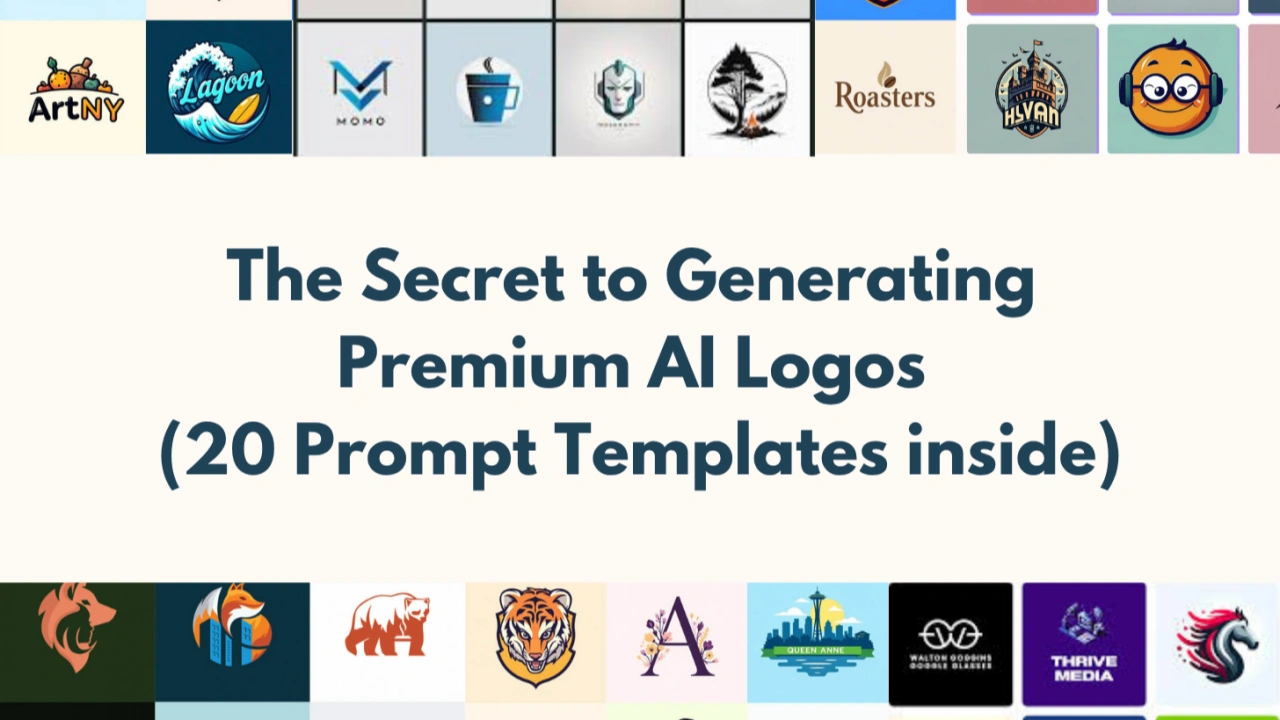
AI Prompts for Logo Design, Branding & Visual Identity
Select a category or browse all logo design prompts below
1. Adaptive Responsive Logo System
MODERNOne logo that automatically simplifies for tiny, square, wide, and motion uses, the baseline expectation for 2026 identities.
Design an adaptive logo system for [brand name] in [industry]. Show
the full horizontal lockup, a stacked version, a compact icon-only
mark, and a favicon-size version, each clearly derived from the same
core shape and typeface, consistent proportions and spacing rules
between versions, works in light mode, dark mode, and single-color
print, a limited palette with one confident accent color, and a clean
presentation sheet that labels each version and where it is used.
Design an adaptive logo system for [brand name] in [industry]. Show
the full horizontal lockup, a stacked version, a compact icon-only
mark, and a favicon-size version, each clearly derived from the same
core shape and typeface, consistent proportions and spacing rules
between versions, works in light mode, dark mode, and single-color
print, a limited palette with one confident accent color, and a clean
presentation sheet that labels each version and where it is used.
Recommended Tech Stack
Midjourney (including v6 where available), DALL·E 3 where available, Adobe Illustrator, Vectorizer.ai, and Figma. Tool features and access can change; verify current availability before choosing a workflow.
Quick Implementation Guide
- Enter the prompt in your image generator and specify the brand name, industry, visual style, flat logo aesthetics, limited colors, and a plain isolated background.
- Choose the strongest concept. If it is a raster image, use a vectorization tool to convert it to SVG, then inspect paths and simplify complex shapes.
- Open the vector in Illustrator or Figma to refine typography, kerning, spacing, brand colors, contrast, and small-size legibility. Export suitable SVG and PNG versions.
Real-World Use Case Example
Create a responsive identity pack for a startup, with horizontal, stacked, icon-only and favicon versions that remain recognizable.
2. Slip Knot Wordmark
MINIMALClean wordmark where the first letter breaks loose with a looping tail or knot flourish.
Create a wordmark logo for [brand name] where only the first letter
breaks loose with a looping tail or knot-like flourish, every other
letter stays clean, even, and highly readable, the expressive letter
shares the same stroke weight and DNA as the rest of the type, one
typeface family, one accent color plus black or white, generous
spacing, legible at favicon size, and a clever, confident feel that is
expressive without looking bolted on.
Create a wordmark logo for [brand name] where only the first letter
breaks loose with a looping tail or knot-like flourish, every other
letter stays clean, even, and highly readable, the expressive letter
shares the same stroke weight and DNA as the rest of the type, one
typeface family, one accent color plus black or white, generous
spacing, legible at favicon size, and a clever, confident feel that is
expressive without looking bolted on.
Recommended Tech Stack
Midjourney (including v6 where available), DALL·E 3 where available, Adobe Illustrator, Vectorizer.ai, and Figma. Tool features and access can change; verify current availability before choosing a workflow.
Quick Implementation Guide
- Enter the prompt in your image generator and specify the brand name, industry, visual style, flat logo aesthetics, limited colors, and a plain isolated background.
- Choose the strongest concept. If it is a raster image, use a vectorization tool to convert it to SVG, then inspect paths and simplify complex shapes.
- Open the vector in Illustrator or Figma to refine typography, kerning, spacing, brand colors, contrast, and small-size legibility. Export suitable SVG and PNG versions.
Real-World Use Case Example
Prototype a memorable wordmark for a boutique, creator, or software product before refining letterforms manually.
3. Crack Ink-Trap Typography Logo
IMPERFECTExaggerated ink traps and notches that turn ordinary letterforms into a memorable, slightly strange mark.
Design a wordmark logo for [brand name] using exaggerated ink traps
and inflated notches cut into a bold sans-serif or grotesque typeface,
the cuts should feel deliberate and sculptural, not like errors, keep
the word fully readable at a glance, high-contrast two-color palette,
tight, confident letter spacing, and a provocative, distinctive
personality that people remember after one look.
Design a wordmark logo for [brand name] using exaggerated ink traps
and inflated notches cut into a bold sans-serif or grotesque typeface,
the cuts should feel deliberate and sculptural, not like errors, keep
the word fully readable at a glance, high-contrast two-color palette,
tight, confident letter spacing, and a provocative, distinctive
personality that people remember after one look.
Recommended Tech Stack
Midjourney (including v6 where available), DALL·E 3 where available, Adobe Illustrator, Vectorizer.ai, and Figma. Tool features and access can change; verify current availability before choosing a workflow.
Quick Implementation Guide
- Enter the prompt in your image generator and specify the brand name, industry, visual style, flat logo aesthetics, limited colors, and a plain isolated background.
- Choose the strongest concept. If it is a raster image, use a vectorization tool to convert it to SVG, then inspect paths and simplify complex shapes.
- Open the vector in Illustrator or Figma to refine typography, kerning, spacing, brand colors, contrast, and small-size legibility. Export suitable SVG and PNG versions.
Real-World Use Case Example
Explore a distinctive typographic identity for a design studio or culture brand while preserving readability.
4. Toasty Friendly Brand Mascot
MASCOTWarm, comforting, rounded mascot style built to feel friendly and approachable.
Design a warm, toasty mascot logo for [brand name]. Use soft rounded
shapes and gentle imperfect outlines, a cozy palette of butter yellow,
terracotta, cream, and warm brown, a simple smiling character or
object with expressive eyes, chunky friendly lettering for the
wordmark, flat color with subtle grain texture, and a comforting,
welcoming feel that works on packaging and social avatars.
Design a warm, toasty mascot logo for [brand name]. Use soft rounded
shapes and gentle imperfect outlines, a cozy palette of butter yellow,
terracotta, cream, and warm brown, a simple smiling character or
object with expressive eyes, chunky friendly lettering for the
wordmark, flat color with subtle grain texture, and a comforting,
welcoming feel that works on packaging and social avatars.
Recommended Tech Stack
Midjourney (including v6 where available), DALL·E 3 where available, Adobe Illustrator, Vectorizer.ai, and Figma. Tool features and access can change; verify current availability before choosing a workflow.
Quick Implementation Guide
- Enter the prompt in your image generator and specify the brand name, industry, visual style, flat logo aesthetics, limited colors, and a plain isolated background.
- Choose the strongest concept. If it is a raster image, use a vectorization tool to convert it to SVG, then inspect paths and simplify complex shapes.
- Open the vector in Illustrator or Figma to refine typography, kerning, spacing, brand colors, contrast, and small-size legibility. Export suitable SVG and PNG versions.
Real-World Use Case Example
Develop friendly packaging and social-avatar concepts for a café, snack brand, or family-oriented product.
5. Bold 1970s Retro Typography Logo
VINTAGEChunky, curvy 70s-inspired lettering and sunset color palettes.
Create a 1970s-inspired retro typography logo for [brand name]. Use
bold, rounded, curvy lettering with soft ligatures, a sunset palette
of burnt orange, mustard, brown, and cream, optional stripe or arch
detail behind the text, slightly warm, printed-poster texture,
balanced spacing so it stays readable on a sign or a small screen, and
a nostalgic, friendly, confident feel.
Create a 1970s-inspired retro typography logo for [brand name]. Use
bold, rounded, curvy lettering with soft ligatures, a sunset palette
of burnt orange, mustard, brown, and cream, optional stripe or arch
detail behind the text, slightly warm, printed-poster texture,
balanced spacing so it stays readable on a sign or a small screen, and
a nostalgic, friendly, confident feel.
Recommended Tech Stack
Midjourney (including v6 where available), DALL·E 3 where available, Adobe Illustrator, Vectorizer.ai, and Figma. Tool features and access can change; verify current availability before choosing a workflow.
Quick Implementation Guide
- Enter the prompt in your image generator and specify the brand name, industry, visual style, flat logo aesthetics, limited colors, and a plain isolated background.
- Choose the strongest concept. If it is a raster image, use a vectorization tool to convert it to SVG, then inspect paths and simplify complex shapes.
- Open the vector in Illustrator or Figma to refine typography, kerning, spacing, brand colors, contrast, and small-size legibility. Export suitable SVG and PNG versions.
Real-World Use Case Example
Explore a distinctive typographic identity for a design studio or culture brand while preserving readability.
6. Storybook Gothic Etched Crest
LUXURYMysterious, handcrafted crest with delicate etched linework for boutique and story-driven brands.
Design a storybook-gothic crest logo for [boutique brand]. Use fine
etched linework with a printed engraving feel, a symmetrical emblem
containing one symbolic motif such as a key, moon, rose, or raven, an
elegant serif wordmark with a slight old-world character, deep
burgundy, ink black, and aged gold palette, subtle paper texture, and
a mysterious, crafted, narrative-driven feel.
Design a storybook-gothic crest logo for [boutique brand]. Use fine
etched linework with a printed engraving feel, a symmetrical emblem
containing one symbolic motif such as a key, moon, rose, or raven, an
elegant serif wordmark with a slight old-world character, deep
burgundy, ink black, and aged gold palette, subtle paper texture, and
a mysterious, crafted, narrative-driven feel.
Recommended Tech Stack
Midjourney (including v6 where available), DALL·E 3 where available, Adobe Illustrator, Vectorizer.ai, and Figma. Tool features and access can change; verify current availability before choosing a workflow.
Quick Implementation Guide
- Enter the prompt in your image generator and specify the brand name, industry, visual style, flat logo aesthetics, limited colors, and a plain isolated background.
- Choose the strongest concept. If it is a raster image, use a vectorization tool to convert it to SVG, then inspect paths and simplify complex shapes.
- Open the vector in Illustrator or Figma to refine typography, kerning, spacing, brand colors, contrast, and small-size legibility. Export suitable SVG and PNG versions.
Real-World Use Case Example
Prototype a premium emblem for a boutique hotel, craft brand, or story-driven retail label.
7. Colorforms Playful Modular Logo
MAXIMALISTBold flat shapes in vivid colors that snap together like building blocks.
Design a playful modular logo for [brand name] built from bold flat
shapes like circles, arcs, quarter-rounds, and blobs in vivid colors,
the shapes combine to form the mark or a letter, and can rearrange
into different patterns for other uses, 3-5 saturated colors with
strong contrast, chunky rounded wordmark, no gradients or shadows, and
an energetic, optimistic, toy-like personality.
Design a playful modular logo for [brand name] built from bold flat
shapes like circles, arcs, quarter-rounds, and blobs in vivid colors,
the shapes combine to form the mark or a letter, and can rearrange
into different patterns for other uses, 3-5 saturated colors with
strong contrast, chunky rounded wordmark, no gradients or shadows, and
an energetic, optimistic, toy-like personality.
Recommended Tech Stack
Midjourney (including v6 where available), DALL·E 3 where available, Adobe Illustrator, Vectorizer.ai, and Figma. Tool features and access can change; verify current availability before choosing a workflow.
Quick Implementation Guide
- Enter the prompt in your image generator and specify the brand name, industry, visual style, flat logo aesthetics, limited colors, and a plain isolated background.
- Choose the strongest concept. If it is a raster image, use a vectorization tool to convert it to SVG, then inspect paths and simplify complex shapes.
- Open the vector in Illustrator or Figma to refine typography, kerning, spacing, brand colors, contrast, and small-size legibility. Export suitable SVG and PNG versions.
Real-World Use Case Example
Explore a flexible set of colorful brand shapes for campaigns, packaging, and social content.
8. Dimensional Roll-Over Ribbon Mark
FUTURERibbon-like form that rolls instead of folds, giving a flexible, motion-caught dimensional look.
Create a dimensional logo mark for [brand name] made from a single
ribbon-like form that rolls and curls instead of folding, smooth
gradients that suggest depth without looking glossy or heavy, the form
should hint at an initial letter or a key concept, a clean modern
sans-serif wordmark beside or below, simple fallback to a flat
one-color version, and a fluid, forward-moving, tech-forward feel.
Create a dimensional logo mark for [brand name] made from a single
ribbon-like form that rolls and curls instead of folding, smooth
gradients that suggest depth without looking glossy or heavy, the form
should hint at an initial letter or a key concept, a clean modern
sans-serif wordmark beside or below, simple fallback to a flat
one-color version, and a fluid, forward-moving, tech-forward feel.
Recommended Tech Stack
Midjourney (including v6 where available), DALL·E 3 where available, Adobe Illustrator, Vectorizer.ai, and Figma. Tool features and access can change; verify current availability before choosing a workflow.
Quick Implementation Guide
- Enter the prompt in your image generator and specify the brand name, industry, visual style, flat logo aesthetics, limited colors, and a plain isolated background.
- Choose the strongest concept. If it is a raster image, use a vectorization tool to convert it to SVG, then inspect paths and simplify complex shapes.
- Open the vector in Illustrator or Figma to refine typography, kerning, spacing, brand colors, contrast, and small-size legibility. Export suitable SVG and PNG versions.
Real-World Use Case Example
Generate a conceptual technology or innovation mark that can later be simplified for practical reproduction.
9. Neo-Minimal Sharp Icon Logo
FLATMinimalism with a twist: one clean shape, one smart cut, hard-edged and crisp at tiny sizes.
Create a neo-minimal icon logo for [app or startup]. Use one clean
geometric shape with a single smart negative-space cut or corner
chamfer, hard crisp edges and grid-aligned proportions, one or two
solid colors with high contrast, no gradients, shadows, or extra
detail, stays sharp from 16px to billboard size, and a confident,
simple, instantly recognizable feel.
Create a neo-minimal icon logo for [app or startup]. Use one clean
geometric shape with a single smart negative-space cut or corner
chamfer, hard crisp edges and grid-aligned proportions, one or two
solid colors with high contrast, no gradients, shadows, or extra
detail, stays sharp from 16px to billboard size, and a confident,
simple, instantly recognizable feel.
Recommended Tech Stack
Midjourney (including v6 where available), DALL·E 3 where available, Adobe Illustrator, Vectorizer.ai, and Figma. Tool features and access can change; verify current availability before choosing a workflow.
Quick Implementation Guide
- Enter the prompt in your image generator and specify the brand name, industry, visual style, flat logo aesthetics, limited colors, and a plain isolated background.
- Choose the strongest concept. If it is a raster image, use a vectorization tool to convert it to SVG, then inspect paths and simplify complex shapes.
- Open the vector in Illustrator or Figma to refine typography, kerning, spacing, brand colors, contrast, and small-size legibility. Export suitable SVG and PNG versions.
Real-World Use Case Example
Create a simple app icon or startup symbol that stays legible at small sizes and in one-color use.
10. Motion-Ready Kinetic Logo Concept
ABSTRACTStatic logo designed from the start to animate smoothly in intros, reels, and loading screens.
Design a motion-ready logo for [brand name] with clear separate parts
that can animate, a simple symbol made of 3-4 distinct shapes that can
slide, rotate, or morph into place, a wordmark whose letters can
reveal one by one, show the final static logo plus 3 key-frame stages
of how it assembles, limited palette with high contrast on both dark
and light backgrounds, and a smooth, rhythmic, modern feel.
Design a motion-ready logo for [brand name] with clear separate parts
that can animate, a simple symbol made of 3-4 distinct shapes that can
slide, rotate, or morph into place, a wordmark whose letters can
reveal one by one, show the final static logo plus 3 key-frame stages
of how it assembles, limited palette with high contrast on both dark
and light backgrounds, and a smooth, rhythmic, modern feel.
Recommended Tech Stack
Midjourney (including v6 where available), DALL·E 3 where available, Adobe Illustrator, Vectorizer.ai, and Figma. Tool features and access can change; verify current availability before choosing a workflow.
Quick Implementation Guide
- Enter the prompt in your image generator and specify the brand name, industry, visual style, flat logo aesthetics, limited colors, and a plain isolated background.
- Choose the strongest concept. If it is a raster image, use a vectorization tool to convert it to SVG, then inspect paths and simplify complex shapes.
- Open the vector in Illustrator or Figma to refine typography, kerning, spacing, brand colors, contrast, and small-size legibility. Export suitable SVG and PNG versions.
Real-World Use Case Example
Develop a logo concept and separate visual stages for a motion designer to animate in a brand intro.
11. Creator & Personal Brand Logo
MINIMALProfessional monogram and wordmark for individuals building a personal brand on YouTube, Instagram, and LinkedIn.
Design a personal brand logo for [your name], a [profession or creator
niche]. Create a refined monogram from the initials and a matching
simple wordmark, one distinctive detail that makes it memorable, works
as a circular profile picture, a channel banner header, and a
watermark, 2-color palette with strong contrast, readable on mobile
screens, and a trustworthy, modern, approachable feel.
Design a personal brand logo for [your name], a [profession or creator
niche]. Create a refined monogram from the initials and a matching
simple wordmark, one distinctive detail that makes it memorable, works
as a circular profile picture, a channel banner header, and a
watermark, 2-color palette with strong contrast, readable on mobile
screens, and a trustworthy, modern, approachable feel.
Recommended Tech Stack
Midjourney (including v6 where available), DALL·E 3 where available, Adobe Illustrator, Vectorizer.ai, and Figma. Tool features and access can change; verify current availability before choosing a workflow.
Quick Implementation Guide
- Enter the prompt in your image generator and specify the brand name, industry, visual style, flat logo aesthetics, limited colors, and a plain isolated background.
- Choose the strongest concept. If it is a raster image, use a vectorization tool to convert it to SVG, then inspect paths and simplify complex shapes.
- Open the vector in Illustrator or Figma to refine typography, kerning, spacing, brand colors, contrast, and small-size legibility. Export suitable SVG and PNG versions.
Real-World Use Case Example
Create a consistent monogram and wordmark for a consultant, creator, freelancer, or professional portfolio.
12. Generative Brand Kit from One Logo
MODERNForward-looking prompt that expands a single logo into a complete, consistent identity kit.
Using the logo concept for [brand name] described as [short
description], build a complete brand kit sheet. Include the primary
logo, secondary mark, icon, and favicon, a color palette with hex
codes and usage notes, primary and secondary font pairing, pattern or
texture derived from the logo, mockups on a business card, app icon,
social profile, and packaging, keep every element visually consistent
with the original logo, and a clean, organized presentation layout.
Using the logo concept for [brand name] described as [short
description], build a complete brand kit sheet. Include the primary
logo, secondary mark, icon, and favicon, a color palette with hex
codes and usage notes, primary and secondary font pairing, pattern or
texture derived from the logo, mockups on a business card, app icon,
social profile, and packaging, keep every element visually consistent
with the original logo, and a clean, organized presentation layout.
Recommended Tech Stack
Midjourney (including v6 where available), DALL·E 3 where available, Adobe Illustrator, Vectorizer.ai, and Figma. Tool features and access can change; verify current availability before choosing a workflow.
Quick Implementation Guide
- Enter the prompt in your image generator and specify the brand name, industry, visual style, flat logo aesthetics, limited colors, and a plain isolated background.
- Choose the strongest concept. If it is a raster image, use a vectorization tool to convert it to SVG, then inspect paths and simplify complex shapes.
- Open the vector in Illustrator or Figma to refine typography, kerning, spacing, brand colors, contrast, and small-size legibility. Export suitable SVG and PNG versions.
Real-World Use Case Example
Turn an approved concept into a consistent presentation board for client feedback and identity planning.
13. Handwritten Logo
CREATIVEPersonal and expressive handwritten branding.
Create a handwritten logo for [brand name]. Use natural handwritten
lettering, smooth curves, organic flow, authentic ink or brush style,
minimal colors, and creative personality. Ensure legibility and brand
uniqueness.
Create a handwritten logo for [brand name]. Use natural handwritten
lettering, smooth curves, organic flow, authentic ink or brush style,
minimal colors, and creative personality. Ensure legibility and brand
uniqueness.
Recommended Tech Stack
Midjourney (including v6 where available), DALL·E 3 where available, Adobe Illustrator, Vectorizer.ai, and Figma. Tool features and access can change; verify current availability before choosing a workflow.
Quick Implementation Guide
- Enter the prompt in your image generator and specify the brand name, industry, visual style, flat logo aesthetics, limited colors, and a plain isolated background.
- Choose the strongest concept. If it is a raster image, use a vectorization tool to convert it to SVG, then inspect paths and simplify complex shapes.
- Open the vector in Illustrator or Figma to refine typography, kerning, spacing, brand colors, contrast, and small-size legibility. Export suitable SVG and PNG versions.
Real-World Use Case Example
Prototype an expressive wordmark for a maker, artist, café, or personal-care brand.
14. Eco / Green Brand Logo
ECOSustainable and nature-inspired branding.
Design an eco-friendly logo for [green brand]. Use natural shapes,
leaf or earth-inspired symbols, green and earthy color palette, clean
typography, minimal design, and sustainable brand aesthetics.
Design an eco-friendly logo for [green brand]. Use natural shapes,
leaf or earth-inspired symbols, green and earthy color palette, clean
typography, minimal design, and sustainable brand aesthetics.
Recommended Tech Stack
Midjourney (including v6 where available), DALL·E 3 where available, Adobe Illustrator, Vectorizer.ai, and Figma. Tool features and access can change; verify current availability before choosing a workflow.
Quick Implementation Guide
- Enter the prompt in your image generator and specify the brand name, industry, visual style, flat logo aesthetics, limited colors, and a plain isolated background.
- Choose the strongest concept. If it is a raster image, use a vectorization tool to convert it to SVG, then inspect paths and simplify complex shapes.
- Open the vector in Illustrator or Figma to refine typography, kerning, spacing, brand colors, contrast, and small-size legibility. Export suitable SVG and PNG versions.
Real-World Use Case Example
Explore nature-inspired identity directions for a sustainability-focused product or community initiative.
15. Fintech Logo
FINTECHTrust-focused financial technology branding.
Create a fintech logo for [finance app or company]. Use modern
geometry, secure and trustworthy colors, clean typography, minimal
iconography, professional tone, and scalable vector format. Avoid
playful elements.
Create a fintech logo for [finance app or company]. Use modern
geometry, secure and trustworthy colors, clean typography, minimal
iconography, professional tone, and scalable vector format. Avoid
playful elements.
Recommended Tech Stack
Midjourney (including v6 where available), DALL·E 3 where available, Adobe Illustrator, Vectorizer.ai, and Figma. Tool features and access can change; verify current availability before choosing a workflow.
Quick Implementation Guide
- Enter the prompt in your image generator and specify the brand name, industry, visual style, flat logo aesthetics, limited colors, and a plain isolated background.
- Choose the strongest concept. If it is a raster image, use a vectorization tool to convert it to SVG, then inspect paths and simplify complex shapes.
- Open the vector in Illustrator or Figma to refine typography, kerning, spacing, brand colors, contrast, and small-size legibility. Export suitable SVG and PNG versions.
Real-World Use Case Example
Create trust-oriented logo concepts for a finance app or fintech service, then test contrast and small-size legibility.
16. EdTech Logo
EDTECHEducation-focused modern logo design.
Design an EdTech logo for [education platform]. Use friendly but
professional typography, learning-related symbols, clean layout,
modern color palette, digital-first design, and scalability.
Design an EdTech logo for [education platform]. Use friendly but
professional typography, learning-related symbols, clean layout,
modern color palette, digital-first design, and scalability.
Recommended Tech Stack
Midjourney (including v6 where available), DALL·E 3 where available, Adobe Illustrator, Vectorizer.ai, and Figma. Tool features and access can change; verify current availability before choosing a workflow.
Quick Implementation Guide
- Enter the prompt in your image generator and specify the brand name, industry, visual style, flat logo aesthetics, limited colors, and a plain isolated background.
- Choose the strongest concept. If it is a raster image, use a vectorization tool to convert it to SVG, then inspect paths and simplify complex shapes.
- Open the vector in Illustrator or Figma to refine typography, kerning, spacing, brand colors, contrast, and small-size legibility. Export suitable SVG and PNG versions.
Real-World Use Case Example
Prototype an approachable identity for an online learning platform, education app, or tutoring service.
17. Gaming Logo
GAMINGBold and energetic logo for gaming brands.
Create a gaming logo for [game or channel name]. Use bold typography,
sharp edges, strong mascot or symbol, high contrast colors, dynamic
style, and esports-inspired aesthetics.
Create a gaming logo for [game or channel name]. Use bold typography,
sharp edges, strong mascot or symbol, high contrast colors, dynamic
style, and esports-inspired aesthetics.
Recommended Tech Stack
Midjourney (including v6 where available), DALL·E 3 where available, Adobe Illustrator, Vectorizer.ai, and Figma. Tool features and access can change; verify current availability before choosing a workflow.
Quick Implementation Guide
- Enter the prompt in your image generator and specify the brand name, industry, visual style, flat logo aesthetics, limited colors, and a plain isolated background.
- Choose the strongest concept. If it is a raster image, use a vectorization tool to convert it to SVG, then inspect paths and simplify complex shapes.
- Open the vector in Illustrator or Figma to refine typography, kerning, spacing, brand colors, contrast, and small-size legibility. Export suitable SVG and PNG versions.
Real-World Use Case Example
Develop a bold avatar and wordmark concept for a gaming channel, esports team, or indie game.
18. Crypto / Web3 Logo
WEB3Decentralized and futuristic branding.
Design a crypto or Web3 logo for [project]. Use futuristic geometry,
blockchain-inspired symbols, dark or neon color palette, modern
typography, and tech-forward aesthetics. Ensure scalability and
uniqueness.
Design a crypto or Web3 logo for [project]. Use futuristic geometry,
blockchain-inspired symbols, dark or neon color palette, modern
typography, and tech-forward aesthetics. Ensure scalability and
uniqueness.
Recommended Tech Stack
Midjourney (including v6 where available), DALL·E 3 where available, Adobe Illustrator, Vectorizer.ai, and Figma. Tool features and access can change; verify current availability before choosing a workflow.
Quick Implementation Guide
- Enter the prompt in your image generator and specify the brand name, industry, visual style, flat logo aesthetics, limited colors, and a plain isolated background.
- Choose the strongest concept. If it is a raster image, use a vectorization tool to convert it to SVG, then inspect paths and simplify complex shapes.
- Open the vector in Illustrator or Figma to refine typography, kerning, spacing, brand colors, contrast, and small-size legibility. Export suitable SVG and PNG versions.
Real-World Use Case Example
Explore a geometric identity direction for a Web3 project without relying on generic coin symbols.
19. Health & Wellness Logo
HEALTHCalm and trustworthy wellness branding.
Create a health or wellness logo for [brand]. Use soft colors, rounded
shapes, calming visual tone, clean typography, minimal design, and
trust-focused branding. Avoid aggressive elements.
Create a health or wellness logo for [brand]. Use soft colors, rounded
shapes, calming visual tone, clean typography, minimal design, and
trust-focused branding. Avoid aggressive elements.
Recommended Tech Stack
Midjourney (including v6 where available), DALL·E 3 where available, Adobe Illustrator, Vectorizer.ai, and Figma. Tool features and access can change; verify current availability before choosing a workflow.
Quick Implementation Guide
- Enter the prompt in your image generator and specify the brand name, industry, visual style, flat logo aesthetics, limited colors, and a plain isolated background.
- Choose the strongest concept. If it is a raster image, use a vectorization tool to convert it to SVG, then inspect paths and simplify complex shapes.
- Open the vector in Illustrator or Figma to refine typography, kerning, spacing, brand colors, contrast, and small-size legibility. Export suitable SVG and PNG versions.
Real-World Use Case Example
Prototype calm and clear branding for a wellness studio, fitness service, or health-related organization.
20. Social Media Brand Logo
Modern logo optimized for social platforms.
Design a logo for a social media brand or creator. Use bold
iconography, simple shapes, high contrast colors,
profile-picture-friendly layout, modern typography, and digital-first
branding.
Design a logo for a social media brand or creator. Use bold
iconography, simple shapes, high contrast colors,
profile-picture-friendly layout, modern typography, and digital-first
branding.
Recommended Tech Stack
Midjourney (including v6 where available), DALL·E 3 where available, Adobe Illustrator, Vectorizer.ai, and Figma. Tool features and access can change; verify current availability before choosing a workflow.
Quick Implementation Guide
- Enter the prompt in your image generator and specify the brand name, industry, visual style, flat logo aesthetics, limited colors, and a plain isolated background.
- Choose the strongest concept. If it is a raster image, use a vectorization tool to convert it to SVG, then inspect paths and simplify complex shapes.
- Open the vector in Illustrator or Figma to refine typography, kerning, spacing, brand colors, contrast, and small-size legibility. Export suitable SVG and PNG versions.
Real-World Use Case Example
Create profile-picture and watermark concepts for a creator brand or social media community.
21. Storybook Gothic Logo
GOTHICFolklore-inspired gothic letterforms borrowed for structure and drama, not literal medieval revival.
Create a storybook-gothic logo for [fashion, craft, food, or music
brand]. Use gothic blackletter-inspired structure and weight, softened
for modern readability, ornamental details borrowed from folklore and
fairytale motifs, a rich, moody color palette like deep burgundy,
forest green, or charcoal, a sense of narrative and history behind the
mark, balance drama with legibility at normal sizes, and a rooted,
confident, story-driven brand feel.
Create a storybook-gothic logo for [fashion, craft, food, or music
brand]. Use gothic blackletter-inspired structure and weight, softened
for modern readability, ornamental details borrowed from folklore and
fairytale motifs, a rich, moody color palette like deep burgundy,
forest green, or charcoal, a sense of narrative and history behind the
mark, balance drama with legibility at normal sizes, and a rooted,
confident, story-driven brand feel.
Recommended Tech Stack
Midjourney (including v6 where available), DALL·E 3 where available, Adobe Illustrator, Vectorizer.ai, and Figma. Tool features and access can change; verify current availability before choosing a workflow.
Quick Implementation Guide
- Enter the prompt in your image generator and specify the brand name, industry, visual style, flat logo aesthetics, limited colors, and a plain isolated background.
- Choose the strongest concept. If it is a raster image, use a vectorization tool to convert it to SVG, then inspect paths and simplify complex shapes.
- Open the vector in Illustrator or Figma to refine typography, kerning, spacing, brand colors, contrast, and small-size legibility. Export suitable SVG and PNG versions.
Real-World Use Case Example
Explore narrative-driven identity concepts for a fashion, music, food, or craft brand.
22. Generative Morphing Logo System
ADAPTIVEA logo designed as a flexible system of variants rather than one fixed mark, built for context-aware digital brands.
Design a generative logo system for [brand] shown as a grid of 4-6
variant states. Use one consistent core shape or wordmark that stays
instantly recognizable across every variant, show it shifting through
different moods such as a "day" version, a "night" version, a
"seasonal" version, and an "energetic" version, keep the underlying
structure, proportions, and brand color anchor identical in every
variant, only color, texture, or a secondary shape should change
between states, label each variant clearly in the layout, and an
overall flexible, alive, platform-native brand identity.
Design a generative logo system for [brand] shown as a grid of 4-6
variant states. Use one consistent core shape or wordmark that stays
instantly recognizable across every variant, show it shifting through
different moods such as a "day" version, a "night" version, a
"seasonal" version, and an "energetic" version, keep the underlying
structure, proportions, and brand color anchor identical in every
variant, only color, texture, or a secondary shape should change
between states, label each variant clearly in the layout, and an
overall flexible, alive, platform-native brand identity.
Recommended Tech Stack
Midjourney (including v6 where available), DALL·E 3 where available, Adobe Illustrator, Vectorizer.ai, and Figma. Tool features and access can change; verify current availability before choosing a workflow.
Quick Implementation Guide
- Enter the prompt in your image generator and specify the brand name, industry, visual style, flat logo aesthetics, limited colors, and a plain isolated background.
- Choose the strongest concept. If it is a raster image, use a vectorization tool to convert it to SVG, then inspect paths and simplify complex shapes.
- Open the vector in Illustrator or Figma to refine typography, kerning, spacing, brand colors, contrast, and small-size legibility. Export suitable SVG and PNG versions.
Real-World Use Case Example
Show controlled logo variants for seasonal campaigns while keeping the core brand mark consistent.
Optimizing Your Brand Identity Workflow with AI
Use AI to explore directions quickly, not to replace brand strategy. Start with the audience, positioning, competitors, tone, and practical logo requirements before generating concepts.
- Write a one-sentence brand brief: audience, category, promise, and personality.
- Generate several distinct directions instead of asking for one final logo; compare silhouette, meaning, and readability.
- Choose one direction and create primary, stacked, icon-only, monochrome, and small-size variants.
- Record the approved colors, typography choices, spacing rules, and clear-space requirements in a compact brand sheet.
Step-by-Step Guide: Generating Scalable Logos from Prompts
A generated image is a concept, not automatically a production-ready vector logo. Use this workflow to turn promising ideas into practical brand assets.
- Replace prompt placeholders with the real brand name, industry, audience, and one clear visual idea.
- Ask for flat shapes, clean edges, limited colors, strong negative space, and an isolated plain background; avoid mockups when generating the core mark.
- Select the clearest concept and vectorize it when needed. Automatic tracing can create messy paths, so inspect and simplify the SVG.
- Refine lettering manually, verify licensing and trademark risks, and test the result on light, dark, monochrome, print, and favicon-size backgrounds.
The Science Behind Effective AI Logo Design Prompts
Effective prompts reduce ambiguity by describing the job the logo must do, the visual constraints, and how the result will be used. Clear constraints usually make concepts easier to compare and refine.
- Brand context: explain the product or service, audience, and desired impression.
- Visual direction: name a style, shape language, palette, typography mood, and one memorable symbol.
- Production constraints: request simple geometry, balanced negative space, high contrast, and legibility at small sizes.
- Exclusions: state what to avoid, such as clutter, tiny details, excessive gradients, mockup scenes, or generic stock-like symbols.
- Iteration: change one variable at a time so you can see whether the style, symbol, or color direction improved.
Best Practices for Refining and Vectorizing AI-Generated Logos
Before using a logo commercially, treat the generated output as a draft. Image models can distort letters, create inconsistent geometry, or produce marks that resemble existing identities.
- Check spelling and rebuild wordmarks with real fonts or custom lettering rather than trusting generated text.
- Vectorize only the chosen concept; clean up stray points, overlapping paths, and uneven curves.
- Create single-color and reversed versions, and test contrast, minimum size, and reproduction on common materials.
- Search relevant trademark databases and competitors before launch; AI generation does not establish uniqueness or trademark availability.
- Keep editable source files and export SVG for supported web use plus transparent PNG files at appropriate sizes.
Unlocking Advanced Brand Marks with Expert Prompts
Once a basic mark works, use prompts to explore a coherent identity system: responsive variants, negative-space symbols, modular geometry, motion-ready components, and supporting patterns.
- Ask for one strong core mark and a small number of purposeful variations rather than unrelated logo collections.
- For negative-space designs, describe the two ideas the mark should combine and require the silhouette to remain clear at small sizes.
- For motion concepts, request separated components and key frames as a storyboard; animate and test them in dedicated motion software.
- For brand kits, request a color palette, typography direction, icon rules, and example applications, then manually standardize the results.
AI Prompt Templates for Creative Logo Concepts & Brand Consistency
Use these AI prompt templates to design minimal, 3D, mascot, flat, and abstract logos, refine typography, choose perfect color schemes, and create scalable vector-ready designs. These prompts are ideal for creating logos for websites, mobile apps, social media, and print branding with high visual impact.
How Can AI Logo Design Prompts Improve Branding and Visual Identity?
AI logo design prompts improve branding and visual identity by helping businesses generate unique logo concepts, color palettes, and brand styles faster. They simplify the creative process, ensure design consistency, and allow beginners and professionals to create distinctive brand identities using AI-powered design tools.

Frequently Asked Questions
What was updated on this page for Oct 2026?
This guide was refreshed on Oct 10, 2026 with clearer implementation steps, vectorization advice, and updated guidance for adapting the logo prompts.
What are AI logo design prompts?
AI logo design prompts are text instructions that guide AI tools to create unique logos, brand marks, and visual identities for businesses.
Can AI logo prompts be used for professional branding?
Yes. AI logo prompts help generate professional logo concepts that designers refine for branding and identity projects.
Are AI logo design prompts beginner-friendly?
Yes. Beginners can use AI logo prompts to create logo ideas without prior design experience.
Which AI tools work best for logo design prompts?
These prompts work well with tools like Midjourney, DALL E, Stable Diffusion, and other AI logo generators.
Can AI logo prompts create unique brand identities?
Yes. Well-crafted prompts help AI generate distinctive logo styles, colors, and symbols aligned with brand identity.
How do I turn an AI-generated logo into a vector file?
Choose a clean concept, vectorize the raster image with a suitable tool, then inspect and simplify the SVG paths in Illustrator or Figma. Rebuild the wordmark manually if the generated letters are inaccurate.
Can I use an AI-generated logo commercially?
Possibly, depending on the tool’s current terms, the assets used, and applicable law. Review the generator’s license, check for similar existing marks, and consider a trademark search before commercial launch.
Will these prompts guarantee a unique logo or top search rankings?
No. Prompts can help you explore concepts, but they cannot guarantee originality, legal clearance, search rankings, or business results. Human review, testing, and broader site quality still matter.