Explore This Guide
Jump directly to any section of this article.
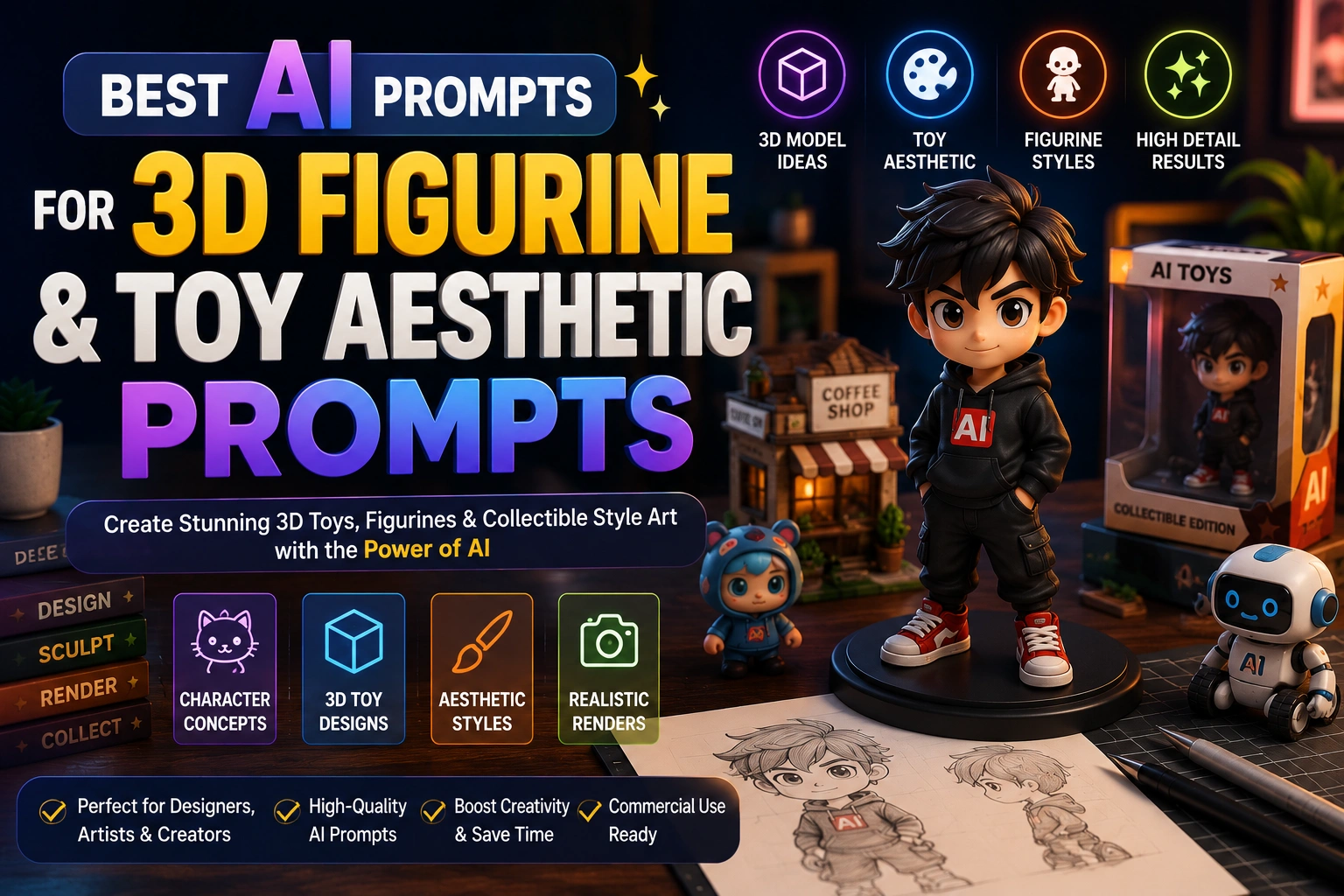
AI Prompts for Figurine Design, Toy Packaging & Miniature Art
Select a category or browse all figurine and toy aesthetic prompts below
1. Photo-to-Figurine Transformation
FIGURINETurn a person or character concept into a collectible figure.
Create a 1/7 scale commercialized collectible figurine of [subject],
in a realistic style, in a real environment.
Place the figurine on a computer desk with a round transparent
acrylic base, no text on base. On the computer screen, show the
ZBrush modeling process of the figurine. Beside the computer, place
a toy packaging box printed with the original artwork.
Recommended Tech Stack
Midjourney v6 or DALL·E 3 for visual concept exploration; Blender or ZBrush for 3D blocking and sculpting; Adobe Substance 3D for material and texture development. Tool features and version availability may vary.
Quick Implementation Guide
- Specify the character features, stylized proportions, material (such as matte vinyl, glossy resin or flocked fur), and intended studio lighting.
- Generate multiple variations to compare silhouette, color palette, pose and packaging direction; refine one variable at a time.
- Use the selected image as a reference in Blender or ZBrush to build and check a real 3D model. Validate topology, scale, wall thickness, overhangs and supports before attempting a physical print.
Real-World Use Case Example
Develop a custom blind-box character, prototype indie-game figurine merchandise, or create a promotional product render for an online store. Treat generated images as concept references—not automatically production-ready or 3D-printable geometry.
2. Gashapon Capsule Toy Style
STYLETiny, chunky capsule-machine toy aesthetic, distinct from the flatter blind-box look.
Design [character/subject] as a gashapon-style capsule toy figure:
compact chunky proportions built to fit inside a small plastic
capsule, simplified rounded details, slightly glossy PVC finish,
one or two flat accent colors, and a tiny stand or base molded
directly into the figure.
Isolated on a plain background, soft even studio lighting,
product photography style.
Recommended Tech Stack
Midjourney v6 or DALL·E 3 for visual concept exploration; Blender or ZBrush for 3D blocking and sculpting; Adobe Substance 3D for material and texture development. Tool features and version availability may vary.
Quick Implementation Guide
- Specify the character features, stylized proportions, material (such as matte vinyl, glossy resin or flocked fur), and intended studio lighting.
- Generate multiple variations to compare silhouette, color palette, pose and packaging direction; refine one variable at a time.
- Use the selected image as a reference in Blender or ZBrush to build and check a real 3D model. Validate topology, scale, wall thickness, overhangs and supports before attempting a physical print.
Real-World Use Case Example
Develop a custom blind-box character, prototype indie-game figurine merchandise, or create a promotional product render for an online store. Treat generated images as concept references—not automatically production-ready or 3D-printable geometry.
3. Capsule Machine Display Packaging
PACKAGINGDesign the capsule and header-card art for a gashapon vending display, not just the figure inside.
Design capsule toy packaging and machine header art for a
[character/theme] gashapon line. Include a clear round plastic
capsule with the figure visible inside, a colorful header-card
illustration showing the full set of figures available, a series
name and number-of-designs callout, and playful rounded typography.
Style: bright, collectible, aimed at an impulse-purchase display.
Recommended Tech Stack
Midjourney v6 or DALL·E 3 for visual concept exploration; Blender or ZBrush for 3D blocking and sculpting; Adobe Substance 3D for material and texture development. Tool features and version availability may vary.
Quick Implementation Guide
- Specify the character features, stylized proportions, material (such as matte vinyl, glossy resin or flocked fur), and intended studio lighting.
- Generate multiple variations to compare silhouette, color palette, pose and packaging direction; refine one variable at a time.
- Use the selected image as a reference in Blender or ZBrush to build and check a real 3D model. Validate topology, scale, wall thickness, overhangs and supports before attempting a physical print.
Real-World Use Case Example
Develop a custom blind-box character, prototype indie-game figurine merchandise, or create a promotional product render for an online store. Treat generated images as concept references—not automatically production-ready or 3D-printable geometry.
4. LEGO Minifigure Transformation
FIGURINETurn a person, pet, or character into a brick-built minifigure - one of the most consistently reused toy-transformation formats.
Turn [subject] into a LEGO-style minifigure: cylindrical head with
simplified printed facial features, trapezoid torso and block-like
limbs, a matching printed outfit based on the subject's real
clothing or defining features, and a small accessory prop relevant
to them held in one hand.
Place it standing on a gray LEGO baseplate, clean studio lighting,
shallow depth of field like a real product photo.
Recommended Tech Stack
Midjourney v6 or DALL·E 3 for visual concept exploration; Blender or ZBrush for 3D blocking and sculpting; Adobe Substance 3D for material and texture development. Tool features and version availability may vary.
Quick Implementation Guide
- Specify the character features, stylized proportions, material (such as matte vinyl, glossy resin or flocked fur), and intended studio lighting.
- Generate multiple variations to compare silhouette, color palette, pose and packaging direction; refine one variable at a time.
- Use the selected image as a reference in Blender or ZBrush to build and check a real 3D model. Validate topology, scale, wall thickness, overhangs and supports before attempting a physical print.
Real-World Use Case Example
Develop a custom blind-box character, prototype indie-game figurine merchandise, or create a promotional product render for an online store. Treat generated images as concept references—not automatically production-ready or 3D-printable geometry.
5. Nendoroid-Style Anime Figure
STYLEThe specific Japanese chibi-figure look - swappable faceplate energy, not generic chibi.
Design [character/subject] as a Nendoroid-style anime collectible
figure: an oversized head roughly one-third the total body height,
large glossy eyes with detailed highlight reflections, a simplified
petite body with visible joint segments at the shoulders and hips,
one or two swappable expression faceplates shown beside the figure,
and small interchangeable accessory parts laid out next to it.
Studio product photography lighting, clean white background.
Recommended Tech Stack
Midjourney v6 or DALL·E 3 for visual concept exploration; Blender or ZBrush for 3D blocking and sculpting; Adobe Substance 3D for material and texture development. Tool features and version availability may vary.
Quick Implementation Guide
- Specify the character features, stylized proportions, material (such as matte vinyl, glossy resin or flocked fur), and intended studio lighting.
- Generate multiple variations to compare silhouette, color palette, pose and packaging direction; refine one variable at a time.
- Use the selected image as a reference in Blender or ZBrush to build and check a real 3D model. Validate topology, scale, wall thickness, overhangs and supports before attempting a physical print.
Real-World Use Case Example
Develop a custom blind-box character, prototype indie-game figurine merchandise, or create a promotional product render for an online store. Treat generated images as concept references—not automatically production-ready or 3D-printable geometry.
6. Glass Jar Tiny World Diorama
FIGURINEA sealed, self-contained miniature world - the jar itself is the display case, not an open tabletop scene.
Place a miniaturized, hyper-detailed figure of [subject] inside a
sealed clear glass jar, styled as a tiny self-contained world:
scale-accurate miniature props and terrain filling the jar, a soft
warm light glowing from within, subtle condensation or dust on the
glass exterior for realism, a simple cork or metal lid on top, and
a plain surface background so the jar is the sole focus.
Shallow depth of field, macro product-photography feel.
Recommended Tech Stack
Midjourney v6 or DALL·E 3 for visual concept exploration; Blender or ZBrush for 3D blocking and sculpting; Adobe Substance 3D for material and texture development. Tool features and version availability may vary.
Quick Implementation Guide
- Specify the character features, stylized proportions, material (such as matte vinyl, glossy resin or flocked fur), and intended studio lighting.
- Generate multiple variations to compare silhouette, color palette, pose and packaging direction; refine one variable at a time.
- Use the selected image as a reference in Blender or ZBrush to build and check a real 3D model. Validate topology, scale, wall thickness, overhangs and supports before attempting a physical print.
Real-World Use Case Example
Develop a custom blind-box character, prototype indie-game figurine merchandise, or create a promotional product render for an online store. Treat generated images as concept references—not automatically production-ready or 3D-printable geometry.
7. Urban Vinyl Art Toy (Designer Toy)
STYLEThe Kidrobot/Be@rbrick-style designer-toy look - art-piece energy rather than a mass-market character license.
Design [subject/concept] as an urban vinyl art toy in the style of
limited-edition designer collectibles: a simplified geometric base
form (rounded humanoid or bear-shaped block figure), one bold
graphic pattern or color-blocked "artist edition" paint scheme
applied to the surface, matte vinyl finish with subtle seam lines
where the mold pieces meet, and a small artist-signature-style logo
on the foot or base.
Clean studio lighting, plain background, collector-photo composition.
Recommended Tech Stack
Midjourney v6 or DALL·E 3 for visual concept exploration; Blender or ZBrush for 3D blocking and sculpting; Adobe Substance 3D for material and texture development. Tool features and version availability may vary.
Quick Implementation Guide
- Specify the character features, stylized proportions, material (such as matte vinyl, glossy resin or flocked fur), and intended studio lighting.
- Generate multiple variations to compare silhouette, color palette, pose and packaging direction; refine one variable at a time.
- Use the selected image as a reference in Blender or ZBrush to build and check a real 3D model. Validate topology, scale, wall thickness, overhangs and supports before attempting a physical print.
Real-World Use Case Example
Develop a custom blind-box character, prototype indie-game figurine merchandise, or create a promotional product render for an online store. Treat generated images as concept references—not automatically production-ready or 3D-printable geometry.
8. Trading Card + Mini Figure Hybrid Pack
PACKAGINGThe TCG-style foil booster pack format now paired with a small figure or charm inside.
Design a trading-card-style booster pack for [character/theme] that
includes a small figure or charm inside. Include a foil-accented
pack front with dynamic character artwork, a rarity/edition marker,
a small window or illustration hinting at the figure inside, and a
card-game-style logo lockup at the top.
Style: glossy foil packaging, collectible TCG branding.
Recommended Tech Stack
Midjourney v6 or DALL·E 3 for visual concept exploration; Blender or ZBrush for 3D blocking and sculpting; Adobe Substance 3D for material and texture development. Tool features and version availability may vary.
Quick Implementation Guide
- Specify the character features, stylized proportions, material (such as matte vinyl, glossy resin or flocked fur), and intended studio lighting.
- Generate multiple variations to compare silhouette, color palette, pose and packaging direction; refine one variable at a time.
- Use the selected image as a reference in Blender or ZBrush to build and check a real 3D model. Validate topology, scale, wall thickness, overhangs and supports before attempting a physical print.
Real-World Use Case Example
Develop a custom blind-box character, prototype indie-game figurine merchandise, or create a promotional product render for an online store. Treat generated images as concept references—not automatically production-ready or 3D-printable geometry.
9. Garage Kit Resin Statue
FIGURINEA high-detail poseable resin statue aimed at serious collectors, not a mass-market toy-aisle figure.
Render [character/subject] as a high-end garage-kit resin statue:
dynamic action pose on a sculpted display base, richly detailed
surface texture (fabric folds, muscle definition, individual hair
strands), hand-painted-look shading with realistic highlights and
shadows, and a numbered limited-edition plaque on the base.
Studio gallery lighting, dark neutral background to make the
statue pop, ultra-detailed collector-grade finish.
Recommended Tech Stack
Midjourney v6 or DALL·E 3 for visual concept exploration; Blender or ZBrush for 3D blocking and sculpting; Adobe Substance 3D for material and texture development. Tool features and version availability may vary.
Quick Implementation Guide
- Specify the character features, stylized proportions, material (such as matte vinyl, glossy resin or flocked fur), and intended studio lighting.
- Generate multiple variations to compare silhouette, color palette, pose and packaging direction; refine one variable at a time.
- Use the selected image as a reference in Blender or ZBrush to build and check a real 3D model. Validate topology, scale, wall thickness, overhangs and supports before attempting a physical print.
Real-World Use Case Example
Develop a custom blind-box character, prototype indie-game figurine merchandise, or create a promotional product render for an online store. Treat generated images as concept references—not automatically production-ready or 3D-printable geometry.
10. Weathered Vintage Toy Look
STYLEA well-loved, played-with toy aesthetic - the nostalgic counterpart to a pristine new-in-box figure.
Render [subject] as a well-loved vintage toy that's clearly been
played with: faded original paint with visible wear at the edges
and high-touch points, a few small scuffs and scratches, slightly
yellowed plastic from age, a loose or missing small accessory, and
warm nostalgic lighting like a photo of a toy pulled out of a
childhood storage box.
Shallow depth of field, slightly soft focus, nostalgic film-photo color grade.
Recommended Tech Stack
Midjourney v6 or DALL·E 3 for visual concept exploration; Blender or ZBrush for 3D blocking and sculpting; Adobe Substance 3D for material and texture development. Tool features and version availability may vary.
Quick Implementation Guide
- Specify the character features, stylized proportions, material (such as matte vinyl, glossy resin or flocked fur), and intended studio lighting.
- Generate multiple variations to compare silhouette, color palette, pose and packaging direction; refine one variable at a time.
- Use the selected image as a reference in Blender or ZBrush to build and check a real 3D model. Validate topology, scale, wall thickness, overhangs and supports before attempting a physical print.
Real-World Use Case Example
Develop a custom blind-box character, prototype indie-game figurine merchandise, or create a promotional product render for an online store. Treat generated images as concept references—not automatically production-ready or 3D-printable geometry.
11. Retro Blister-Pack Action Figure
PACKAGINGTurn a person or character into a nostalgic carded action figure with accessories.
Create a retro 1980s-style action figure of [subject / person in
uploaded photo], sealed in a blister pack on a printed cardboard
backing. Keep the face and key features recognizable. Include 3-4
themed accessories inside the pack, a bold logo reading "[figure
name]", starburst callouts, a character bio on the back, and slight
packaging wear. Studio product photography, soft shadows, plain
background.
Recommended Tech Stack
Midjourney v6 or DALL·E 3 for visual concept exploration; Blender or ZBrush for 3D blocking and sculpting; Adobe Substance 3D for material and texture development. Tool features and version availability may vary.
Quick Implementation Guide
- Specify the character features, stylized proportions, material (such as matte vinyl, glossy resin or flocked fur), and intended studio lighting.
- Generate multiple variations to compare silhouette, color palette, pose and packaging direction; refine one variable at a time.
- Use the selected image as a reference in Blender or ZBrush to build and check a real 3D model. Validate topology, scale, wall thickness, overhangs and supports before attempting a physical print.
Real-World Use Case Example
Develop a custom blind-box character, prototype indie-game figurine merchandise, or create a promotional product render for an online store. Treat generated images as concept references—not automatically production-ready or 3D-printable geometry.
12. Clay Stop-Motion Figure
STYLEMake a figure that looks hand-sculpted for a stop-motion film.
Render [subject] as a handmade clay stop-motion figure, with visible
fingerprints and tool marks, slightly asymmetric sculpted features,
matte clay texture, tiny fabric or felt clothing details, and a
miniature handmade set behind it. Soft diffused studio lighting,
shallow depth of field, like a still from a real stop-motion film.
Recommended Tech Stack
Midjourney v6 or DALL·E 3 for visual concept exploration; Blender or ZBrush for 3D blocking and sculpting; Adobe Substance 3D for material and texture development. Tool features and version availability may vary.
Quick Implementation Guide
- Specify the character features, stylized proportions, material (such as matte vinyl, glossy resin or flocked fur), and intended studio lighting.
- Generate multiple variations to compare silhouette, color palette, pose and packaging direction; refine one variable at a time.
- Use the selected image as a reference in Blender or ZBrush to build and check a real 3D model. Validate topology, scale, wall thickness, overhangs and supports before attempting a physical print.
Real-World Use Case Example
Develop a custom blind-box character, prototype indie-game figurine merchandise, or create a promotional product render for an online store. Treat generated images as concept references—not automatically production-ready or 3D-printable geometry.
13. Fuzzy Monster Plush Charm
FIGURINEDesign an original quirky plush bag charm in the popular fuzzy-creature style.
Design an original fuzzy plush creature charm for a bag keychain
called "[name]", inspired by [theme, e.g. forest spirit, space
explorer]. Include a quirky toothy grin, large expressive eyes,
long soft ears, short plush limbs, soft faux-fur texture, a metal
clip ring, and a [color palette] color scheme. This must be an
original character, not a copy of any existing brand. Product photo
on a clean pastel background.
Recommended Tech Stack
Midjourney v6 or DALL·E 3 for visual concept exploration; Blender or ZBrush for 3D blocking and sculpting; Adobe Substance 3D for material and texture development. Tool features and version availability may vary.
Quick Implementation Guide
- Specify the character features, stylized proportions, material (such as matte vinyl, glossy resin or flocked fur), and intended studio lighting.
- Generate multiple variations to compare silhouette, color palette, pose and packaging direction; refine one variable at a time.
- Use the selected image as a reference in Blender or ZBrush to build and check a real 3D model. Validate topology, scale, wall thickness, overhangs and supports before attempting a physical print.
Real-World Use Case Example
Develop a custom blind-box character, prototype indie-game figurine merchandise, or create a promotional product render for an online store. Treat generated images as concept references—not automatically production-ready or 3D-printable geometry.
14. Blind Box Series Branding
PACKAGINGDesign a collectible blind box series with a shared look and a rare chase figure.
Create a blind box collectible series called "[series name]"
featuring [theme]. Show 6 regular figures plus 1 rare secret
figure in a matching lineup, the sealed box packaging with a
character silhouette panel, a logo, a color scheme, and a
consistent sculpt style across the line. Clean product photography
on a light background.
Recommended Tech Stack
Midjourney v6 or DALL·E 3 for visual concept exploration; Blender or ZBrush for 3D blocking and sculpting; Adobe Substance 3D for material and texture development. Tool features and version availability may vary.
Quick Implementation Guide
- Specify the character features, stylized proportions, material (such as matte vinyl, glossy resin or flocked fur), and intended studio lighting.
- Generate multiple variations to compare silhouette, color palette, pose and packaging direction; refine one variable at a time.
- Use the selected image as a reference in Blender or ZBrush to build and check a real 3D model. Validate topology, scale, wall thickness, overhangs and supports before attempting a physical print.
Real-World Use Case Example
Develop a custom blind-box character, prototype indie-game figurine merchandise, or create a promotional product render for an online store. Treat generated images as concept references—not automatically production-ready or 3D-printable geometry.
15. Mini-Me Collectible Figure
FIGURINETurn a person into a small designer-toy figure that still looks like them.
Turn the person in the uploaded photo into a collectible vinyl
designer-toy figure. Keep the face, hairstyle, and skin tone
recognizable, with a slightly oversized head, simplified body, and
outfit details from the photo. Add a glossy finish, a small
acrylic base with a name tag reading "[name]", and 2 props related
to [hobby/job]. Studio product photography, soft lighting.
Recommended Tech Stack
Midjourney v6 or DALL·E 3 for visual concept exploration; Blender or ZBrush for 3D blocking and sculpting; Adobe Substance 3D for material and texture development. Tool features and version availability may vary.
Quick Implementation Guide
- Specify the character features, stylized proportions, material (such as matte vinyl, glossy resin or flocked fur), and intended studio lighting.
- Generate multiple variations to compare silhouette, color palette, pose and packaging direction; refine one variable at a time.
- Use the selected image as a reference in Blender or ZBrush to build and check a real 3D model. Validate topology, scale, wall thickness, overhangs and supports before attempting a physical print.
Real-World Use Case Example
Develop a custom blind-box character, prototype indie-game figurine merchandise, or create a promotional product render for an online store. Treat generated images as concept references—not automatically production-ready or 3D-printable geometry.
16. Pet-to-Figurine & Keychain Set
FIGURINETurn a pet photo into a figure plus a matching keychain version.
Turn this pet [describe pet/breed] into a collectible vinyl figure
and a matching mini keychain version, keeping its distinct markings
and personality. Use a simplified rounded body, glossy finish, a
small acrylic base for the figure, and a metal ring on the keychain.
Show both together on a clean surface, studio product photography,
soft lighting.
Recommended Tech Stack
Midjourney v6 or DALL·E 3 for visual concept exploration; Blender or ZBrush for 3D blocking and sculpting; Adobe Substance 3D for material and texture development. Tool features and version availability may vary.
Quick Implementation Guide
- Specify the character features, stylized proportions, material (such as matte vinyl, glossy resin or flocked fur), and intended studio lighting.
- Generate multiple variations to compare silhouette, color palette, pose and packaging direction; refine one variable at a time.
- Use the selected image as a reference in Blender or ZBrush to build and check a real 3D model. Validate topology, scale, wall thickness, overhangs and supports before attempting a physical print.
Real-World Use Case Example
Develop a custom blind-box character, prototype indie-game figurine merchandise, or create a promotional product render for an online store. Treat generated images as concept references—not automatically production-ready or 3D-printable geometry.
17. Mecha/Robot Toy Figure
FIGURINEDesign a poseable mecha-style collectible robot figure with swappable parts.
Design a mecha-style collectible figure of [subject/theme], with
segmented armor plating, visible joint mechanisms, a glossy and
matte two-tone paint finish, and interchangeable weapon and hand
accessories laid out beside it. Show it on a plain pedestal with
dramatic side lighting, plus a small inset view of its alternate
transformed pose.
Recommended Tech Stack
Midjourney v6 or DALL·E 3 for visual concept exploration; Blender or ZBrush for 3D blocking and sculpting; Adobe Substance 3D for material and texture development. Tool features and version availability may vary.
Quick Implementation Guide
- Specify the character features, stylized proportions, material (such as matte vinyl, glossy resin or flocked fur), and intended studio lighting.
- Generate multiple variations to compare silhouette, color palette, pose and packaging direction; refine one variable at a time.
- Use the selected image as a reference in Blender or ZBrush to build and check a real 3D model. Validate topology, scale, wall thickness, overhangs and supports before attempting a physical print.
Real-World Use Case Example
Develop a custom blind-box character, prototype indie-game figurine merchandise, or create a promotional product render for an online store. Treat generated images as concept references—not automatically production-ready or 3D-printable geometry.
18. Translucent Y2K Jelly Plastic Toy
STYLEGive a figure the glossy see-through plastic look of early-2000s gadget toys.
Render [subject] as a collectible toy made of translucent jelly
plastic in [color], like an early-2000s gadget toy. Show glossy
see-through material with visible internal shapes, soft glow,
rounded bubbly proportions, tiny air bubbles, and a clear plastic
stand. Bright studio lighting with colorful reflections, plain
light background.
Recommended Tech Stack
Midjourney v6 or DALL·E 3 for visual concept exploration; Blender or ZBrush for 3D blocking and sculpting; Adobe Substance 3D for material and texture development. Tool features and version availability may vary.
Quick Implementation Guide
- Specify the character features, stylized proportions, material (such as matte vinyl, glossy resin or flocked fur), and intended studio lighting.
- Generate multiple variations to compare silhouette, color palette, pose and packaging direction; refine one variable at a time.
- Use the selected image as a reference in Blender or ZBrush to build and check a real 3D model. Validate topology, scale, wall thickness, overhangs and supports before attempting a physical print.
Real-World Use Case Example
Develop a custom blind-box character, prototype indie-game figurine merchandise, or create a promotional product render for an online store. Treat generated images as concept references—not automatically production-ready or 3D-printable geometry.
19. 3D-Print-Ready Figure Turnaround Sheet
FIGURINECreate a front, side, and back reference sheet to turn a figure design into a 3D model or print.
Create a character turnaround sheet of [subject/theme] designed as a
3D-printable collectible figure. Show front, side, back, and
three-quarter views at the same scale on a neutral gray background,
in a neutral A-pose, with consistent proportions, simplified
printable details (no thin fragile parts), a flat sturdy base, and a
separate color palette strip with labeled paint colors. Flat even
lighting, no dramatic shadows.
Recommended Tech Stack
Midjourney v6 or DALL·E 3 for visual concept exploration; Blender or ZBrush for 3D blocking and sculpting; Adobe Substance 3D for material and texture development. Tool features and version availability may vary.
Quick Implementation Guide
- Specify the character features, stylized proportions, material (such as matte vinyl, glossy resin or flocked fur), and intended studio lighting.
- Generate multiple variations to compare silhouette, color palette, pose and packaging direction; refine one variable at a time.
- Use the selected image as a reference in Blender or ZBrush to build and check a real 3D model. Validate topology, scale, wall thickness, overhangs and supports before attempting a physical print.
Real-World Use Case Example
Develop a custom blind-box character, prototype indie-game figurine merchandise, or create a promotional product render for an online store. Treat generated images as concept references—not automatically production-ready or 3D-printable geometry.
20. Toy Store Shelf Display Mockup
PACKAGINGShowcase a figure line as it would appear on retail shelves.
Create a toy store shelf display mockup featuring a lineup of
[number] collectible figures from the "[series name]" line,
each in individual retail packaging, arranged neatly with
shelf signage and price tags.
Realistic retail store lighting.
Recommended Tech Stack
Midjourney v6 or DALL·E 3 for visual concept exploration; Blender or ZBrush for 3D blocking and sculpting; Adobe Substance 3D for material and texture development. Tool features and version availability may vary.
Quick Implementation Guide
- Specify the character features, stylized proportions, material (such as matte vinyl, glossy resin or flocked fur), and intended studio lighting.
- Generate multiple variations to compare silhouette, color palette, pose and packaging direction; refine one variable at a time.
- Use the selected image as a reference in Blender or ZBrush to build and check a real 3D model. Validate topology, scale, wall thickness, overhangs and supports before attempting a physical print.
Real-World Use Case Example
Develop a custom blind-box character, prototype indie-game figurine merchandise, or create a promotional product render for an online store. Treat generated images as concept references—not automatically production-ready or 3D-printable geometry.
Optimizing Your 3D Toy and Figurine Design Workflow with AI
Use AI image generation to explore the visual direction of a collectible before investing time in detailed sculpting. Begin with a short design brief covering the audience, character personality, target scale, pose, material, palette, accessories and display base. Keep a consistent reference image or written character sheet as you iterate so that the face, proportions and design language remain coherent.
Separate concept exploration from production. Image generators are useful for mood boards, material studies, packaging mockups and presentation renders, but they do not by themselves guarantee clean topology, watertight meshes, manufacturable parts or accurate dimensions. Move approved concepts into a 3D tool and validate them independently.
Step-by-Step Guide: Generating Collectible Character Concepts from Prompts
- Define the brief: describe the character's silhouette, expression, body proportions, pose, accessories and intended collector audience.
- Choose the material language: specify matte vinyl, glossy resin, painted PVC, flocked fur, translucent plastic or handmade clay, as appropriate.
- Set the camera and lighting: state the view, lens feel, background, key light, fill light and shadow softness.
- Explore controlled variations: change one feature at a time and compare outputs against the same design brief.
- Prepare a model reference: request front, side and rear views with consistent proportions and a neutral pose, then manually check any inconsistent details.
- Document decisions: save the chosen prompt, reference images, palette, dimensions and revision notes for the 3D artist or production partner.
For brand or commercial projects, check licensing and trademark considerations, avoid copying protected character designs, and ensure that generated text or logos are proofread and replaced with production artwork when needed.
The Science Behind Effective Material, Lighting, and Studio Rendering Prompts
Material cues work best when they describe both appearance and how light interacts with a surface. Matte vinyl suggests broad, soft highlights; glossy resin suggests sharper reflections; translucent plastic needs visible light transmission and controlled backlighting; flocked fur benefits from fine surface fibers and soft directional light. These phrases guide an image model, but they are not physically precise material specifications.
For product-style renders, specify a key light to define form, a fill light to retain shadow detail, and a rim or back light when separation from the background is useful. Add a camera angle, background tone, shadow softness and depth-of-field preference. Keep the lighting setup consistent when comparing material or color variations so the comparison is meaningful.
AI image models may invent seams, reflections, tiny text or physically inconsistent details. Inspect close-ups and use Blender or a renderer with actual material settings when the image must accurately represent a product.
Best Practices for Preparing AI-Generated Toy Concepts for 3D Modeling and Printing
Use generated artwork as a visual reference rather than treating it as a finished 3D asset. Model the design with deliberate geometry, suitable topology, correct scale and separate components where assembly or painting requires them. Check thin ears, fingers, antennae, weapon-like accessories, small bases and other fragile features against the capabilities of the intended printer or manufacturing method.
- Confirm the final dimensions, wall thickness, clearances and minimum feature size for the chosen material and process.
- Check mesh integrity, normals, intersections and watertightness where required; orient the model and plan supports for the chosen printing method.
- Consider part separation, assembly pins, paint access, support removal and the stability of the display base.
- Run a slicer preview or appropriate manufacturing checks, and print a small prototype before committing to a full production run.
- Review safety and age suitability for any toy intended for children; visual concept art is not a substitute for applicable product-safety testing.
Unlocking Advanced Stylized Vinyl Art Toy and Miniature Aesthetics with Expert Prompts
Strong art-toy concepts balance a readable silhouette with a few memorable details. Use a controlled proportion system—such as an oversized head, compact torso and simplified hands—and establish one signature feature that remains recognizable at thumbnail size. Limit the main palette to a few coordinated colors, then use a small accent color to direct attention.
For miniature scenes, explicitly describe scale cues such as tiny props, shallow depth of field, a display base, fine surface texture and the relationship between the figure and its environment. For vinyl toys, specify the finish, mold seams, paint boundaries and degree of surface wear. For a coherent collectible series, reuse the same camera, lighting, base shape and packaging grid across variants while changing only the character-specific features.
Before publishing a concept, inspect anatomy, object count, packaging text and material consistency. For commercial use, make sure the character is original or properly licensed and replace simulated packaging copy with verified production text.
AI Prompt Templates for Figurine, Toy & Collectible Art
Use these AI prompt templates to design collectible-style figures, blind-box toys, action figure mockups, and miniature diorama scenes. These prompts are designed to help designers, hobbyists, and content creators produce polished figurine and toy aesthetic art using popular AI image generation tools.
How Can AI Prompts Improve Figurine & Toy Aesthetic Art?
AI prompts improve figurine and toy aesthetic art by describing materials, packaging, lighting, and pose in precise detail. They help creators explore collectible design concepts quickly, from chibi vinyl figures to premium statue-style pieces, before moving to sculpting or manufacturing.
Frequently Asked Questions
What was updated on this page in October 2026?
This page was reviewed on October 15, 2026. The update adds practical guidance for character concept development, material and lighting choices, and the handoff from AI-generated references to 3D modeling and printing. Tool outputs and printability still require independent review.
What are AI prompts for 3D figurine and toy aesthetic art?
AI prompts for 3D figurine and toy aesthetic art are text instructions that help AI image generators create collectible-style character figures, blind-box toys, and miniature scenes.
Can AI prompts turn a photo into a figurine style?
Yes. AI prompts can describe packaging, materials, pose, and lighting to transform a character or photo concept into a toy or figurine aesthetic.
Are these prompts beginner-friendly?
Yes. Beginners can use these prompts with popular AI image tools to create figurine-style art without any 3D modeling experience.
Which AI tools work best for figurine and toy aesthetic prompts?
These prompts work well with tools like Midjourney, DALL-E, Stable Diffusion, and other AI image generation platforms.
Can these prompts be used for real product design?
Yes. Designers and hobbyists use these prompts for concept art, mockups, and inspiration before sculpting or manufacturing physical figures.