Explore This Guide
Jump directly to any section of this article.
AI Prompts for Video Editing, Reels, Shorts & Cinematic Effects
Select a category or browse all video editing prompts below
1. Retro 1980s Film Look Grade
COLOR GRADINGWarm, grainy 80s film grade to match this season's retro portrait and throwback video trend.
Apply an authentic 1980s film look: warm faded highlights, slightly
lifted magenta-tinted shadows, muted saturation with punchy reds, soft
halation around bright lights, visible 35mm grain, gentle vignette,
and era-accurate contrast so footage feels shot on vintage stock
rather than filtered.
Recommended Tech Stack
AI generation: Runway, Luma Dream Machine, or Kling AI (choose a platform that supports the needed inputs and controls). Editing and finishing: Adobe Premiere Pro or DaVinci Resolve. Features vary by product and plan.
Quick Implementation Guide
- Copy the prompt and paste it into your chosen AI video generator or AI-assisted editor.
- Set camera motion, lighting, aspect ratio, frame rate, clip duration, and reference assets where supported.
- Review the result, then export and finish it in your NLE (non-linear editor) with color grading, sound design, captions, and transitions as needed.
Real-World Use Case Example
Create a consistent retro look for a music video, fashion edit, or nostalgia-themed social clip.
2. Locked Multi-Shot Color Continuity
COLOR GRADINGOne grade and character look that stays identical across every AI-generated shot in a sequence.
Apply and lock a single cinematic color profile across all shots in
this sequence: matched white balance, consistent contrast curve and
black level, identical skin-tone rendering on the same character,
stable film emulation and grain, and automatic correction of any shot
that drifts in color or lighting so the whole scene reads as one
continuous take.
Recommended Tech Stack
AI generation: Runway, Luma Dream Machine, or Kling AI (choose a platform that supports the needed inputs and controls). Editing and finishing: Adobe Premiere Pro or DaVinci Resolve. Features vary by product and plan.
Quick Implementation Guide
- Copy the prompt and paste it into your chosen AI video generator or AI-assisted editor.
- Set camera motion, lighting, aspect ratio, frame rate, clip duration, and reference assets where supported.
- Review the result, then export and finish it in your NLE (non-linear editor) with color grading, sound design, captions, and transitions as needed.
Real-World Use Case Example
Match interview, product, or narrative shots recorded under different lighting conditions.
3. Viral Short-Form Effect Pack
EFFECTSThe current Reels, Shorts, and TikTok effect stack built for retention and rewatches.
Add a viral short-form effect pack: bold animated captions synced
word-by-word to speech, emoji pop-ins on key phrases, whip-fast speed
ramps, punch-in zooms on emphasis words, beat-synced cuts, a subtle
screen-shake on hook lines, a loop-friendly ending that flows back
into the first frame, and pacing optimized for a 9:16 vertical feed.
Recommended Tech Stack
AI generation: Runway, Luma Dream Machine, or Kling AI (choose a platform that supports the needed inputs and controls). Editing and finishing: Adobe Premiere Pro or DaVinci Resolve. Features vary by product and plan.
Quick Implementation Guide
- Copy the prompt and paste it into your chosen AI video generator or AI-assisted editor.
- Set camera motion, lighting, aspect ratio, frame rate, clip duration, and reference assets where supported.
- Review the result, then export and finish it in your NLE (non-linear editor) with color grading, sound design, captions, and transitions as needed.
Real-World Use Case Example
Build a fast-paced opening for a YouTube Short, Instagram Reel, or TikTok video.
4. AI Camera-Motion Transitions
TRANSITIONSTransitions driven by generated camera movement instead of basic cuts, wipes, or presets.
Create smooth AI-driven camera-motion transitions between shots:
whip-pans that continue into the next scene's motion, match cuts on a
moving object or gesture, push-in and pull-out moves timed to the
music, object-wipe transitions where a passing subject reveals the
next scene, subtle motion-blur blending at the cut point, and
consistent camera language across the whole sequence.
Recommended Tech Stack
AI generation: Runway, Luma Dream Machine, or Kling AI (choose a platform that supports the needed inputs and controls). Editing and finishing: Adobe Premiere Pro or DaVinci Resolve. Features vary by product and plan.
Quick Implementation Guide
- Copy the prompt and paste it into your chosen AI video generator or AI-assisted editor.
- Set camera motion, lighting, aspect ratio, frame rate, clip duration, and reference assets where supported.
- Review the result, then export and finish it in your NLE (non-linear editor) with color grading, sound design, captions, and transitions as needed.
Real-World Use Case Example
Connect two travel, product, or action shots with a deliberate motion-matched transition.
5. Documentary Style with Native Audio
STYLELong-form documentary edit where ambient sound is generated in sync with the picture.
Edit this footage in a YouTube documentary style: clean measured cuts,
restrained cinematic color, lower-thirds text for names and context,
slow purposeful zooms, B-roll overlays that support the narration, and
scene-aware native audio with ambient room tone, footsteps, and
background texture that stay synchronized with on-screen movement
instead of a flat music bed underneath everything.
Recommended Tech Stack
AI generation: Runway, Luma Dream Machine, or Kling AI (choose a platform that supports the needed inputs and controls). Editing and finishing: Adobe Premiere Pro or DaVinci Resolve. Features vary by product and plan.
Quick Implementation Guide
- Copy the prompt and paste it into your chosen AI video generator or AI-assisted editor.
- Set camera motion, lighting, aspect ratio, frame rate, clip duration, and reference assets where supported.
- Review the result, then export and finish it in your NLE (non-linear editor) with color grading, sound design, captions, and transitions as needed.
Real-World Use Case Example
Illustrate a narrated explainer or documentary with supporting visuals and clean pacing.
6. Anti-Polish Camcorder & Disposable-Camera Look
STYLEDeliberately imperfect, human-feeling footage for creators pushing back against over-perfect AI visuals.
Give this footage an intentionally imperfect, nostalgic camcorder
look: slight handheld wobble, soft focus hunting, timestamp overlay in
the corner, light leaks and dust, faded late-90s color, tape-style
noise and mild interlacing, casual off-center framing, and natural
imperfections that feel authentic and accidental rather than polished.
Recommended Tech Stack
AI generation: Runway, Luma Dream Machine, or Kling AI (choose a platform that supports the needed inputs and controls). Editing and finishing: Adobe Premiere Pro or DaVinci Resolve. Features vary by product and plan.
Quick Implementation Guide
- Copy the prompt and paste it into your chosen AI video generator or AI-assisted editor.
- Set camera motion, lighting, aspect ratio, frame rate, clip duration, and reference assets where supported.
- Review the result, then export and finish it in your NLE (non-linear editor) with color grading, sound design, captions, and transitions as needed.
Real-World Use Case Example
Create a consistent retro look for a music video, fashion edit, or nostalgia-themed social clip.
7. Faceless Channel Explainer Edit
FACELESSFull faceless-channel edit built from AI B-roll, screen capture, and clean captioning.
Edit a faceless explainer video using a mix of AI-generated B-roll,
screen recordings, and stock-style clips: animated on-screen text for
key points, smooth zoom-and-pan on static frames, an AI voiceover with
natural pacing, a subtle royalty-free-style music bed, clear
scene-to-scene visual storytelling with no on-camera presenter, and a
visual change every 3-5 seconds to hold attention through the full
runtime.
Recommended Tech Stack
AI generation: Runway, Luma Dream Machine, or Kling AI (choose a platform that supports the needed inputs and controls). Editing and finishing: Adobe Premiere Pro or DaVinci Resolve. Features vary by product and plan.
Quick Implementation Guide
- Copy the prompt and paste it into your chosen AI video generator or AI-assisted editor.
- Set camera motion, lighting, aspect ratio, frame rate, clip duration, and reference assets where supported.
- Review the result, then export and finish it in your NLE (non-linear editor) with color grading, sound design, captions, and transitions as needed.
Real-World Use Case Example
Illustrate a narrated explainer or documentary with supporting visuals and clean pacing.
8. Kinetic Captions for Hindi, English & Hinglish
TEXTHigh-retention animated captions tuned for silent mobile viewing in mixed-language content.
Generate kinetic animated captions for mixed Hindi, English, and
Hinglish speech: accurate auto-transcription with correct spelling,
bold keyword emphasis that scales up on stressed words, a clean font
that renders both Devanagari and Latin scripts, subtle color highlight
on the current word, tight frame-accurate timing, and placement kept
inside the mobile safe zone.
Recommended Tech Stack
AI generation: Runway, Luma Dream Machine, or Kling AI (choose a platform that supports the needed inputs and controls). Editing and finishing: Adobe Premiere Pro or DaVinci Resolve. Features vary by product and plan.
Quick Implementation Guide
- Copy the prompt and paste it into your chosen AI video generator or AI-assisted editor.
- Set camera motion, lighting, aspect ratio, frame rate, clip duration, and reference assets where supported.
- Review the result, then export and finish it in your NLE (non-linear editor) with color grading, sound design, captions, and transitions as needed.
Real-World Use Case Example
Prepare accessible, localized social videos with readable captions or translated narration.
9. AI Upscale to 4K, Stabilize & Restore
QUALITYClean up shaky, low-resolution, or noisy footage without an over-sharpened look.
Upscale this footage to 4K with AI enhancement: reduce noise and
compression artifacts, stabilize shaky handheld motion, correct
rolling-shutter warp, sharpen detail naturally without haloing,
interpolate frames only where needed to avoid the soap-opera effect,
preserve authentic film grain rather than smoothing it away, and keep
skin and texture looking real rather than plastic.
Recommended Tech Stack
AI generation: Runway, Luma Dream Machine, or Kling AI (choose a platform that supports the needed inputs and controls). Editing and finishing: Adobe Premiere Pro or DaVinci Resolve. Features vary by product and plan.
Quick Implementation Guide
- Copy the prompt and paste it into your chosen AI video generator or AI-assisted editor.
- Set camera motion, lighting, aspect ratio, frame rate, clip duration, and reference assets where supported.
- Review the result, then export and finish it in your NLE (non-linear editor) with color grading, sound design, captions, and transitions as needed.
Real-World Use Case Example
Improve legacy footage or a compressed clip before editing and publishing it.
10. Context-Aware AI B-Roll Generator
B-ROLLB-roll that matches the narration's tone and pacing instead of generic stock footage.
Generate cinematic B-roll clips that match this footage's context,
subject matter, tone, and pacing: consistent lighting and color grade
with the main shots, a camera movement style that matches the
surrounding sequence, native ambient audio for each clip, appropriate
shot length for the narration beat it supports, and a seamless blend
so the B-roll doesn't read as generic stock.
Recommended Tech Stack
AI generation: Runway, Luma Dream Machine, or Kling AI (choose a platform that supports the needed inputs and controls). Editing and finishing: Adobe Premiere Pro or DaVinci Resolve. Features vary by product and plan.
Quick Implementation Guide
- Copy the prompt and paste it into your chosen AI video generator or AI-assisted editor.
- Set camera motion, lighting, aspect ratio, frame rate, clip duration, and reference assets where supported.
- Review the result, then export and finish it in your NLE (non-linear editor) with color grading, sound design, captions, and transitions as needed.
Real-World Use Case Example
Illustrate a narrated explainer or documentary with supporting visuals and clean pacing.
11. AI Dubbing & Lip-Sync Translation
ENHANCETranslate a video into another language while keeping the original voice feel and matching lip movement.
Dub this video into [target language, e.g. Hindi, Spanish, Arabic]
with natural-sounding AI voiceover that keeps the speaker's tone and
energy, lip-sync the mouth movement to the new audio, preserve
background music and sound effects as a separate track, adapt idioms
and timing instead of translating word-for-word, and generate matching
translated captions. Use only voices and footage I have the rights to.
Recommended Tech Stack
AI generation: Runway, Luma Dream Machine, or Kling AI (choose a platform that supports the needed inputs and controls). Editing and finishing: Adobe Premiere Pro or DaVinci Resolve. Features vary by product and plan.
Quick Implementation Guide
- Copy the prompt and paste it into your chosen AI video generator or AI-assisted editor.
- Set camera motion, lighting, aspect ratio, frame rate, clip duration, and reference assets where supported.
- Review the result, then export and finish it in your NLE (non-linear editor) with color grading, sound design, captions, and transitions as needed.
Real-World Use Case Example
Prepare accessible, localized social videos with readable captions or translated narration.
12. Prompt-to-Rough-Cut Agent Edit
EDITINGForward-looking workflow where an AI editor assembles a first cut from raw footage using a plain-English brief.
Act as an AI video editor. From this raw footage, assemble a first
rough cut for [platform and length] following this brief: [describe
story and tone]. Remove long pauses, filler words, and dead air with
natural jump cuts, pick the strongest takes, add B-roll where the
speaker is off-screen, reframe to [9:16/16:9] keeping the subject
centered, add captions and a music bed, and output a timeline with a
short list of decisions I can approve or change.
Recommended Tech Stack
AI generation: Runway, Luma Dream Machine, or Kling AI (choose a platform that supports the needed inputs and controls). Editing and finishing: Adobe Premiere Pro or DaVinci Resolve. Features vary by product and plan.
Quick Implementation Guide
- Copy the prompt and paste it into your chosen AI video generator or AI-assisted editor.
- Set camera motion, lighting, aspect ratio, frame rate, clip duration, and reference assets where supported.
- Review the result, then export and finish it in your NLE (non-linear editor) with color grading, sound design, captions, and transitions as needed.
Real-World Use Case Example
Turn a long recording into a reviewable first cut or a short platform-specific edit.
13. AI Green Screen Background
EFFECTSReplace backgrounds seamlessly.
Remove background and replace it with a clean studio, cinematic
environment, or branded backdrop using smooth edge detection, natural
shadows, and realistic depth.
Recommended Tech Stack
AI generation: Runway, Luma Dream Machine, or Kling AI (choose a platform that supports the needed inputs and controls). Editing and finishing: Adobe Premiere Pro or DaVinci Resolve. Features vary by product and plan.
Quick Implementation Guide
- Copy the prompt and paste it into your chosen AI video generator or AI-assisted editor.
- Set camera motion, lighting, aspect ratio, frame rate, clip duration, and reference assets where supported.
- Review the result, then export and finish it in your NLE (non-linear editor) with color grading, sound design, captions, and transitions as needed.
Real-World Use Case Example
Create a presenter, tutorial, or product clip with a clean branded or location background.
14. AI Motion Graphics Overlay
MOTIONAdd subtle motion graphics for clarity.
Add subtle motion graphics including lower thirds, icons, callouts,
animated highlights, and clean overlays that enhance storytelling
without distracting from the main content.
Recommended Tech Stack
AI generation: Runway, Luma Dream Machine, or Kling AI (choose a platform that supports the needed inputs and controls). Editing and finishing: Adobe Premiere Pro or DaVinci Resolve. Features vary by product and plan.
Quick Implementation Guide
- Copy the prompt and paste it into your chosen AI video generator or AI-assisted editor.
- Set camera motion, lighting, aspect ratio, frame rate, clip duration, and reference assets where supported.
- Review the result, then export and finish it in your NLE (non-linear editor) with color grading, sound design, captions, and transitions as needed.
Real-World Use Case Example
Clarify steps, product features, or data points with restrained animated overlays.
15. AI Sound Design & Music
AUDIOProfessional sound design and music balance.
Add background music that matches mood, balance audio levels, clean
voice clarity, apply subtle sound effects for transitions, and ensure
professional sound mix optimized for mobile and headphones.
Recommended Tech Stack
AI generation: Runway, Luma Dream Machine, or Kling AI (choose a platform that supports the needed inputs and controls). Editing and finishing: Adobe Premiere Pro or DaVinci Resolve. Features vary by product and plan.
Quick Implementation Guide
- Copy the prompt and paste it into your chosen AI video generator or AI-assisted editor.
- Set camera motion, lighting, aspect ratio, frame rate, clip duration, and reference assets where supported.
- Review the result, then export and finish it in your NLE (non-linear editor) with color grading, sound design, captions, and transitions as needed.
Real-World Use Case Example
Build a clearer soundscape for a short film, tutorial, promo, or product demonstration.
16. AI Highlight Reel Creator
HIGHLIGHTCreate engaging highlight reels automatically.
Create a highlight reel by selecting the most engaging moments,
emotional peaks, and key actions, applying smooth transitions, upbeat
music, and fast-paced editing.
Recommended Tech Stack
AI generation: Runway, Luma Dream Machine, or Kling AI (choose a platform that supports the needed inputs and controls). Editing and finishing: Adobe Premiere Pro or DaVinci Resolve. Features vary by product and plan.
Quick Implementation Guide
- Copy the prompt and paste it into your chosen AI video generator or AI-assisted editor.
- Set camera motion, lighting, aspect ratio, frame rate, clip duration, and reference assets where supported.
- Review the result, then export and finish it in your NLE (non-linear editor) with color grading, sound design, captions, and transitions as needed.
Real-World Use Case Example
Turn a long recording into a reviewable first cut or a short platform-specific edit.
17. AI Explainer Animation
ANIMATIONTurn complex ideas into simple visuals.
Create an explainer-style video with simple animations, clear visuals,
step-by-step flow, icons, smooth transitions, and friendly pacing
suitable for beginners.
Recommended Tech Stack
AI generation: Runway, Luma Dream Machine, or Kling AI (choose a platform that supports the needed inputs and controls). Editing and finishing: Adobe Premiere Pro or DaVinci Resolve. Features vary by product and plan.
Quick Implementation Guide
- Copy the prompt and paste it into your chosen AI video generator or AI-assisted editor.
- Set camera motion, lighting, aspect ratio, frame rate, clip duration, and reference assets where supported.
- Review the result, then export and finish it in your NLE (non-linear editor) with color grading, sound design, captions, and transitions as needed.
Real-World Use Case Example
Clarify steps, product features, or data points with restrained animated overlays.
18. AI Reel-to-Shorts Repurposing
REPURPOSERepurpose content across platforms.
Repurpose this video into YouTube Shorts, Instagram Reels, and TikTok
by selecting the best moments, resizing to vertical format, adding
captions, and optimizing pacing.
Recommended Tech Stack
AI generation: Runway, Luma Dream Machine, or Kling AI (choose a platform that supports the needed inputs and controls). Editing and finishing: Adobe Premiere Pro or DaVinci Resolve. Features vary by product and plan.
Quick Implementation Guide
- Copy the prompt and paste it into your chosen AI video generator or AI-assisted editor.
- Set camera motion, lighting, aspect ratio, frame rate, clip duration, and reference assets where supported.
- Review the result, then export and finish it in your NLE (non-linear editor) with color grading, sound design, captions, and transitions as needed.
Real-World Use Case Example
Turn a long recording into a reviewable first cut or a short platform-specific edit.
19. AI Emotional Story Cut
STORYEmotion-driven storytelling edits.
Edit this video to enhance emotional storytelling using music swells,
slow-motion moments, close-up emphasis, cinematic pacing, and
impactful ending.
Recommended Tech Stack
AI generation: Runway, Luma Dream Machine, or Kling AI (choose a platform that supports the needed inputs and controls). Editing and finishing: Adobe Premiere Pro or DaVinci Resolve. Features vary by product and plan.
Quick Implementation Guide
- Copy the prompt and paste it into your chosen AI video generator or AI-assisted editor.
- Set camera motion, lighting, aspect ratio, frame rate, clip duration, and reference assets where supported.
- Review the result, then export and finish it in your NLE (non-linear editor) with color grading, sound design, captions, and transitions as needed.
Real-World Use Case Example
Shape a short narrative, campaign film, or event montage around an emotional arc.
20. AI Video Hook Generator
Generate hooks that stop scrolling.
Generate 5 high-retention video hooks for this content using
curiosity, bold statements, pattern breaks, emotional triggers, and
concise wording optimized for the first 3 seconds.
Recommended Tech Stack
AI generation: Runway, Luma Dream Machine, or Kling AI (choose a platform that supports the needed inputs and controls). Editing and finishing: Adobe Premiere Pro or DaVinci Resolve. Features vary by product and plan.
Quick Implementation Guide
- Copy the prompt and paste it into your chosen AI video generator or AI-assisted editor.
- Set camera motion, lighting, aspect ratio, frame rate, clip duration, and reference assets where supported.
- Review the result, then export and finish it in your NLE (non-linear editor) with color grading, sound design, captions, and transitions as needed.
Real-World Use Case Example
Build a fast-paced opening for a YouTube Short, Instagram Reel, or TikTok video.
21. Native-Audio Scene Sound Design
AUDIOThe newest 2026 trend: sound generated inside the video model itself, matched frame-by-frame to the action.
Generate this scene with fully synchronized native audio instead of a
separate music track: scene-aware ambient sound that responds to
movement and environment, intelligent foley matched to each on-screen
action (footsteps, fabric, impacts), dialogue with accurate lip-sync
if a character speaks, and background music that shifts emotionally as
the scene's tone changes.
Recommended Tech Stack
AI generation: Runway, Luma Dream Machine, or Kling AI (choose a platform that supports the needed inputs and controls). Editing and finishing: Adobe Premiere Pro or DaVinci Resolve. Features vary by product and plan.
Quick Implementation Guide
- Copy the prompt and paste it into your chosen AI video generator or AI-assisted editor.
- Set camera motion, lighting, aspect ratio, frame rate, clip duration, and reference assets where supported.
- Review the result, then export and finish it in your NLE (non-linear editor) with color grading, sound design, captions, and transitions as needed.
Real-World Use Case Example
Build a clearer soundscape for a short film, tutorial, promo, or product demonstration.
22. Multi-Shot Character & Product Consistency
CONSISTENCYKeep the same face, outfit, or product looking identical across every generated shot — the biggest quality gap AI video closed this year.
Generate a multi-shot sequence of [character/product] that stays fully
consistent across every clip: lock facial features, proportions,
outfit, and color details to the reference image, maintain the same
lighting logic and art style scene to scene, avoid drift in small
details like logos or accessories between cuts, and treat every new
shot as a continuation of the same continuous world rather than a
fresh generation.
Recommended Tech Stack
AI generation: Runway, Luma Dream Machine, or Kling AI (choose a platform that supports the needed inputs and controls). Editing and finishing: Adobe Premiere Pro or DaVinci Resolve. Features vary by product and plan.
Quick Implementation Guide
- Copy the prompt and paste it into your chosen AI video generator or AI-assisted editor.
- Set camera motion, lighting, aspect ratio, frame rate, clip duration, and reference assets where supported.
- Review the result, then export and finish it in your NLE (non-linear editor) with color grading, sound design, captions, and transitions as needed.
Real-World Use Case Example
Keep a recurring character or product visually consistent across a multi-shot campaign.
Optimizing Your Video Editing Workflow with AI
AI can speed up repetitive parts of video production, including rough-cut planning, caption drafts, B-roll concepts, visual cleanup, and alternate aspect ratios. Editorial judgment remains essential: check story structure, continuity, factual accuracy, rights, and the final sound mix.
- Plan: define the audience, platform, duration, message, and tone.
- Generate: use a focused prompt for one task, such as a color look, transition, or B-roll shot.
- Review: inspect the output for artifacts, inconsistent details, or unwanted motion.
- Finish: complete captions, color, audio, and export settings in your preferred editor.
Example: A YouTube creator can draft a rough cut, plan supporting B-roll, and prepare caption styling before finishing the timeline in an editor.
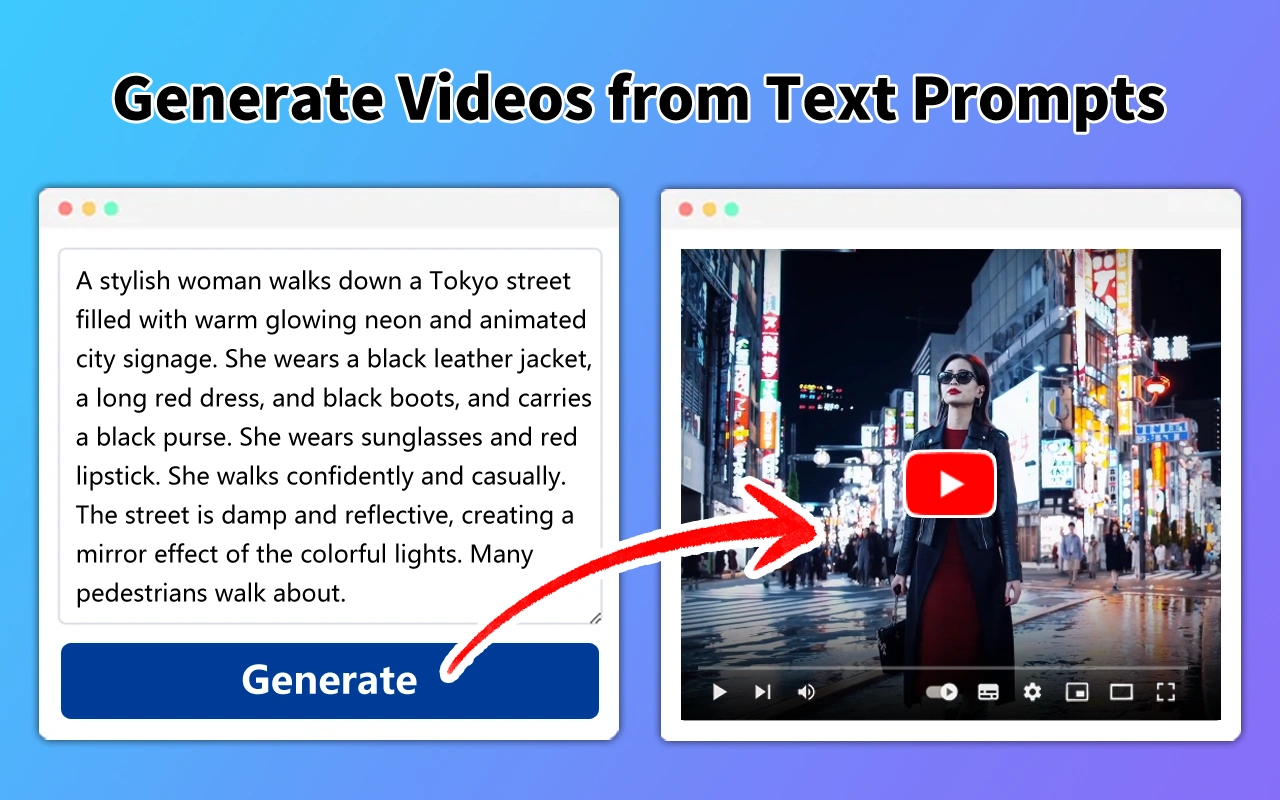
Step-by-Step Guide: Generating Professional Videos from Prompts
A clear prompt makes the intended output easier to interpret, but controls vary by generator. Use this workflow to make the request specific and reviewable.
- Describe the scene: name the subject, action, setting, and audience.
- Specify visual direction: include shot size, camera movement, lighting, color palette, and style.
- Set delivery requirements: state aspect ratio, approximate duration, frame rate if configurable, and audio needs.
- Attach references: provide authorized footage, images, or brand assets when supported.
- Iterate and finish: generate a draft, note corrections, refine the prompt, and edit the approved version.
Prompt tip: Replace vague words such as “cinematic” with visible details, such as a slow dolly-in, soft side lighting, restrained contrast, and a stable horizon.
The Science Behind Effective AI Video Editing Prompts
Effective prompts reduce ambiguity by separating the task into concrete instructions. Describe the subject and action first, then camera behavior, lighting, composition, pacing, audio, and output constraints. Mention issues to avoid only when relevant, such as flicker, warped text, inconsistent clothing, or abrupt camera changes.
- Be specific: describe visible actions and camera movement, not just mood words.
- Keep continuity: repeat key details about characters, products, lighting, and color across related shots.
- Control scope: ask for one clear outcome per prompt and iterate.
- Use constraints: specify orientation, duration, pacing, caption safe areas, and platform.
Example: Ask for a 9:16 edit with a first-second hook, two purposeful punch-ins, captions inside mobile safe areas, and a loop-friendly final frame.
Best Practices for Customizing Your AI-Generated Video Outputs
Treat AI output as a draft that needs quality control. Check whether the clip preserves the subject, follows the brief, and fits the rest of the edit. Tools may alter small details or introduce artifacts, so inspect the result closely when accuracy matters.
- Use reference frames or approved brand assets where supported.
- Review faces, hands, logos, product geometry, text, shadows, and continuity.
- Check dialogue synchronization, caption spelling, audio levels, and music licensing.
- Keep original files and compare before-and-after exports.
- Confirm permission to use footage, music, likeness, and voice before publishing.
Example: For a product advertisement, verify packaging, logos, and product proportions before approving the final cut.
Unlocking Advanced Visual Effects with Expert Prompts
Advanced prompts can help plan motion graphics, match cuts, speed ramps, compositing, sound-aware edits, and multi-shot continuity. Results depend on the generator and source material. For precise timing or complex compositing, generate visual elements first and finish the effect in a non-linear editor.
- Match cuts: specify the object, gesture, direction, or shape that connects two shots.
- Motion graphics: describe the purpose, placement, timing, and hierarchy of overlays.
- Compositing: identify the foreground subject, background, edge quality, and shadow direction.
- Audio: describe ambience and action-synced sound separately from dialogue and music.
- Continuity: repeat reference details and inspect each cut for visual drift.
Example: Plan a motion-matched transition into a product close-up, then refine the cut, sound, and color in Premiere Pro or DaVinci Resolve.
AI Video Editing Prompts: How to Use These Templates
AI video editing prompts are written instructions describing the visual result, movement, pacing, sound, and finishing requirements you want from a compatible tool. Identify the goal, specify the source footage or reference, describe the desired look, and review the output before publishing. These 22 templates are starting points, not guarantees of a particular result.
AI Prompt Templates for Fast, Creative & High-Quality Video Production
Use these AI prompt templates to edit videos faster, generate engaging hooks, apply professional effects, improve audio quality, add captions, and create viral-ready content for social media and marketing. These prompts are perfect for YouTubers, influencers, filmmakers, and digital marketers who want to produce eye-catching videos with the power of AI.
How Can AI Prompts Improve Video Editing for Creators and Filmmakers?
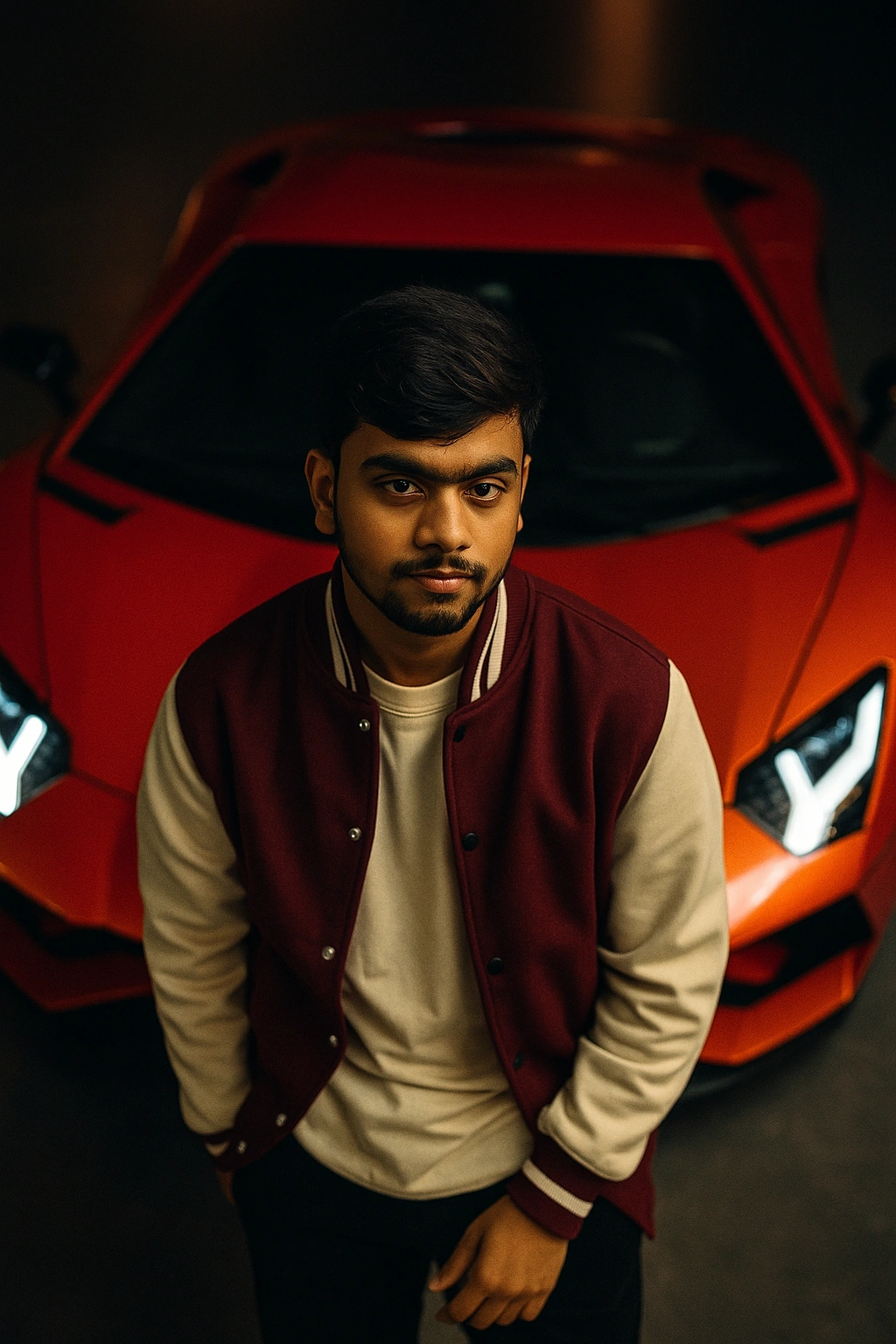
AI prompts improve video editing for creators and filmmakers by helping edit clips, apply effects, enhance visuals, and create cinematic styles faster. They simplify complex editing workflows, save time, and allow beginners and professionals to produce high-quality videos using AI-powered editing tools.
Frequently Asked Questions
What is included in this AI video editing prompt guide?
This guide includes 22 templates for color grading, transitions, short-form effects, captions, B-roll, audio, restoration, and visual continuity, plus practical implementation steps.
What are AI video editing prompts?
AI video editing prompts are text instructions that help AI tools edit videos, add effects, improve visuals, and create cinematic content.
Who can use AI video editing prompts?
Creators, filmmakers, YouTubers, and marketers can use AI video editing prompts to produce high-quality videos faster.
Are AI video editing prompts beginner-friendly?
Yes. Beginners can use AI video editing prompts to enhance videos, add transitions, and apply effects without advanced editing skills.
Which AI tools support video editing prompts?
These prompts work with tools like Runway, Pika, Adobe Premiere AI, DaVinci Resolve AI, and other AI video editors.
Can AI video prompts be used for professional filmmaking?
Yes. AI video prompts help create professional-looking edits, cinematic styles, and polished videos for filmmaking projects.
What should I include in an AI video editing prompt?
Describe the subject, desired edit, camera motion, lighting, visual style, aspect ratio, duration, audio needs, and continuity requirements. Use only controls supported by your selected tool.
Do AI video editing prompts guarantee professional results?
No. Prompts guide the tool but cannot guarantee a specific result. Review generated footage for artifacts, continuity, licensing, accessibility, and technical quality before publishing.