Production-Grade Prompts for Multimodal Vision, Google Workspace, 1M+ Context & Coding
Written by Adnan Khan Published July 25, 2026 Updated Nov 10, 2026 11 min read
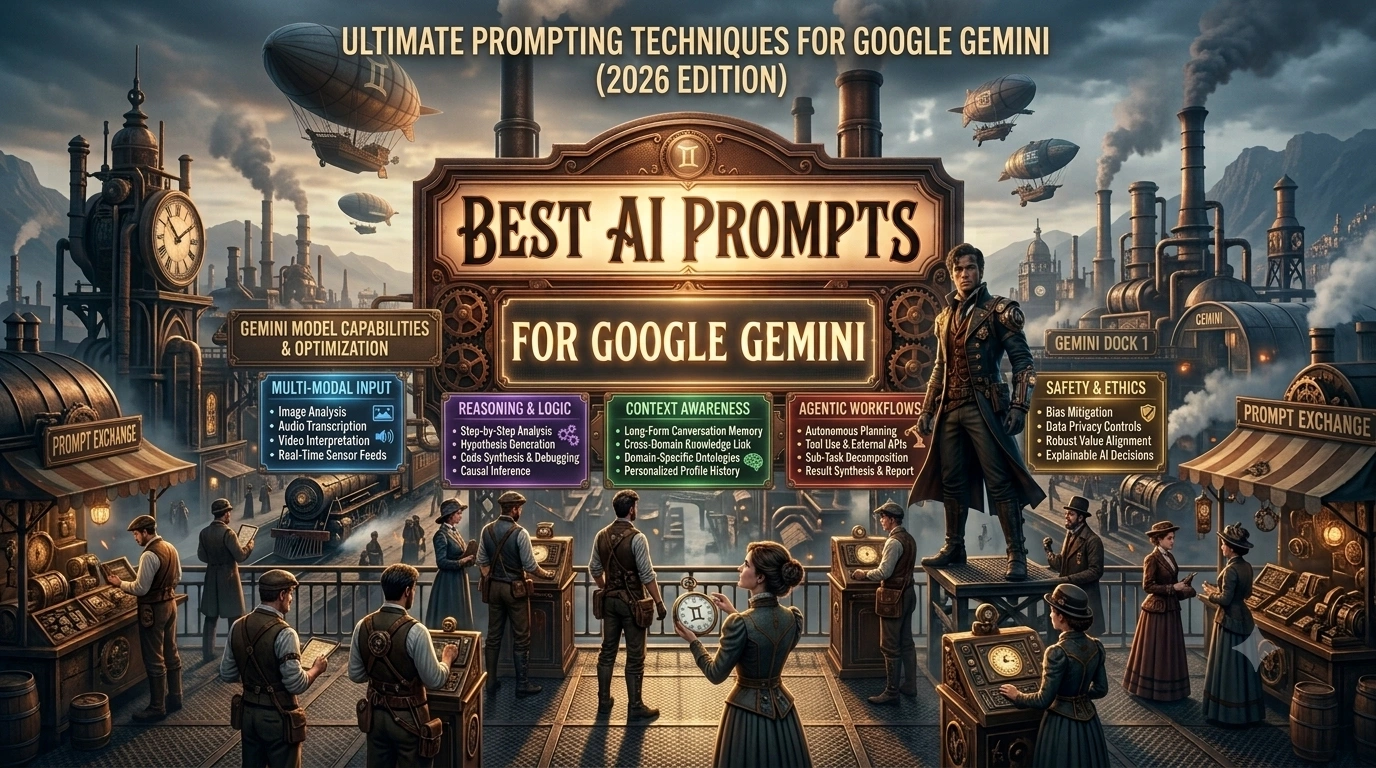
Unlock the full potential of Google Gemini in 2026 with 37 structured AI prompt templates. Each prompt is engineered to harness Gemini's native multimodal vision/audio/video comprehension, live Google Search grounding, `@Workspace` extensions (`@Gmail`, `@Google Drive`, `@YouTube`), and 1M+ token context window.
QUICK ANSWER: HOW TO PROMPT GOOGLE GEMINI EFFECTIVELY IN 2026
What Makes a High-Performance Google Gemini Prompt?
To get the best results from Google Gemini (Flash, Pro, and Deep Research), combine 4 elements: 1. Explicit Modality/Extension Trigger (attach images, video, audio, or invoke @Google Drive, @Gmail, or @YouTube), 2. Observation vs. Inference Split (instruct Gemini to separate what is visibly/textually present from what is inferred), 3. Search Grounding Rules (require live source verification and confidence labels), and 4. Export-Ready Output (Markdown tables ready for 1-click export to Google Sheets or Docs).
Updated for Nov 2026 Gemini Models 37 Multimodal & Workspace Templates 1M+ Context & Grounding Ready Free 1-Click Copy
37 AI Prompts for Multimodal Writing, Analysis, Coding & Research
Filter by category or browse all 37 tested Google Gemini templates below
1. Multimodal Content Drafting from Uploaded Image
WRITING
Generate a structured blog post, product breakdown, or report summary from an uploaded photo or chart.
[Upload image of a product, scene, UI screenshot, or chart].
Write a compelling [format: blog post / LinkedIn breakdown / technical report section] about this image for [target audience]:
1. Visual Inventory: List the concrete details visibly present in the image before making any interpretations, and flag any text or element that is blurry/ambiguous as [UNCLEAR] instead of guessing.
2. Core Narrative: Extract the primary insight, mood, or value proposition and structure the copy with scannable subheadings.
3. Provide 3 high-CTR headline options and an SEO alt-text description under 125 characters.
Pro Gemini Workflow Tip: Asking for a "Visual Inventory" before drafting forces Gemini's vision encoder to anchor every paragraph in real pixels rather than generic stock descriptions.
Synthesize context across your latest Gmail thread and a Google Drive doc to draft an accurate reply.
@Gmail @Google Drive Find the latest email thread from [sender name or subject keyword] and locate the related document titled "[document name or topic]" in my Google Drive.
1. Summarize what the sender is asking in 2 sentences and verify the exact answer or status from the Drive document.
2. List the exact email date/subject and Drive filename you referenced so I can verify your sources.
3. Draft 2 reply options (Option A: Concise & Direct; Option B: Detailed with bulleted status) including a clear next step and proposed deadline. Do not send anything automatically.
Pro Gemini Workflow Tip: Type `@Gmail` and `@Google Drive` at the start of the prompt in the Gemini web app to pull live facts from your Workspace without copy-pasting files.
3. YouTube Script with Visual B-Roll & Shorts Cutdown
WRITING
Draft a high-retention YouTube video script with synchronized visual cues and a 30-second Shorts spin-off.
Create a [duration, e.g., 8-minute] YouTube video script about [topic] aimed at [audience].
1. Format the script as a 3-column Markdown table: Timestamp | Spoken Dialogue (conversational, 140 words/min) | Visual B-Roll & On-Screen Text Overlay.
2. Open with a 0:00–0:15 pattern-interrupt hook that validates the title/thumbnail promise immediately.
3. Insert a visual re-hook or curiosity loop every 60–90 seconds to prevent mid-video drop-off.
4. At the end, extract the single highest-impact moment into a standalone 30-second YouTube Shorts / Reels script.
Pro Gemini Workflow Tip: Click Export to Google Sheets on the generated 3-column table to turn your script directly into a production shot list.
4. 1M-Token Story Bible & Continuity Checker
WRITING
Upload an entire novel, screenplay, or multi-part series to build a continuity bible before drafting the next chapter.
[Upload full manuscript PDF/Doc or paste chapters].
1. Build a structured Story & Continuity Bible from the existing text: Character Profiles (voice quirks, motivations, current knowledge state), Master Chronological Timeline, World/System Rules, and Unresolved Plot Threads.
2. Draft the next chapter based on this beat outline: [paste next chapter outline], strictly preserving each character's established speech rhythm.
3. Continuity Audit: List any potential timeline, character-knowledge, or setting contradictions you had to avoid or noticed in the earlier chapters.
Pro Gemini Workflow Tip: Gemini Pro's 1M+ token context window can hold up to ~700,000 words at once—upload your entire book draft via Google Drive so it never forgets Chapter 1 details.
5. Search-Grounded SEO & AEO Web Copywriter
WRITING
Write landing page or article copy grounded in live SERP gap analysis rather than outdated templates.
Write search-optimized web copy for a page about [product / service / topic] targeting the primary keyword "[primary keyword]" and secondary terms [list secondary keywords].
1. Live SERP Gap Audit: Use Google Search to inspect current top-ranking pages for "[primary keyword]"—summarize what they cover and identify 3 high-intent user questions they fail to answer clearly.
2. Draft the complete page: Title Tag (under 60 chars), Meta Description (under 155 chars), H1, a 45-word AEO Quick-Answer box, H2/H3 sections, and a 5-question FAQ block.
3. Mark any proprietary metric or pricing placeholder I need to verify as [VERIFY METRIC].
Pro Gemini Workflow Tip: Click the Double-check response (G) button below Gemini's output to highlight verified search-backed statements in green.
6. Handwritten Notes & Whiteboard Photo to Structured Doc
WRITING
Convert photos of messy notebook pages or whiteboards into clean Markdown with action checkboxes.
[Upload photo(s) of handwritten notebook pages or whiteboard].
1. Verbatim Transcription: Transcribe the handwritten text and arrows accurately. Never guess illegible handwriting—mark any unreadable word as `[UNCLEAR: looks like "X"]`.
2. Structured Reorganization: Convert the raw transcription into a clean Google Docs-ready document with a 3-sentence Executive Summary, logical H2 headings, bulleted notes, and a Markdown Action Table (`Task | Owner | Due Date`).
Pro Gemini Workflow Tip: Take photos straight-on in good lighting and upload up to 5 notebook pages at once—then click Export to Docs to save the formatted notes directly to Drive.
7. Hindi, Hinglish & Regional Cultural Localization
WRITING
Culturally adapt marketing copy, scripts, or UI strings into natural Hindi, Hinglish, or regional Indian languages.
Translate and culturally localize this text into [Hindi / Hinglish / Tamil / Telugu / Bengali / Marathi / Arabic] for a [target audience, e.g., Gen-Z tech buyers in North India / SMB owners]:
"[paste source text]"
1. Avoid stiff, textbook literal translation—adapt idioms, emotional hooks, and examples so they sound 100% natural to a native speaker in 2026.
2. Retain everyday English technical or digital nouns that speakers naturally keep in conversation (e.g., link, update, order, app, setup).
3. Provide 2 calibrated variants: Variant A (Polite Professional / Trust-Building) and Variant B (Conversational Social/Reels Hook), and note any idiom trade-offs.
Pro Gemini Workflow Tip: Explicitly instructing Gemini to "retain everyday English technical nouns" prevents unnatural dictionary translations in Hinglish and regional scripts.
8. Deep Research Report with Source Confidence Matrix
ANALYSIS
Generate an exhaustive multi-source briefing where every claim is mapped to a primary link and confidence tier.
Conduct an in-depth research analysis on [topic] for [target decision-maker].
1. Synthesize the current 2026 landscape: core market/technical drivers, key players, competing schools of thought, and recent breakthroughs.
2. Prioritize primary data, regulatory filings, and official technical docs over secondary blog summaries. Where credible sources disagree, present both figures side by side.
3. Conclude with a 10-row Source Verification Table: Key Claim / Metric | Primary Source Name & Date | Confidence Level (Multi-Source Confirmed / Single Source / Contested).
Pro Gemini Workflow Tip: Select Gemini Deep Research in the model picker when running this prompt so Gemini autonomously browses dozens of sources and compiles a cited report.
9. Chart & Infographic Image-to-Table Data Extractor
ANALYSIS
Upload a screenshot of a complex chart or PDF graph to reconstruct the raw numbers into a spreadsheet table.
[Upload screenshot of chart, graph, or financial table].
1. Data Reconstruction: Extract all data points into a clean Markdown table with exact column headers and units. If a bar or line value has no explicit label, mark the interpolated number with `~` (estimated).
2. Trend & Anomaly Analysis: Identify the primary growth/decline inflection points and calculate percentage changes between key periods.
3. Visual Integrity Audit: Flag any misleading chart design choices (truncated y-axis, dual-axis scale distortion, cherry-picked date ranges).
Pro Gemini Workflow Tip: Once Gemini outputs the reconstructed Markdown table, click Export to Sheets at the bottom of the table to open the extracted numbers in Google Sheets.
10. Live Competitor URL & Reputation SWOT Auditor
ANALYSIS
Combine a competitor's live website positioning with current third-party customer reviews to find market wedges.
Analyze the competitor at [insert competitor URL or brand name] compared to our offering: [briefly describe your product/service].
1. Public Positioning Audit: Summarize their core value proposition, target ICP, pricing model, and feature claims.
2. Reality Check via Search: Search recent 2025–2026 user reviews, forums, and news to identify where customer complaints contradict their marketing promises.
3. Build a 4-quadrant SWOT Table and highlight 3 actionable "Wedge Opportunities" where we can win their dissatisfied users.
Pro Gemini Workflow Tip: Comparing a competitor's homepage claims against live third-party review complaints reveals your highest-converting ad angles.
11. @YouTube Video Timestamped Breakdown & Fact-Checker
ANALYSIS
Analyze long YouTube lectures, podcasts, or competitor videos with exact timestamps and clip recommendations.
@YouTube Analyze this video: [paste YouTube URL or upload video file].
1. Executive TL;DR: The 3 core takeaways and the speaker's central thesis.
2. Timestamped Chapter Breakdown: List every major topic shift with `[MM:SS]` timestamps and a 1-sentence summary of the argument made.
3. Fact & Claim Audit: Flag any bold statistic or technical claim made in the video (with its timestamp) that requires external verification.
4. Viral Clip Finder: Identify the best 30–45 second timestamp range for a high-retention Short/Reel and explain why.
Pro Gemini Workflow Tip: Gemini natively processes both the audio transcript and visual frames on uploaded video files (up to 1 hour long) inside Google AI Studio and Gemini Advanced.
12. Reusable Gemini Gem & Custom Skill Architect
WRITING
Turn a repetitive daily workflow into a permanent Gemini Gem or saved custom instruction set.
I frequently repeat this workflow: [describe task, e.g., turning raw product specs into review scripts / auditing SEO pages].
Help me build a reusable Gemini Gem (Custom Assistant):
1. Ask me up to 4 clarifying questions about the raw inputs I usually provide, my non-negotiable formatting rules, tone, and common AI mistakes I hate.
2. After I reply, write a production-ready Gem System Instruction block (under 250 words) structured into: Role, Step-by-Step Workflow, Negative Constraints, and Output Schema.
3. Provide 2 sample test prompts so I can verify the Gem works properly.
Pro Gemini Workflow Tip: Paste the generated instruction block into Gem Manager → New Gem in Gemini so you can launch this specialized assistant in one click.
13. Long Email Thread Escalation & Action-Item Tracker
ANALYSIS
Deconstruct a messy 20-reply email chain into sentiment shifts, owned tasks, and unanswered blockers.
Analyze this multi-person email thread:
[Paste email chain or invoke @Gmail with thread subject]
1. Sentiment & Friction Trajectory: Did tone shift from collaborative to frustrated or urgent? Pinpoint the exact message where friction started.
2. Owned Action Table: Extract every commitment into a table (`Action Item | Assigned Owner | Stated Deadline | Current Status`). Mark any unowned task as `UNASSIGNED`.
3. Dropped Questions: List every direct question asked earlier in the thread that nobody has answered yet.
Pro Gemini Workflow Tip: Surfacing "Dropped Questions" from a 30-message client thread prevents scope misunderstandings before a project kick-off.
14. System Architecture Diagram & Whiteboard To Mermaid Converter
ANALYSIS
Upload a photo of a hand-drawn system diagram to get an architectural critique and clean Mermaid.js code.
[Upload photo of a whiteboard architecture sketch or flowchart].
1. Flow Interpretation: Walk through the data/process flow from start to finish based on the boxes and arrows shown.
2. Bottleneck & SPOF Audit: Identify single points of failure (SPOFs), missing error/retry paths, or scalability bottlenecks in the sketched design.
3. Clean Mermaid.js Code: Output both the exact current diagram and an optimized v2 diagram as copy-ready `mermaid` code blocks I can paste into GitHub, Notion, or Docs.
Pro Gemini Workflow Tip: Converting whiteboard photos directly into `mermaid` syntax lets you commit version-controlled architecture diagrams straight to your Git repo.
15. Real-Time Claim Fact-Checker with Search Grounding
ANALYSIS
Audit viral statistics, industry rumors, or technical claims against live 2026 web sources.
Fact-check the following claim using live Google Search grounding:
"[Insert claim, statistic, or technical statement]"
1. Verdict & Confidence Score: Rate the claim as [True], [Mostly True — Missing Context], [Disputed], or [False / Fabricated].
2. Primary Evidence Trail: Cite the original primary source (study, official release notes, government filing) where this number originated, noting the publication date.
3. Corrected Phrasing: Rewrite the statement so it is 100% factually accurate and current as of 2026.
Pro Gemini Workflow Tip: Always ask for the "original primary source where the number originated" to catch fake statistics that get repeated across dozens of blog posts.
16. Mobile & Web UI/UX Screenshot Heuristic Audit
ANALYSIS
Upload a screenshot of your landing page or mobile app screen for a conversion and accessibility critique.
[Upload screenshot of web page or mobile app UI].
Act as a Principal Product Designer and CRO Specialist auditing this screen for [target user action, e.g., free trial signup / checkout]:
1. Visual Hierarchy & First-5-Second Test: What draws the eye first, and is the primary value proposition immediately clear?
2. Usability & Accessibility Audit: Evaluate contrast ratios, tap-target spacing, cognitive load, and form friction against Nielsen's 10 heuristics and WCAG 2.2 AA.
3. Top 5 High-Impact Fixes: Rank the 5 specific UI/copy changes that will lift conversion or task completion fastest.
Pro Gemini Workflow Tip: Upload both your desktop and mobile screenshots side by side so Gemini catches responsive layout crowding above the fold.
17. Production Google Apps Script Automator (Sheets / Gmail / Calendar)
CODING
Write quota-safe Google Apps Script automations with batch operations and execution logging.
Write a production-ready Google Apps Script (`Code.gs`) to automate this Google Workspace workflow:
[Describe workflow, e.g., Read rows from Sheet "Leads" where Column D = "Pending", send personalized Gmail message, and update Column D to "Sent" with timestamp].
Requirements:
1. Performance: Use batch array reads/writes (`getValues()` / `setValues()`) outside loops so the script never hits the 6-minute Apps Script execution timeout.
2. Safety: Include a `DRY_RUN = true` toggle for safe testing, quota/rate-limit checks, and `try/catch` error logging into a dedicated "Logs" tab.
3. Provide step-by-step instructions to set up the time-driven trigger and OAuth scopes.
Pro Gemini Workflow Tip: Requiring batch `getValues()` / `setValues()` outside `for` loops makes Google Sheets scripts run 40x faster and avoids Workspace quota lockouts.
18. Multimodal Gemini API App Builder (`@google/genai` / Python SDK)
CODING
Generate a complete Python or Node.js application using the current Google GenAI SDK and structured JSON outputs.
Write a complete, runnable [Python (Streamlit/FastAPI) or Node.js/Next.js] application that uses the official Google Gemini API (`google-genai` SDK) to:
[Describe multimodal task, e.g., accept an uploaded invoice/receipt image or PDF and extract line items, tax, vendor, and total into a validated table].
Include:
1. Secure API key loading from `GEMINI_API_KEY` environment variable.
2. Multimodal file handling and `response_schema` (Pydantic or JSON Schema) to guarantee strict, parseable JSON output every time.
3. Graceful error handling for unreadable images, rate limits (HTTP 429), and token usage logging.
Pro Gemini Workflow Tip: You can prototype this prompt directly in Google AI Studio and click Get Code to export the exact Python, JavaScript, or cURL implementation.
19. Complex Analytical SQL Query & Cohort Builder
CODING
Convert natural-language business questions into readable, CTE-structured SQL with window functions.
Database Dialect: [PostgreSQL / BigQuery / MySQL / Snowflake].
Schema:
[Paste table names, columns, types, and join keys]
Write an optimized SQL query to answer this business question:
"[e.g., Show the top 10 customers by net revenue in Q3 2026 who have not placed an order in the last 30 days, along with their average order value and days since last purchase]."
1. Structure the query with readable CTEs (`WITH ...`) and explicit JOIN conditions.
2. Safely guard against `NULL` values, duplicate join fan-out, and division-by-zero errors.
3. Explain the query execution logic in 3 bullet points.
Pro Gemini Workflow Tip: Explicitly warning against "duplicate join fan-out" ensures Gemini aggregates child tables (like `order_items`) in a CTE before joining to `orders`.
20. Idiomatic Cross-Language Code Migration (Java to Kotlin / JS to TS)
CODING
Refactor legacy classes into modern idiomatic Kotlin, TypeScript, Go, or Rust with full type safety.
Refactor this [source language, e.g., Java / JavaScript] code into idiomatic, production-grade [target language, e.g., Kotlin / TypeScript / Go]:
[Paste source code]
1. Do NOT perform a literal 1-to-1 syntax translation. Rewrite it using native [target language] idioms (e.g., Kotlin null-safety, `data class`, sealed classes, and coroutines; or strict TypeScript discriminated unions).
2. Preserve 100% functional parity on all boundary conditions and error states.
3. List the top 4 architectural improvements made during the migration.
Pro Gemini Workflow Tip: Essential for Android teams migrating legacy Java modules to Kotlin and Jetpack Compose or web teams moving plain JS to strict TypeScript.
21. Automated Unit & Integration Test Suite Generator
CODING
Generate runnable Pytest, Vitest, Jest, or JUnit test suites covering edge cases and mocked dependencies.
Target Test Runner: [Pytest / Vitest / Jest / JUnit 5 / Go testing].
Generate a complete unit test suite for this module:
[Paste function, class, or API route code]
Requirements:
1. Cover Happy Paths, Boundary/Edge Cases (empty collections, `null`/`undefined`, negative/zero values, timezone boundaries), and Malformed Inputs.
2. Mock all external network, database, or filesystem dependencies cleanly without hitting live services.
3. Output copy-runnable test code and note any untestable tight coupling in the original function that should be refactored via dependency injection.
Pro Gemini Workflow Tip: If you are testing Python code, ask Gemini to run the generated test suite inside its built-in Python sandbox to verify all assertions pass.
22. PyTorch & TensorFlow Model Architecture + Colab Training Loop
CODING
Generate documented deep-learning architectures with tensor-shape annotations ready for Google Colab.
Write a complete, modular [PyTorch / TensorFlow Keras] pipeline for [ML task, e.g., multi-class image classification / time-series forecasting / fine-tuning]:
Input specification: [describe input dimensions/features and dataset format].
1. Model Architecture: Define the network class with inline comments showing exact tensor shapes `(Batch, Channels, H, W)` after every layer.
2. Training & Validation Loop: Include mixed-precision (`torch.cuda.amp`), optimizer/scheduler setup, early stopping, and validation loss/accuracy tracking.
3. Format the code so it runs cleanly in a Google Colab GPU runtime.
Pro Gemini Workflow Tip: Click Export to Colab beneath Gemini's Python code block to open the neural network script directly inside a GPU-backed Google Colab notebook.
23. Academic Literature Review with Google Scholar Grounding
RESEARCH
Synthesize peer-reviewed 2024–2026 research findings, methodological debates, and citation trails.
Search recent academic literature (2024–2026) on "[specific research topic or hypothesis]".
Compile a structured Literature Review Brief:
1. State of the Consensus: What empirical findings are consistently replicated across multiple studies?
2. Active Methodological Debates: Where do leading researchers or labs disagree, and why do their results diverge?
3. Study Comparison Table: Paper Title & Authors | Year | Methodology / Sample Size | Core Finding | Key Limitation.
4. Never fabricate DOIs or author names—only list papers verified via search.
Pro Gemini Workflow Tip: Use Gemini Deep Research or verify each listed paper title with the Google Search grounding button to jump straight to the publisher PDF.
Upload up to 1,500 pages of PDF reports, filings, or manuals to synthesize a cross-referenced briefing.
[Upload multiple PDF reports or select a folder from @Google Drive].
Synthesize all uploaded documents into a single Executive Research Briefing focused on [specific strategic question or industry]:
1. Document Inventory: Briefly list each uploaded file and its primary scope/date.
2. Unified Financial & Metric Comparison Table: Align key figures, projections, or technical specs across all documents into standardized units.
3. Cross-Document Contradictions: Quote any specific claims where Document A directly disagrees with Document B (citing exact file names and page numbers).
Pro Gemini Workflow Tip: You can also load your PDF collection into Google NotebookLM alongside Gemini to maintain a permanent, citation-pinned notebook for the project.
25. Quantitative Market Trend Report with Python Chart Generation
RESEARCH
Combine live market research with Gemini's Python sandbox to render downloadable charts and data tables.
Research the 2024–2026 market trajectory and growth metrics for [industry/segment, e.g., EV two-wheelers in India / AI SaaS adoption].
1. Identify the Top 5 quantitative trends backed by public industry reports or regulatory filings (cite the source for every number).
2. Compile the historical and projected figures into a clean summary table.
3. Use Python code execution (`matplotlib` / `seaborn`) to generate and display a clean, publication-ready bar or line chart visualizing the primary growth trend.
Pro Gemini Workflow Tip: Gemini's integrated Python interpreter executes the plotting code in the cloud and renders a high-resolution PNG chart right inside your chat.
26. Raw Audio Recording or Transcript to Formal Meeting Minutes
RESEARCH
Upload an `.mp3`/`.wav` voice recording or Google Meet transcript to extract decisions and owned tasks.
[Upload meeting audio file (.mp3/.wav/.m4a) or paste Google Meet transcript].
Generate formal, audit-ready Meeting Minutes from this session:
1. Meeting Metadata & 3-Bullet Executive Summary.
2. Key Decisions Locked In (quoting the exact agreement and timestamp if available).
3. Action Items Table: Task Description | Assigned Owner | Due Date | Dependencies. If a deadline or owner was not explicitly spoken, label it `[NEEDS OWNER/DATE CONFIRMATION]`.
4. Open Parking-Lot Questions deferred to the next meeting.
Pro Gemini Workflow Tip: Gemini processes native audio directly (not just text transcripts), allowing it to detect speaker hesitation or tone shifts during negotiations.
Analyze the technical and patent landscape for "[specific technology or engineering problem, e.g., solid-state battery thermal management]".
1. Dominant Technical Approaches: Compare the top 3–4 competing engineering mechanisms in a table (`Approach | Key Assignees/Labs | Core Advantage | Primary Bottleneck`).
2. Recent Filing Momentum (2024–2026): Which sub-components are seeing the heaviest R&D activity right now?
3. R&D White-Space Opportunities: Identify 3 under-explored technical intersections with high commercial value and lower incumbent density, plus exact Google Patents search strings to inspect them.
Pro Gemini Workflow Tip: Run the generated boolean search strings in `patents.google.com`, download the top 5 patent PDFs, and upload them back into Gemini for a claim-by-claim comparison.
28. Direct-Response Ad Copy & Creative Hook Generator from Product Photo
WRITING
Upload a product photo to generate platform-calibrated Google Ads, Meta Ads, and Amazon listing copy.
[Upload product photo or packaging image].
Target Customer: [describe buyer persona and price point].
Analyze the visual features, materials, and form factor visible in the photo and generate:
1. 5 Meta / Instagram Ad Angles (Problem-Agitate-Solve, Social Proof, Us-vs-Them, Visual Hook, Risk-Reversal) with Primary Text and Headline under 40 characters.
2. 5 Google Search Responsive Ad Headlines (strictly under 30 characters each) and 3 Descriptions (under 90 characters).
3. 5 Benefit-First E-Commerce Bullet Points translating visible physical features into daily buyer outcomes.
Pro Gemini Workflow Tip: Enforcing exact character caps (`<30 chars` for Google Ads headlines) ensures you can paste the output straight into Google Ads Editor without truncation errors.
Upload an earnings call audio file or transcript to spot executive deflections and GAAP vs. Non-GAAP gaps.
[Upload earnings call audio or paste full Q&A transcript].
Perform a forensic financial and behavioral analysis of this earnings call:
1. Executive Tone & Confidence Shift: Compare management's prepared remarks against their unscripted Q&A answers—where did tone become defensive or evasive?
2. GAAP vs. Non-GAAP & Guidance Table: Extract key revenue, margin, capex, and forward guidance numbers mentioned.
3. Analyst Deflection Log: List the 4 toughest analyst questions, quote management's response, and grade each answer as [Answered Directly], [Partially Answered], or [Deflected / Changed Subject].
Pro Gemini Workflow Tip: The "Analyst Deflection Log" in step 3 immediately highlights the exact operational risks management is trying to downplay this quarter.
30. Google BigQuery SQL Cost & Slot Performance Optimizer
CODING
Refactor expensive BigQuery SQL queries to cut bytes billed using partitioning, clustering, and `APPROX` functions.
Optimize this slow/expensive Google BigQuery Standard SQL query for both execution speed and bytes-billed cost reduction:
[Paste BigQuery SQL query and table partitioning/clustering details]
1. Bytes-Billed Audit: Identify anti-patterns (`SELECT *`, missing `_PARTITIONTIME` / partition-column pruning, non-sargable `WHERE` functions, self-joins, `ORDER BY` without `LIMIT`).
2. Provide the refactored BigQuery SQL utilizing partition filters, `QUALIFY` with window functions instead of subqueries, and `APPROX_COUNT_DISTINCT` where appropriate.
3. Recommend the exact `PARTITION BY` and `CLUSTER BY` (up to 4 columns) DDL settings for the underlying tables.
Pro Gemini Workflow Tip: Replacing `ROW_NUMBER()` subqueries with BigQuery's native `QUALIFY` clause and adding partition pruning regularly cuts BigQuery scan costs by 70–90%.
Combine `@Google Maps` spatial context with live search to evaluate regional infrastructure, transit, or retail sites.
@Google Maps Analyze the geographic, infrastructure, and commercial context around [specific city, corridor, industrial zone, or region] for [purpose: e.g., opening a service hub / supply-chain routing / regional study]:
1. Spatial & Transit Connectivity: Identify major highway/rail corridors, nearest logistics hubs, and travel-time bottlenecks.
2. Local Ecosystem Density: Map existing competitors, complementary businesses, or residential catchment areas in that zone.
3. Regional Risk & Opportunity Brief: Summarize recent infrastructure developments or zoning/market shifts from 2025–2026 search data.
Pro Gemini Workflow Tip: Invoking `@Google Maps` lets Gemini calculate real-world driving distances and inspect local business density around any target pin.
32. Interactive 4-Week Certification Study Coach & Live Grader
WRITING
Build a structured 4-week study roadmap for any technical certification and run interactive practice quizzes.
Create a 4-week active-recall study plan to help me pass/master [certification or skill, e.g., Google Cloud Digital Leader / Associate Cloud Engineer / Full-Stack System Design] studying [X hours/day].
1. Output a 4-Week Milestone Table weighted by official exam domain percentages.
2. Give me a concise cheat-sheet of the top 5 concepts from Week 1.
3. Immediately launch a 5-question scenario-based diagnostic quiz on Week 1 (do NOT show the answers yet—wait for my reply, then grade my responses and explain the trap distractors).
Pro Gemini Workflow Tip: Keep this chat pinned for 4 weeks and reply "Quiz me on Week 2" as you progress through each module.
33. Long-Document Named Entity Extractor & Mermaid Knowledge Graph
ANALYSIS
Extract people, organizations, locations, and financial links from a 100-page file into a visual network graph.
[Upload long PDF/document or paste text].
1. Entity Inventory Table: Extract all key Named Entities (`Entity Name | Type (Person/Org/Location/Asset) | Role in Document | First Page/Section Mention`).
2. Relationship Mapping: List every verified relationship (ownership, contract, reporting line, conflict) stated explicitly in the text.
3. Mermaid Knowledge Graph: Output a valid `mermaid` `graph LR` code block mapping the connections between the top 15 entities, highlighting the highest-centrality nodes.
Pro Gemini Workflow Tip: Paste the generated `mermaid` block into `mermaid.live` or Notion to visualize complex corporate filings, historical events, or system dependencies.
34. UI Screenshot to Responsive Flutter (Material 3) Widget Tree
CODING
Upload a mobile Figma screenshot or wireframe to generate clean, responsive Flutter Material 3 Dart code.
[Upload screenshot of mobile UI screen].
Generate a clean, production-ready Flutter (Dart 3, Material 3) widget implementation that replicates this UI layout:
1. Component Decomposition: Break the screen into modular, reusable `StatelessWidget` / `StatefulWidget` sub-components rather than one giant nested `build()` method.
2. Responsive & Theme Rules: Use `Theme.of(context).colorScheme`, `MediaQuery` / `LayoutBuilder` constraints, and `CustomScrollView` / `Sliver` patterns so it never overflows on small screens.
3. Add accessibility `Semantics` labels and clean state-management hooks.
Pro Gemini Workflow Tip: Specifying "Break the screen into modular sub-components" prevents deeply nested 400-line `build()` methods that are impossible to maintain.
35. Scientific Paper Figure, Plot & Error-Bar Decoder
RESEARCH
Upload a dense multi-panel figure (`Fig. 1a–1f`) from a research paper for a panel-by-panel walkthrough.
[Upload high-res screenshot of a multi-panel scientific figure and its caption].
Explain this figure clearly at two levels (Undergraduate Summary + Peer-Reviewer Critique):
1. Panel-by-Panel Walkthrough: For each sub-panel (A, B, C...), explain the x/y axes, units, control vs. treatment groups, error bars (SD vs. SEM vs. 95% CI), and p-value/significance markers (`*`, `**`, `ns`).
2. Core Empirical Takeaway: What does this figure actually prove?
3. Caveats & Visual Checks: Point out high variance, small `n` sample sizes, or log-scale axes that require careful interpretation.
Pro Gemini Workflow Tip: Always include the figure caption inside your screenshot—scientific captions contain the sample size (`n=`) and statistical test definitions needed for accurate decoding.
36. Google Cloud & Workspace OAuth 2.0 Python Client Generator
CODING
Build a secure Python script with automatic token refresh and exponential backoff for Google APIs.
Write a production-ready Python script using `google-auth`, `google-auth-oauthlib`, and `google-api-python-client` to authenticate via OAuth 2.0 (or Service Account) with the [Google Search Console / Google Calendar / Google Drive / Google Sheets / YouTube Data v3] API:
Goal: [describe exact API task, e.g., fetch the last 30 days of search analytics queries or list upcoming calendar events].
1. Implement automatic `token.json` caching and expired token refresh (`creds.refresh(Request())`).
2. Use the minimum required read/write OAuth scope (principle of least privilege).
3. Include pagination (`nextPageToken`) and exponential backoff retry logic for `HttpError` 429/503 responses.
Pro Gemini Workflow Tip: Great for automating your own Google Search Console indexing audits or YouTube channel analytics pulls via Python.
Upload a photo of a physical store shelf, booth, or hardware setup to audit layout and share-of-shelf.
[Upload photo of a retail shelf, product display, or hardware rack].
Analyze this physical display image systematically:
1. Visual Inventory & Share-of-Shelf Table: Identify every visible brand/item row by row (Top Shelf, Eye-Level, Bottom Shelf) and estimate its approximate percentage of total facings.
2. Stock & Compliance Check: Flag visible out-of-stock gaps, crooked/damaged packaging, missing price tags, or blocked signage.
3. Merchandising Critique: Explain what draws customer attention at eye level and recommend 3 layout adjustments to improve visibility for [target brand/item].
Pro Gemini Workflow Tip: Field sales reps and store managers can run this directly from the Gemini mobile app camera to audit shelf compliance in 15 seconds.
GOOGLE GEMINI PROMPT ENGINEERING
Advanced Google Gemini Prompt Engineering: Five Core Guides
Use these guides to adapt the 37 prompt templates to the Gemini interface and model tier you use—whether that is the Gemini web/mobile app, Google Workspace side panels, Google AI Studio, or Vertex AI.
1. Optimizing Your Google Gemini Workflow with Advanced Prompts
Start each prompt with a clear objective, target audience, relevant multimodal or Workspace context, negative constraints, and a specific deliverable format. Separate source material from instructions and instruct Gemini to flag missing or illegible inputs as [UNCLEAR] rather than guessing.
Define the exact task and measurable success criteria.
Specify the output structure (Markdown table for Sheets export, clean prose for Docs export, or typed JSON for APIs).
Use the built-in Double-check response (G) button to verify factual claims against live Google Search results.
Gemini is natively multimodal from the ground up, meaning it processes images, audio recordings, video files, and massive PDF packets inside a unified context window of up to 1M–2M tokens.
Upload high-resolution charts, handwritten notes, audio files, or full PDF repositories directly into the prompt.
Ask for a structured Visual / Document Inventory and an extraction table first before requesting high-level synthesis.
Require exact page numbers, document filenames, or [MM:SS] video/audio timestamps for every major claim.
3. The Science Behind Effective Multimodal Prompting, Google Search Grounding, and Long-Context Retrieval
Multimodal prompts perform best when your instructions explicitly connect each uploaded asset to a verification step—for example, "compare the numbers in the uploaded chart image against page 14 of the PDF report."
Always instruct Gemini to separate Direct Observations (what is visibly or textually present) from Inferences.
For time-sensitive 2026 facts, require primary source names, dates, and a 3-tier Confidence Label (Confirmed, Single-Source, or Contested).
4. Best Practices for Integrating Audio, Video, Image, and Workspace (@Gmail, @Drive) Inputs
Use `@Gmail`, `@Google Drive`, `@Google Docs`, `@YouTube`, and `@Google Maps` extensions in the Gemini app to pull personal or live context without manual file exports. Always ask Gemini to list the exact email subject or Drive filename it retrieved so you can audit the source before taking action.
5. Unlocking 1-Click Exports to Google Sheets, Google Docs, and Google Colab
Format analytical outputs as Markdown tables so Gemini displays the Export to Sheets button, format reports with clean H2/H3 hierarchy for Export to Docs, and request Python data-science scripts in modular cells for 1-click Export to Colab execution.
AI Prompt Templates for Maximizing Google Gemini in 2026
These 37 AI prompt templates are engineered to harness Google Gemini's native strengths: multimodal vision and audio understanding, live Google Search grounding, `@Workspace` app extensions, and 1M+ token document analysis. Upload your files or fill in the bracketed placeholders to get verifiable, production-ready outputs.
About the Author
Adnan Khan
Founder of I Love AI Prompt • AI Prompt Researcher • Prompt Engineering Specialist
Hi, I'm Adnan Khan, the founder of I Love AI Prompt. I research, test, and publish AI prompts for creators, developers, marketers, designers, students, and businesses. Every prompt on this website is reviewed and refined to improve output quality, consistency, and usability across today's leading AI tools.
This guide was created by testing multimodal vision, audio, 1M+ long-context, and Google Workspace workflows across Google Gemini and Google AI Studio.
Frequently Asked Questions
What was updated on this page for November 2026?
This page was updated on November 10, 2026 with a 2026 Google Gemini Model & Workspace Matrix, expanded multi-step instructions across all 37 multimodal and Workspace prompts, unique workflow tips for Sheets/Docs/Colab exports, and synchronized JSON-LD schema.
What are the best AI prompts for Google Gemini in 2026?
The best AI prompts for Google Gemini in 2026 combine multimodal inputs (uploaded charts, UI screenshots, audio, or 1M-token PDF packets) or @Workspace extensions (@Gmail, @Google Drive, @YouTube) with explicit rules separating visual observation from inference and Markdown table formatting for 1-click Google Sheets export.
When should I use Gemini Flash versus Gemini Pro or Deep Research?
Use Gemini Flash for fast daily drafting, OCR transcription, and quick image/video summaries. Switch to Gemini Pro for complex coding, BigQuery optimization, and 1M+ token multi-PDF analysis, and choose Gemini Deep Research when you need an autonomous multi-source web investigation with citation tables.
Do these Gemini prompts work with ChatGPT and Claude?
Yes. Apart from Google-specific `@Gmail` and `@Drive` extension triggers, all 37 templates work seamlessly across ChatGPT (GPT-4o / o-series) and Anthropic Claude.
Can these prompts analyze uploaded images, audio files, and 100-page PDFs?
Yes. Prompts #1, #4, #6, #9, #11, #14, #16, #24, #26, #28, #29, #33, #34, #35, and #37 are purpose-built for Gemini's native multimodal vision, audio, video, and 1M+ token document capabilities.
Should I fact-check information from Google Gemini prompts?
Yes. Always click Gemini's "Double-check response (G)" button to verify claims against live Google Search results, and validate critical code, legal clauses, or financial figures against original source files.
Related Guides
You May Also Like
Explore related prompt guides selected for this topic.